

9 mins read

Recommended Cloud-Based AP Automation for Modern Businesses

mekari expense end to end ap automation featured image

Mekari Insight

  • Manual AP has a measurable cost that most businesses underestimate. Processing a single invoice manually averages $15 and nearly 15 days. Multiply that across hundreds or thousands of invoices per month, and the cost of staying manual โ€” in time, errors, and delayed cash visibility โ€” becomes a genuine strategic liability rather than a minor operational inconvenience.
  • Cloud-based AP automation is a practical investment, not just a productivity upgrade. Full automation enables touchless invoice processing, reduces per-invoice costs, and frees finance teams to focus on forecasting, vendor strategy, and financial planning. The ROI case is straightforward, and the technology is mature enough to deliver it reliably.
  • For businesses in Indonesia, Mekari Expense offers end to end AP automation. Unlike global platforms that require workarounds for local payment rails, currency, and compliance requirements, Mekari Expense is built for the Indonesian market โ€” with real-time multi-currency support, native integration with Mekari Jurnal for automated reconciliation, and HRIS connectivity through Mekari Talenta. If you’re looking to modernize AP without building a patchwork of disconnected tools, it’s the most complete starting point available locally.

Managing accounts payable manually is quietly expensive. Between chasing approvals, re-entering invoice data, and reconciling payments at month-end, finance teams spend enormous amounts of time on work that doesn’t require human judgment, just human labor. 

Cloud-based AP automation changes that equation by handling the repetitive parts automatically, so your team can focus on decisions that actually move the business forward.

This guide explains how the technology works, what to look for in a solution, and which platforms are worth considering.

What is cloud-based AP automation?

cloud based AP automation

Cloud-based AP automation is software that manages the end-to-end accounts payable process โ€” from invoice receipt and data extraction to approval routing, payment scheduling, and accounting entries โ€” without requiring manual handling at each step.

Because it runs in the cloud, it’s hosted and maintained by the software vendor. Your team accesses it through a browser or app, without needing on-premise servers or internal IT support for maintenance. Every invoice, approval, and payment lives in a central system that the whole finance team can access in real time.

Why manual AP is a bigger problem than it looks

The inefficiency of manual accounts payable tends to compound quietly. A single invoice might pass through four or five people โ€” data entry, verification, approval, payment, reconciliation โ€” with each handoff adding delay and the possibility of error.

The numbers put this in perspective:

  • Processing a single invoice manually costs an average of $15 and takes 14.6 days. Best-in-class automated teams process the same invoice in 3.1 days at $2.78. (Quadient)
  • 68% of businesses still key invoice data manually into their ERP or accounting software, creating bottlenecks that slow down payment cycles and vendor relationships. (HighRadius)
  • About 39% of invoices contain errors when processed manually โ€” errors that take additional time to catch and correct. (DocuClipper)
  • 88% of AP professionals say automation allows their teams to focus on higher-value strategic work, shifting finance from a cost center toward a growth contributor. (HighRadius)
  • The AP automation market is growing at a 12.8% CAGR through 2030, reflecting a broad shift away from manual processes across industries. (DocuClipper)

Core features to look for

To transition fully away from manual processes and realize these benefits, any viable solution must include a robust set of core features.

1. Approval workflow automation

A good AP system lets you configure multi-level approval routes based on invoice amount, department, or vendor type โ€” and enforces them automatically. Approvers get notified, can approve or flag directly from their inbox or mobile device, and the audit trail is captured without any manual documentation.

2. OCR-based invoice capture

Optical Character Recognition (OCR) technology reads invoice data โ€” vendor name, line items, amounts, due dates โ€” and populates the system automatically. This eliminates the most time-consuming part of manual AP: data entry. 

Modern AI-enhanced OCR can now achieve accuracy rates of up to 98%, making touchless processing genuinely reliable at scale.

3. Accounting system integration

The strongest AP tools sync directly with your accounting software, so every approved payment posts as a journal entry without anyone re-entering the data. This is where reconciliation goes from a painful end-of-month exercise to something that happens continuously in the background.

4. Real-time dashboards and reporting

Cloud-based systems surface cash flow visibility in real time โ€” outstanding payables, upcoming due dates, payment history by vendor. Finance leaders can act on current data rather than waiting for a monthly close.

5. Audit trail and compliance controls

Every action in the system is logged automatically: who submitted an invoice, who approved it, when it was paid, and whether any data was modified. This makes audits faster and helps companies maintain compliance with financial regulations without building manual documentation processes around AP.

Cloud-based vs. on-premise: a quick comparison

With these core capabilities in mind, it is also crucial to compare the underlying deployment options to determine which model best fits your operational needs.

Cloud-BasedOn-Premise
HostingManaged by the software vendorInstalled on your own servers
MaintenanceHandled by vendor, updates automaticRequires internal IT team
Upfront costLower โ€” typically subscription-basedHigher โ€” infrastructure and licensing
AccessibilityAnywhere with internet accessLimited to internal network
IntegrationGenerally easier with other cloud toolsMore complex, often requires custom configuration
ScalabilityScales with your businessConstrained by your hardware capacity

For most mid-size and growing businesses, cloud-based is the practical choice. The lower upfront cost, reduced IT overhead, and ability to access the system remotely make it easier to implement and easier to expand.

Business benefits of cloud-based AP automation

These practical advantages lead directly to the substantial, measurable business benefits that AP automation delivers.

  • Scalability without proportional headcount growth. As transaction volumes grow, automated systems handle the increase without requiring additional staff.ย 
  • Faster payment cycles. Automated routing and notifications reduce the time invoices sit waiting for approval. Payment can be scheduled automatically once approved, reducing late payment penalties and improving vendor relationships.
  • Lower operating costs. Eliminating manual data entry reduces both staff time and the cost of errors โ€” rework, duplicate payments, and fraud all decline with automation in place.
  • Improved accuracy. Automated validation catches mismatches between purchase orders, invoices, and receipts before payment, reducing overpayments and disputes.
  • Real-time financial visibility. With all AP data in a central system, finance leaders can see outstanding liabilities, cash position, and upcoming obligations at any time โ€” not just at month-end.

With these proven benefits in mind, here is a breakdown of recommended end to end AP automation software solutions.

1. Mekari Expense 

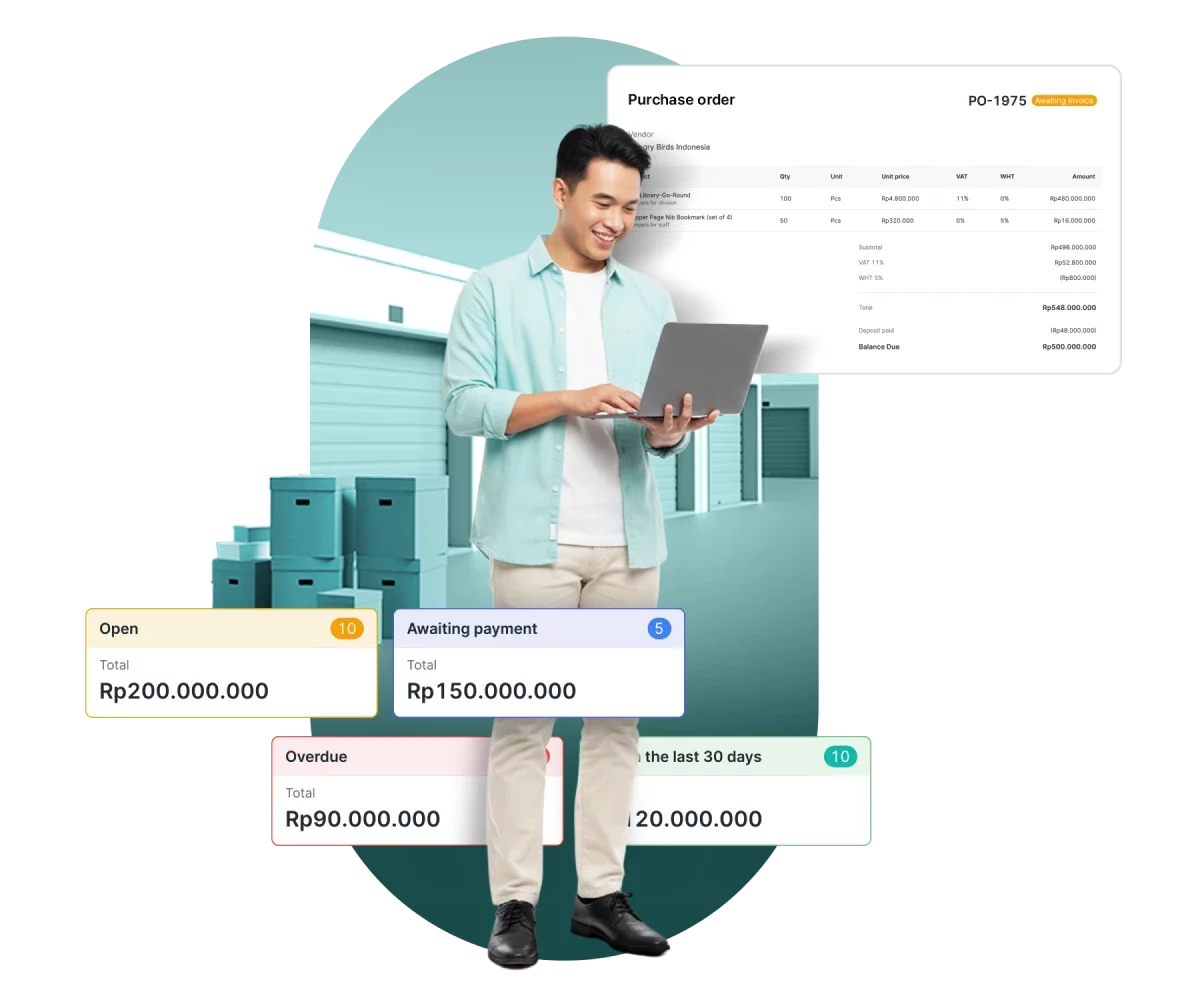
Dasbor "Account Payable" menampilkan kartu status tagihan (Open Rp200.000.000; Menunggu pencairan Rp150.000.000; Overdue Rp90.000.000; Terbayar Rp120.000.000) dan ringkasan pembayaran dalam ยฅ serta konversi ke Rp.

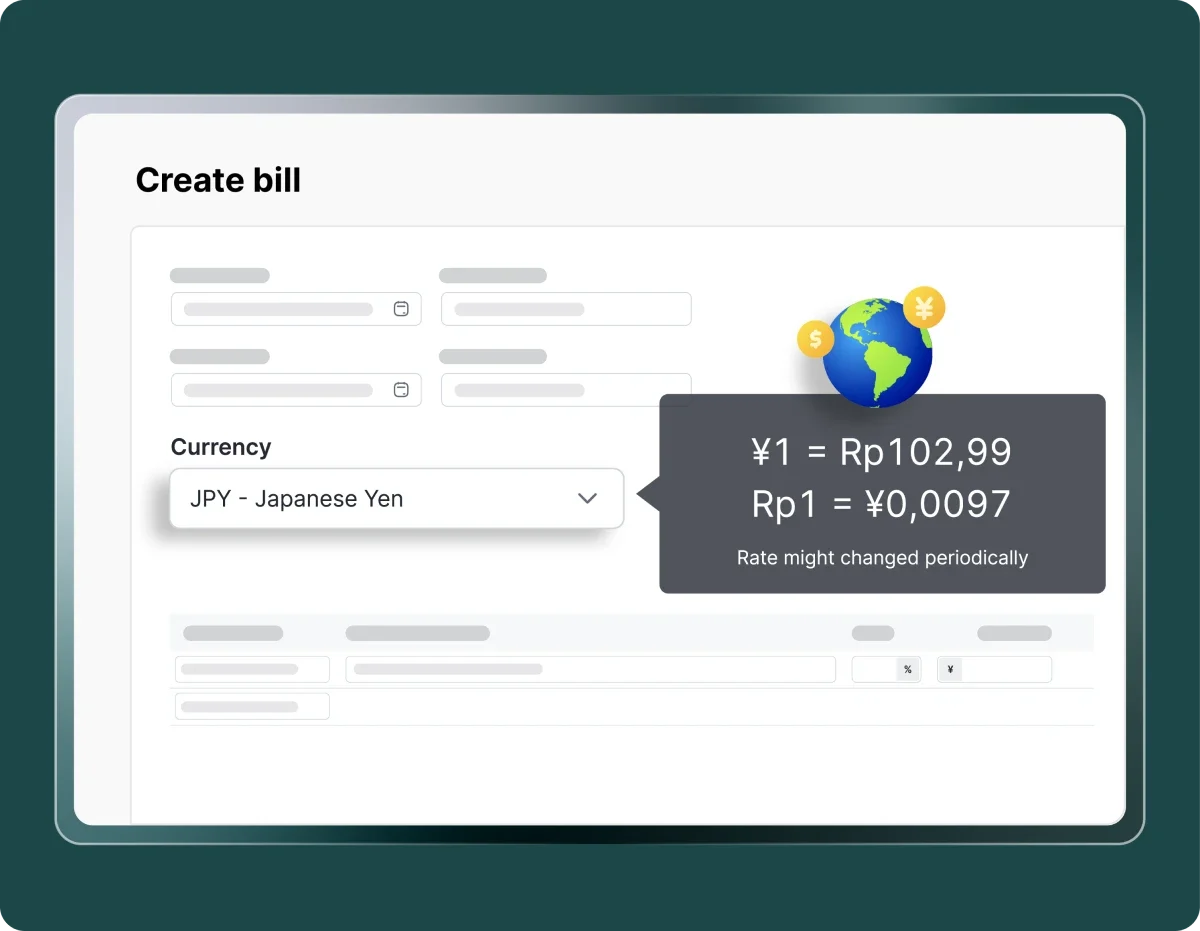
Mekari Expense is an end to end AP automation platform built for the Indonesian market, with full support for multi-currency payments and direct integration with Mekari Jurnal for accounting and Mekari Talenta for HRIS.

Key features:

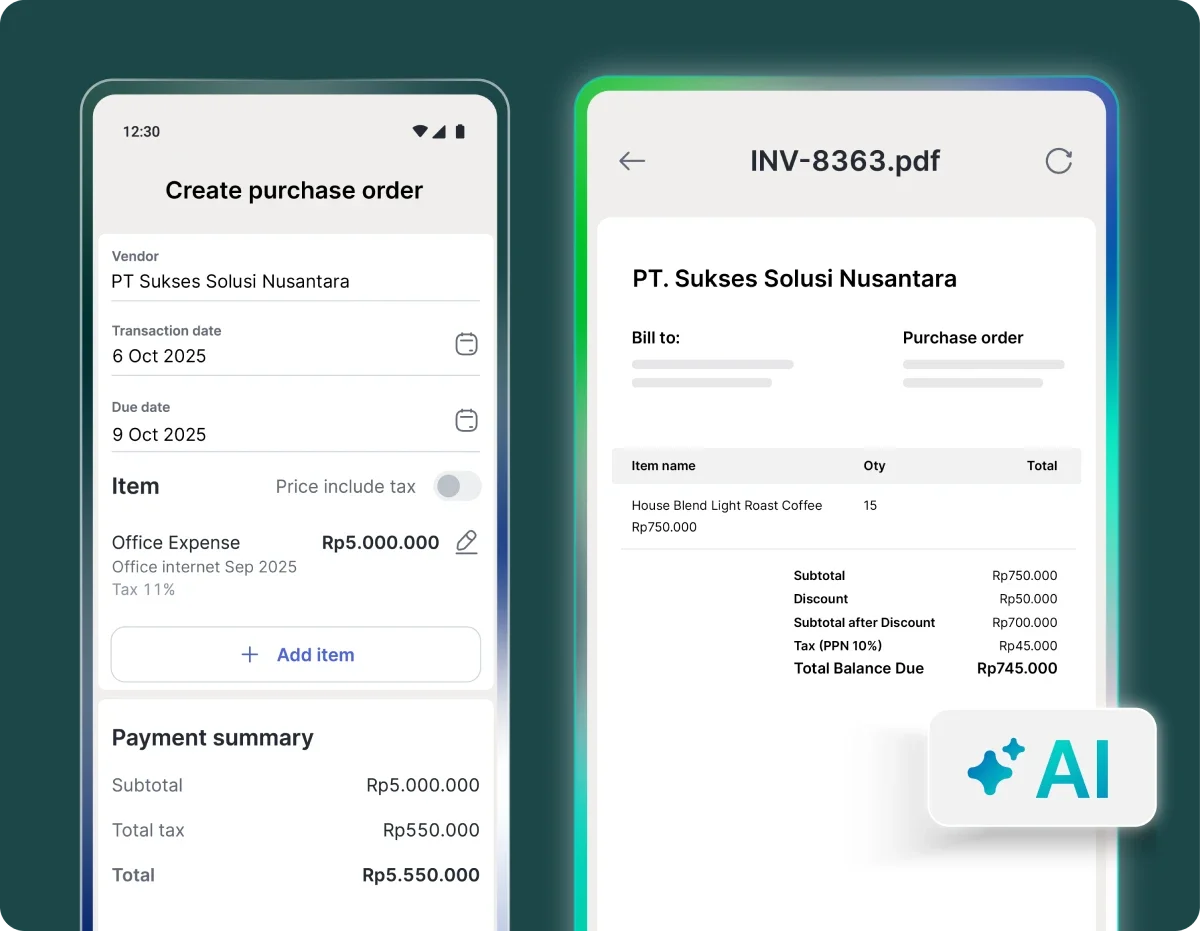
  • AI-powered OCR that reads and extracts invoice data automatically, eliminating manual entry
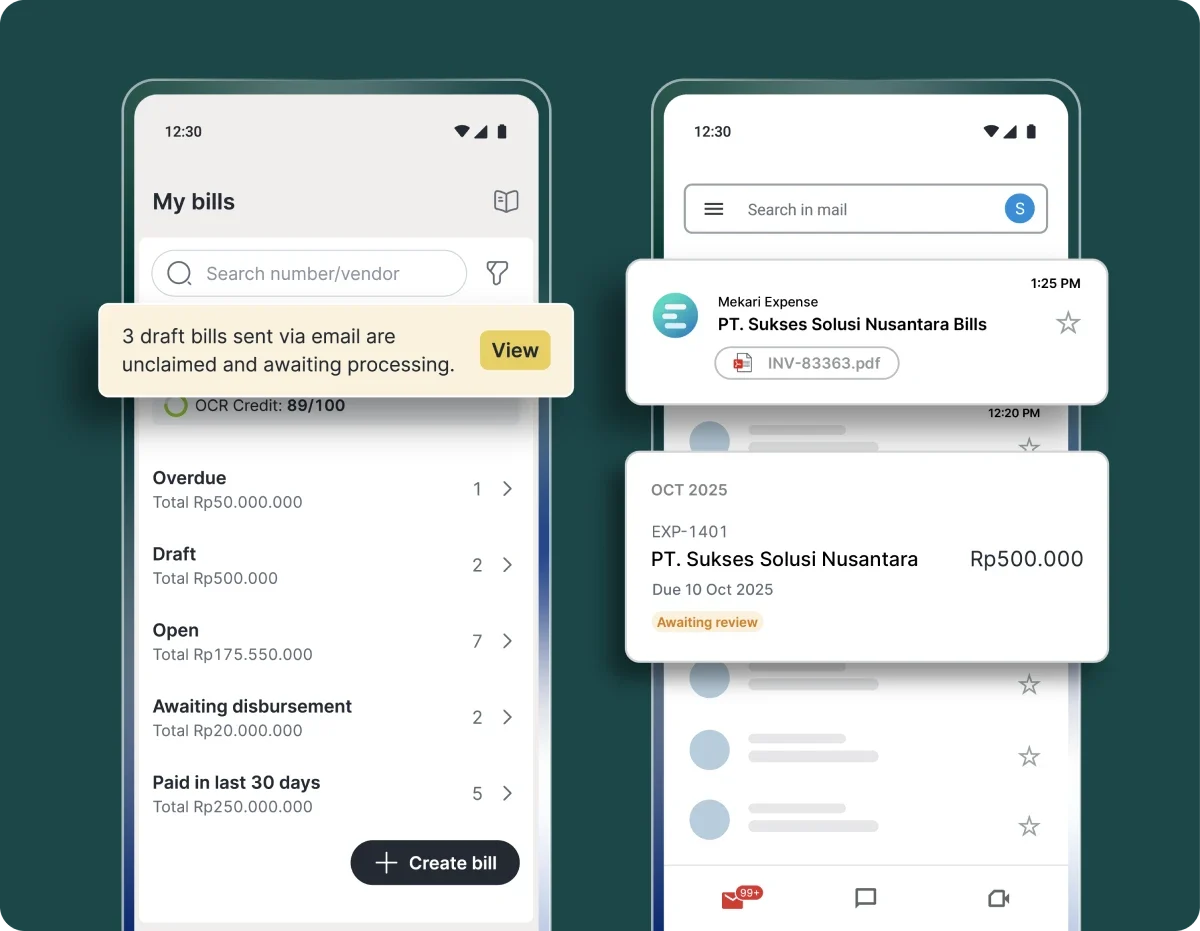
  • End-to-end purchase invoice management โ€” create, review, approve, and pay vendor invoices in one platform
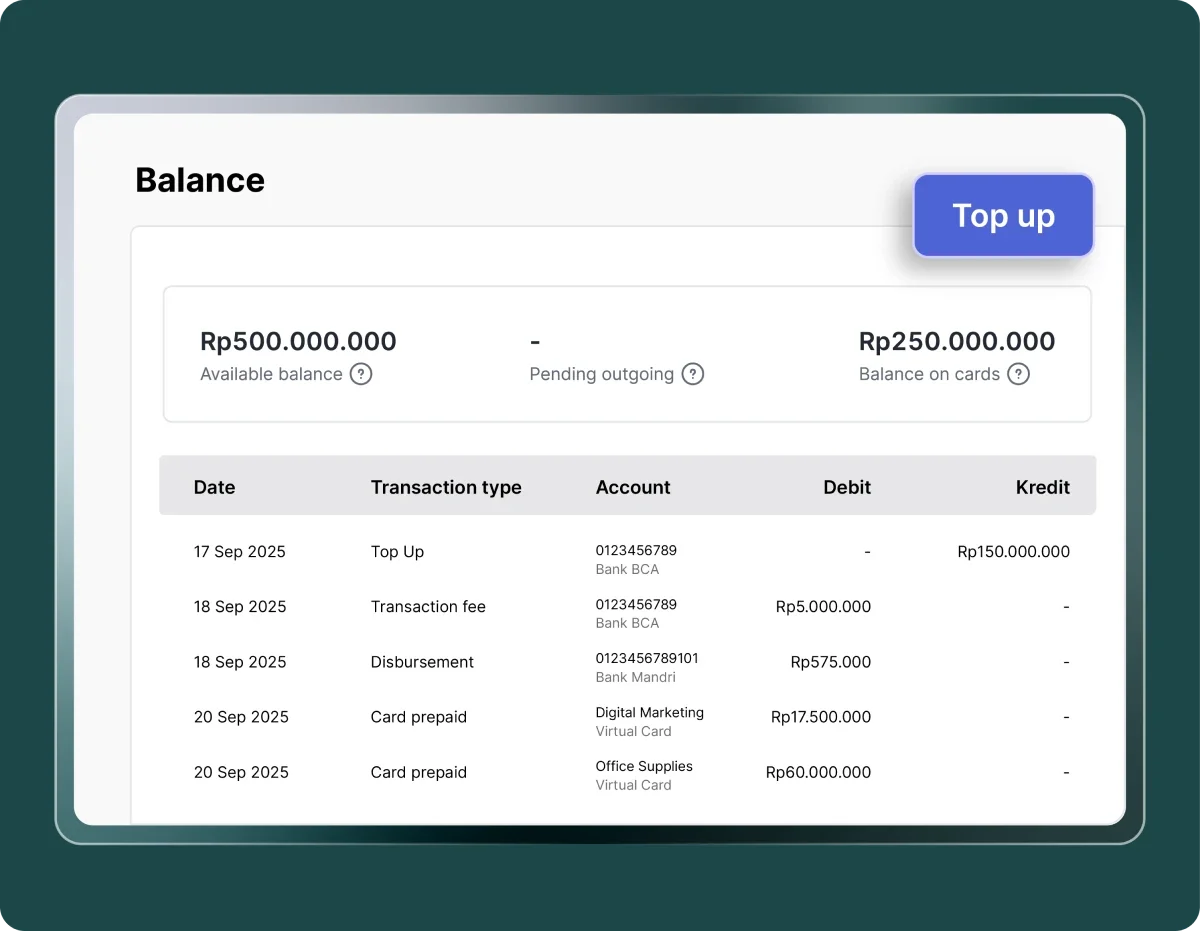
  • International payments with real-time exchange rates for cross-border vendor settlements
  • Automated approval workflows configurable by level, department, or amount
  • Real-time dashboard for cash flow monitoring and payment status
  • Direct sync with Mekari Jurnal for automated reconciliation
  • ISO 27001 certified data security

Read more: Best 10 Accounts Payable Software for Large Businesses in 2026

2. Rillion

Rillion digitizes invoice management from capture to payment, with strong ERP integration for teams already using NetSuite, Sage, or SAP Business One.

Key features:

  • Multi-source invoice capture with automated data extraction
  • Company card payments and automatic reconciliation
  • Native integration with major ERP platforms

Read more: Top 6 Accounts Payable Software for Small Business Needs

3. Yooz

Yooz uses AI to streamline the full AP lifecycle โ€” from submission to payment โ€” and is well-suited for teams dealing with high invoice volumes from multiple channels.

Key features:

  • Omnichannel invoice capture with automated validation
  • Flexible approval and payment workflows
  • Built-in fraud detection that flags suspicious invoices and verifies bank accounts

Read more: Best AI for Accounts Payable Solutions for Businesses

4. Tipalti

Tipalti is built for businesses operating across borders, handling global payments and compliance requirements across 62 countries.

Key features:

  • Consolidated spend visibility from multiple sources
  • Approval workflows with audit trails to prevent overspending
  • Automated tax compliance and global payment validation

5. ApprovalMax

ApprovalMax focuses on tightening the control layer in AP โ€” connecting purchasing through to payment with clear authorization at each step.

Key features:

  • PO-to-invoice matching in a single view
  • Automated approval routing to reduce payment delays
  • Batch payment processing for high-volume periods

6. MineralTree

MineralTree digitizes invoice-to-payment workflows with a strong emphasis on payment security and fraud prevention.

Key features:

  • Multi-level approval workflows based on role or amount
  • Two-factor authentication for payment controls
  • Real-time reporting integrated with external accounting software

7. Stampli

Stampli brings all invoice-related communication and processing into one platform, making cross-functional collaboration easier and audit trails cleaner.

Key features:

  • AI-powered invoice extraction and verification
  • Intelligent PO matching
  • Multi-entity management for businesses with multiple subsidiaries or regional offices

8. Envoice

Envoice automates invoice capture and syncs transactions directly to accounting software, reducing the manual burden on finance teams.

Key features:

  • AI-based data extraction in near real-time
  • Approval controls to prevent unauthorized or over-budget payments
  • Direct accounting software integration for streamlined audits

The best cloud-based AP automation software for finance teams

Cloud-based AP automation has become the practical standard for modern businesses that want tighter control over accounts payable. With real-time visibility into outstanding invoices and cash flow, finance teams can manage and reduce operational costs with far less effort than manual processes allow.

As a cloud-based AP automation solution built for Indonesia, Mekari Expense covers the full AP lifecycle in one integrated platform โ€” from automated invoice capture using OCR technology to end-to-end AP processing and international payments with real-time exchange rates.

Every transaction syncs directly with Mekari Jurnal, so reconciliation happens automatically rather than at the end of the month. The result is a finance operation that’s faster, more accurate, and easier to audit.

If you’re looking to strengthen financial control and reduce the manual burden on your finance team, Mekari Expense is a strong starting point for long-term, scalable AP automation.

References

PYMNTS .โ€œ78% of CFOs View AI Integration as Crucial for Accounts Payableโ€.

FAQ

1. What is cloud-based AP automation?

1. What is cloud-based AP automation?

It’s a software that automates the accounts payable process โ€” from receiving and reading invoices to routing them for approval, scheduling payments, and recording transactions in your accounting system. Because it’s cloud-based, it runs on your vendor’s infrastructure, not your own servers, and is accessible from anywhere.

2. How is cloud-based AP automation different from on-premise?

2. How is cloud-based AP automation different from on-premise?

Cloud-based solutions are hosted externally, updated automatically, and accessible via browser or app. On-premise solutions are installed on your own servers, require internal IT maintenance, and are generally more expensive to set up. Cloud solutions scale more easily and integrate more readily with other software.

3. What should I look for when evaluating AP automation software?

3. What should I look for when evaluating AP automation software?

Focus on: accuracy of OCR/data capture, flexibility of approval workflows, how it integrates with your existing accounting system, quality of reporting and dashboards, support for payment methods you actually use (including international payments if relevant), and security certifications. Ease of implementation matters too โ€” partial automation that nobody uses provides no benefit.

4. How long does it take to implement AP automation?

4. How long does it take to implement AP automation?

Implementation timelines vary by vendor and complexity, but cloud-based solutions are generally faster than on-premise โ€” often deployable within weeks rather than months. Integration with your existing ERP or accounting software is typically the longest part of the process.

5. Does AP automation reduce fraud risk?

5. Does AP automation reduce fraud risk?

Yes, meaningfully. Automated systems enforce approval workflows, flag duplicate invoices, require documented authorization for payments, and create immutable audit trails. AI-powered platforms can also detect anomalies in vendor data or payment patterns in real time. Over 75% of businesses experienced payment fraud in 2024 โ€” AP automation is one of the most effective controls available.

WhatsApp Icon WhatsApp sales