

Feature - Mekari Limitless Card - Physical Card

Freedom to spend, full control maintained

Empower field teams, operations, and procurement with company cards that automatically follow budgets, layered approvals, and company policies.

Kartu Visa korporat hitam sedang digenggam oleh jari; di latar sebuah ponsel menampilkan aplikasi manajemen keuangan, dengan panel transaksi dan pengaturan batas kartu terlihat.
Trusted by many companies in Indonesia
Kata berhuruf kapital tebal berwarna biru terpampang di tengah latar putih polos; huruf berjajar rapi dan kontras tinggi terhadap latar sekitarnya.
Logo bertuliskan "KLAR" dengan huruf geometris berwarna biru kehijauan dan garis pinggir tipis, terpampang di tengah latar belakang hitam kosong dengan kontras tinggi.
Teks bergaya berwarna ungu terletak di sebelah kanan sebuah bentuk persegi kuning dengan sudut terpotong; keseluruhan terhampar di atas latar hitam polos.
Truk mainan biru dengan dua roda abu-abu dan panel merah tampak diam di latar hitam polos tanpa elemen lingkungan lain.
Logo Hyundai berwarna biru terpampang secara horizontal, menampilkan huruf kapital dan simbol 'H' bergaya di dalam oval; latar putih kosong memberi kontras bersih dan minimalis.
Logo merek hijau bertuliskan "oppo" terpampang, kontras dengan latar hitam polos, menonjolkan huruf berdesain bundar dan tampilan modern.
Teks 'ALGORITMA' berhuruf kapital berwarna biru, diberi efek bayangan gelap; tampak terpusat dan jelas pada latar belakang putih polos tanpa elemen tambahan.
Teks "KLAR" berhuruf besar, gaya geometris biru kehijauan, terpusat; latar belakang hitam polos memberi kontras tinggi, terlihat seperti logo perusahaan minimalis.
Sebuah logo: kotak kuning miring dengan aksen putih berdampingan dengan tulisan berwarna ungu; teks tersusun horizontal; diletakkan pada latar belakang hitam dengan kontras jelas.
Sebuah kendaraan biru berpiksel menampilkan dua jendela merah dan lampu belakang merah, terlihat diam di latar belakang hitam polos tanpa elemen lingkungan lain.
Logo Hyundai menampilkan huruf "H" miring berwarna biru dalam oval, disertai teks "HYUNDAI" kapital biru, terletak di latar belakang putih polos.
Logo merek "OPPO" berwarna hijau menampilkan huruf-huruf bergaya melengkung, terletak di tengah latar belakang hitam polos.

Automation, control, and flexibility

Give your operational teams the freedom they need while keeping every expense transparent and on budget.

Ikon simbol '@' hijau toska menonjol, diletakkan dalam bingkai persegi berujung melengkung; desain datar berkontras pada latar belakang biru tua.

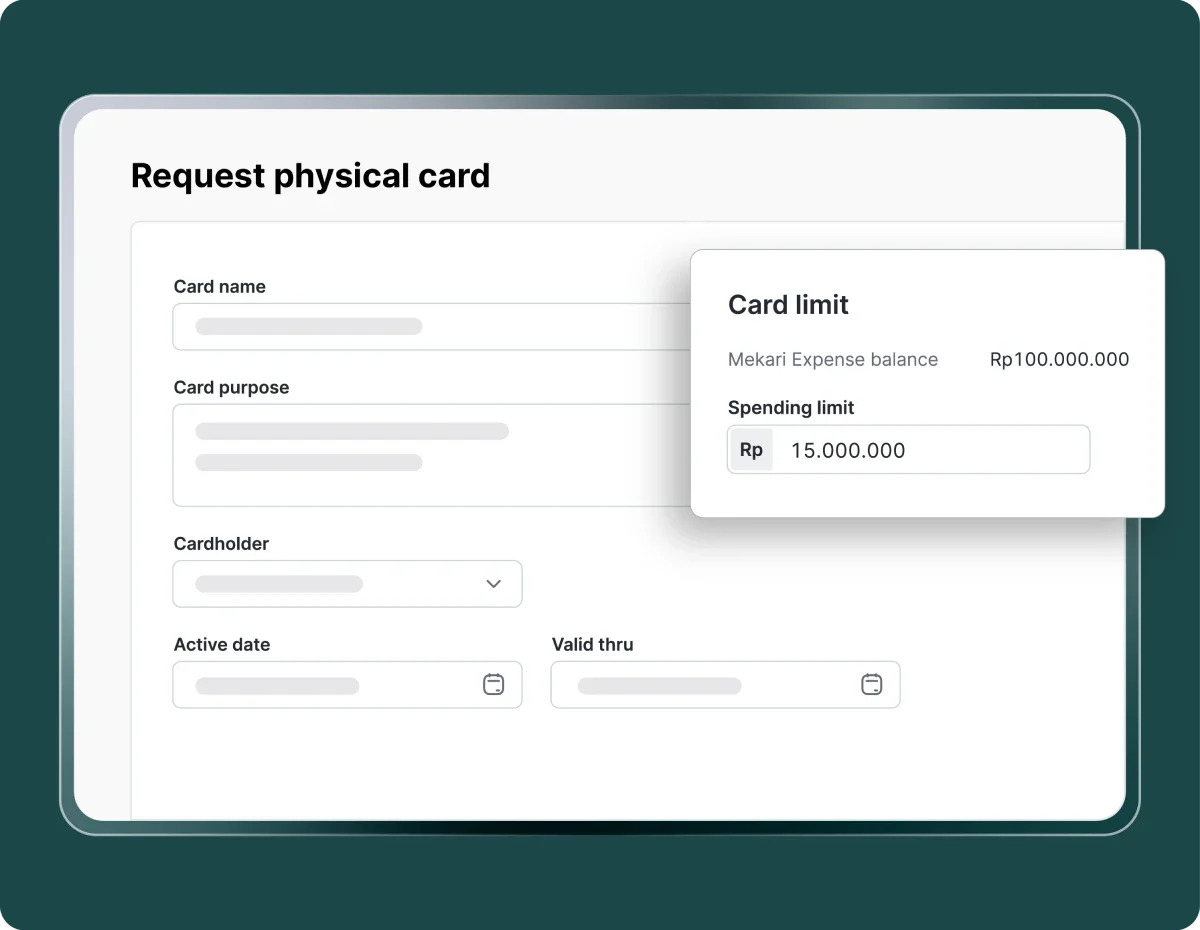
Limit & policy control

Set card limits and active periods to ensure every transaction follows company rules.

Form permintaan kartu fisik menampilkan bidang nama, tujuan, pemegang, tanggal aktif dan berlaku; popup "Card limit" menunjukkan saldo Rp100.000.000 dan batas belanja Rp15.000.000 pada antarmuka berlatarkan hijau gelap.
Ikon jaringan: tiga titik bundar biru terhubung oleh garis lurus membentuk struktur bercabang, menggambarkan hubungan atau aliran data di atas latar kosong/transparan.

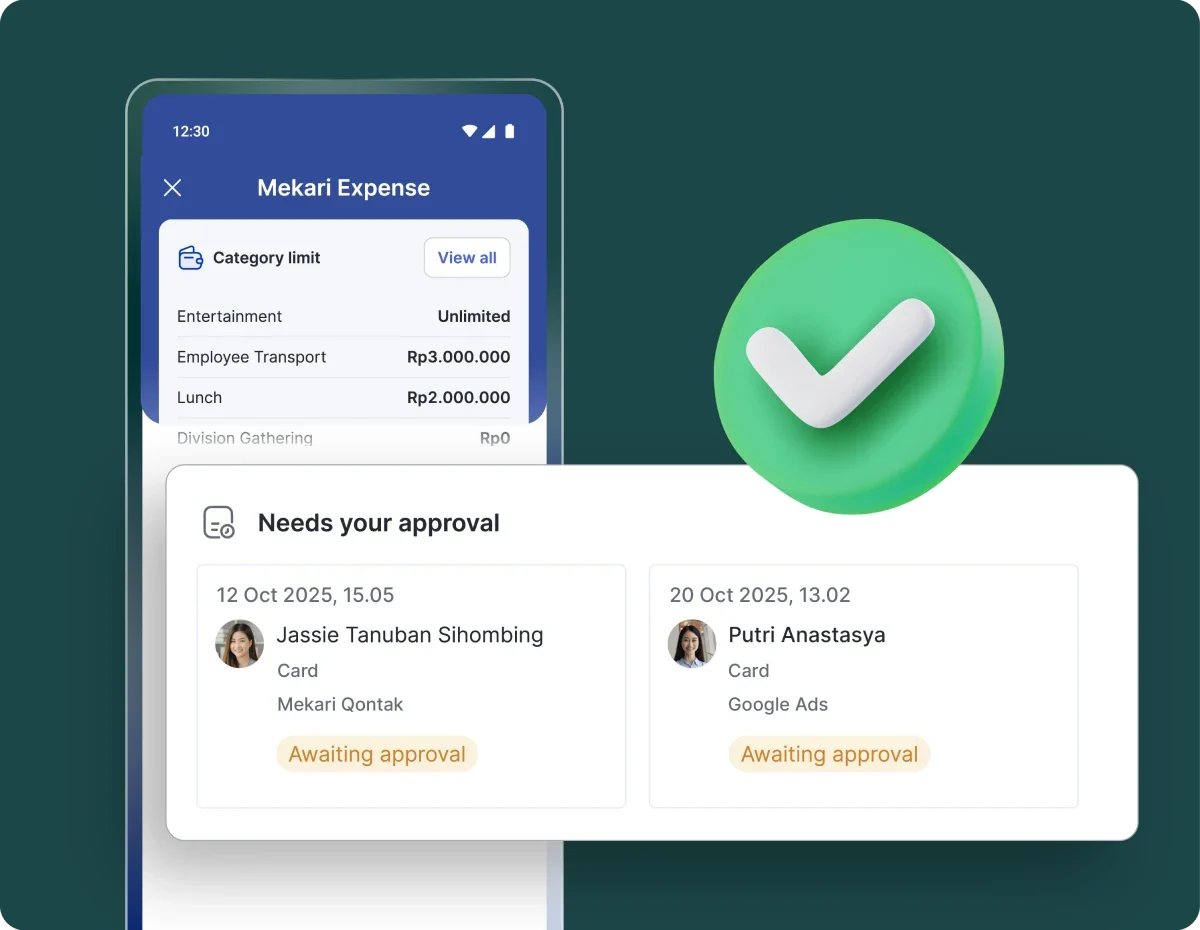
Automatic multi-level approvals

Transactions that exceed limits or violate policies will automatically wait for approval based on your organizational structure.

Panel persetujuan menampilkan dua pengajuan biaya berstatus "Awaiting approval", ditempatkan di depan mockup layar aplikasi pengeluaran yang menunjukkan batas kategori, dengan ikon centang hijau di samping.
Ikon bohlam biru tua menampilkan simbol roda gigi di dalamnya; bohlam datar diletakkan di tengah latar putih polos.

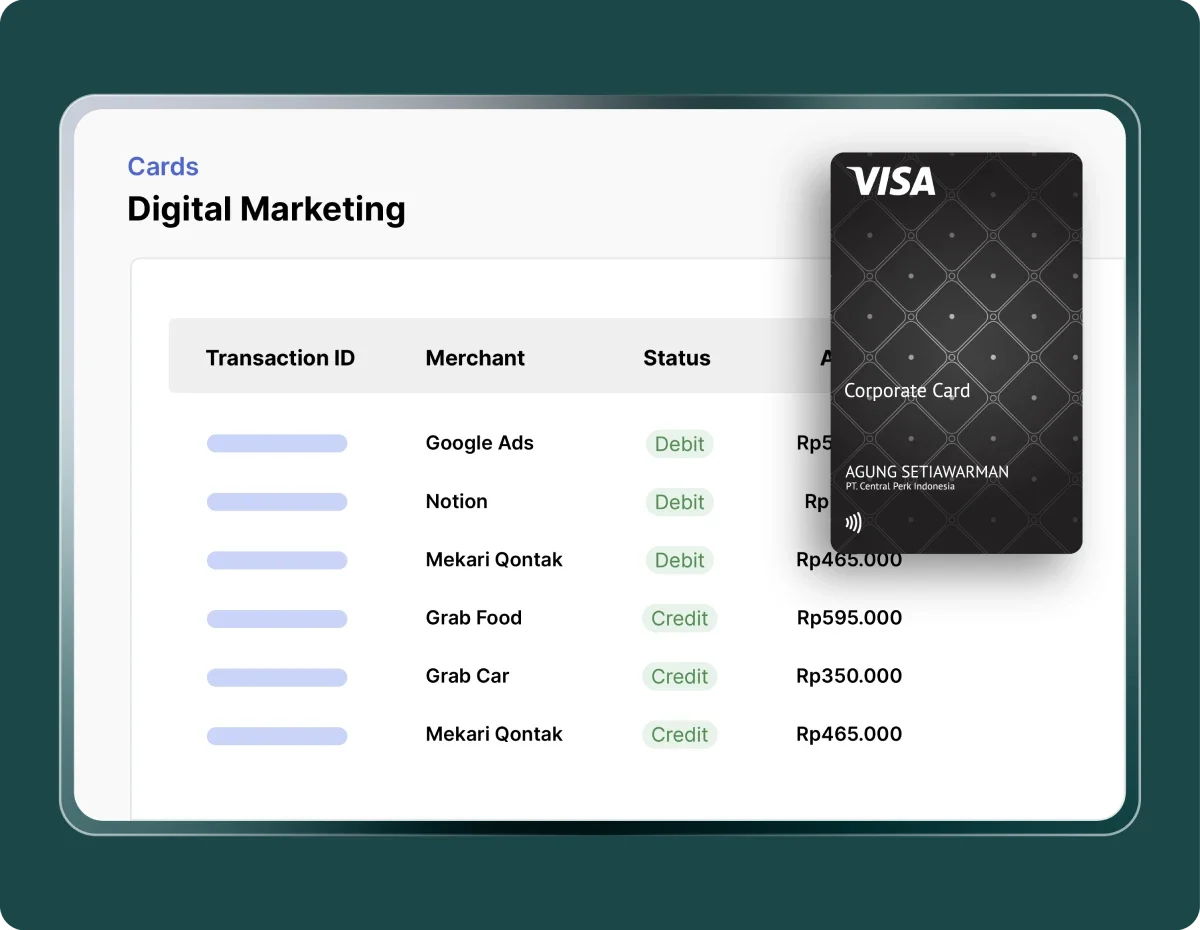
Full visibility

Monitor transactions by card, team, or project instantly without manual processes or time-consuming reconciliation.

Kartu Visa korporat ditampilkan di atas layar, menutupi sebagian tabel transaksi. Layar "Digital Marketing" memperlihatkan daftar merchant (Google Ads, Notion, Grab) dengan status debit/credit dan nominal Rp.
Ikon jendela kecil dengan tombol kotak di kiri bawah; panah diagonal mengarah ke kanan atas menandakan buka di jendela baru; latar gelap biru.

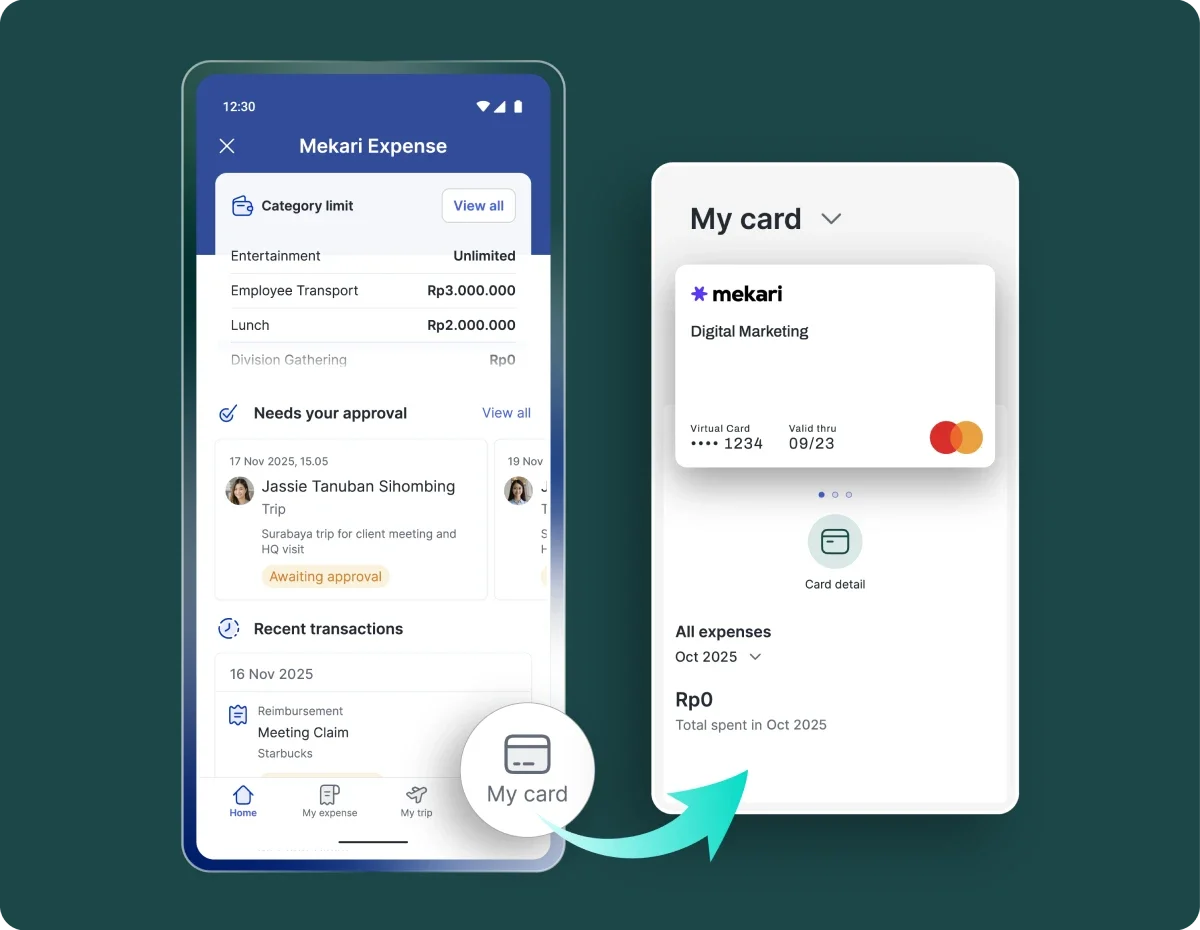
Automatic sync to Mekari Expense

All card transactions are recorded and synced directly to expense reports, reducing human error and improving financial accuracy.

Layar aplikasi pengelolaan pengeluaran menampilkan batas kategori, daftar yang menunggu persetujuan, transaksi terbaru, dan kartu virtual; ditampilkan sebagai dua mockup ponsel berdampingan di latar hijau tua.

Solution for corporate cards with maximum control

Easier and more controlled spending for finance teams, HR, and employees.

Flexible for all operational needs

Can be used for store purchases, logistics, events, transportation, and daily operational needs without extra steps.

Flexible for all operational needs

High security and fraud prevention

Complete audit trails, strict spending limits, and lock/unlock features help prevent unauthorized transactions.

High security and fraud prevention

Faster operations

Field teams can make purchases immediately without waiting for petty cash.

Faster operations

Real-time transparency

Finance can monitor transactions instantly without waiting for reports, reconciliation, or receipt collection.

Real-time transparency

Minimal administration

No more manual input, chasing receipts, or complex reconciliation, making finance teams can focus on analysis.

Minimal administration

Integrated with financial systems

All transactions are automatically recorded in Mekari Expense and ready to sync with the Mekari ecosystem, reducing manual work and accelerating book closing.

Integrated with financial systems

Practical and ready-to-use corporate card

Submit your request, send documents, and complete activation quickly.

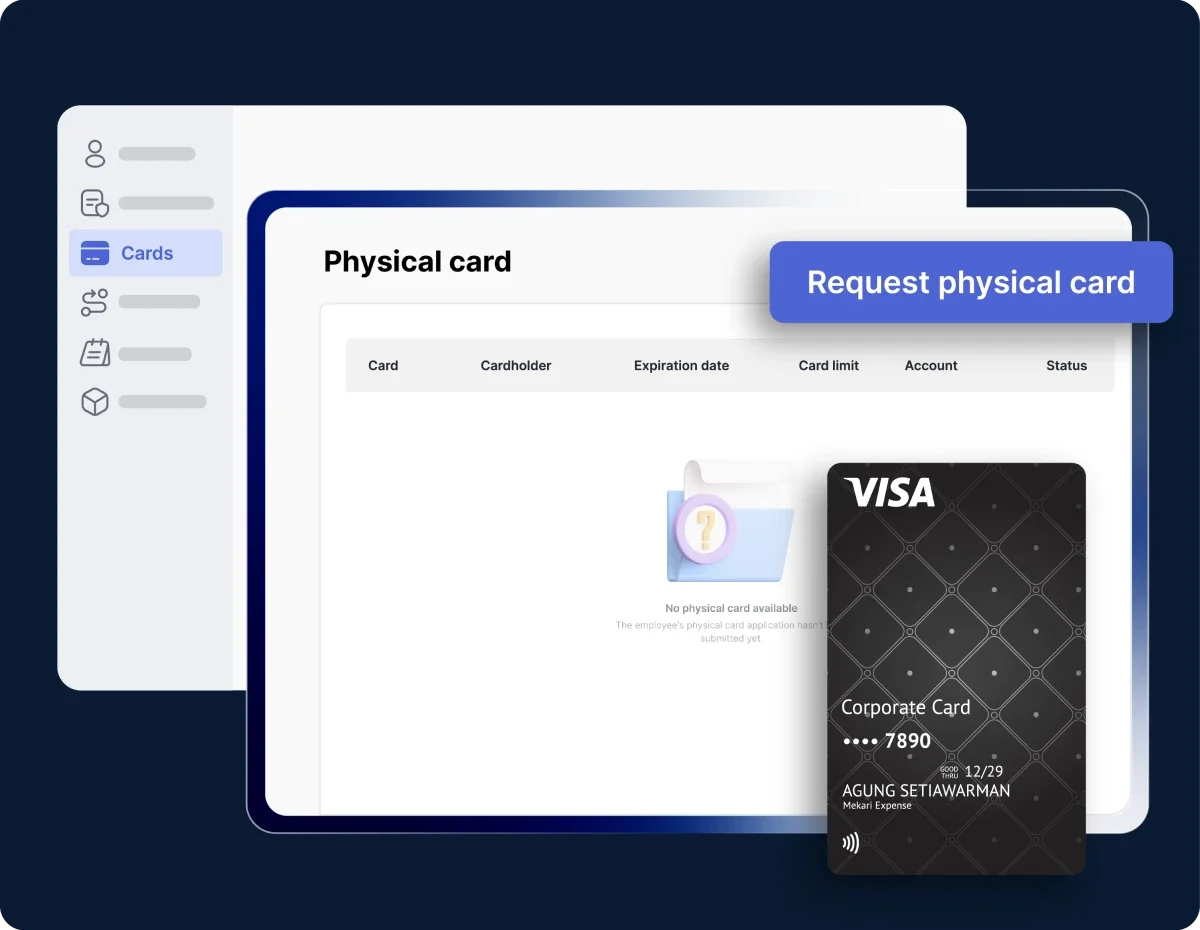
Kartu Visa korporat ditampilkan di depan layar antarmuka aplikasi; tombol "Request physical card" terlihat, dalam konteks dasbor pengelolaan kartu berwarna biru dengan menu samping berikon.

Request a card

Log in to Mekari Expense โ†’ open the Card menu โ†’ select Physical Card โ†’ click Request physical card. Fill in the card name, purpose, cardholder, budget account, and spending limit.

Dua kartuโ€”KTP bergaya Indonesia dan kartu abu-emas berangkaโ€”ditambahkan ke formulir "Request physical card" di layar, dengan kolom isian, pilihan akun, dan saldo utama terlihat.

Approve terms and send documents
Accept the terms and conditions โ†’ status updates to Processing & Handling. Send required documents via email: ID card (KTP) and tax number (NPWP).

Notifikasi pengiriman kartu menampilkan teks "Your card is being delivered" di layar ponsel, disertai ikon truk dan paket di depan antarmuka berwarna gelap.

Card issuance and delivery

The process takes 3โ€“5 business days. MNC Bank issues the card number and sends a dummy PIN via SMS. The physical card is delivered to your address with a tracking link.

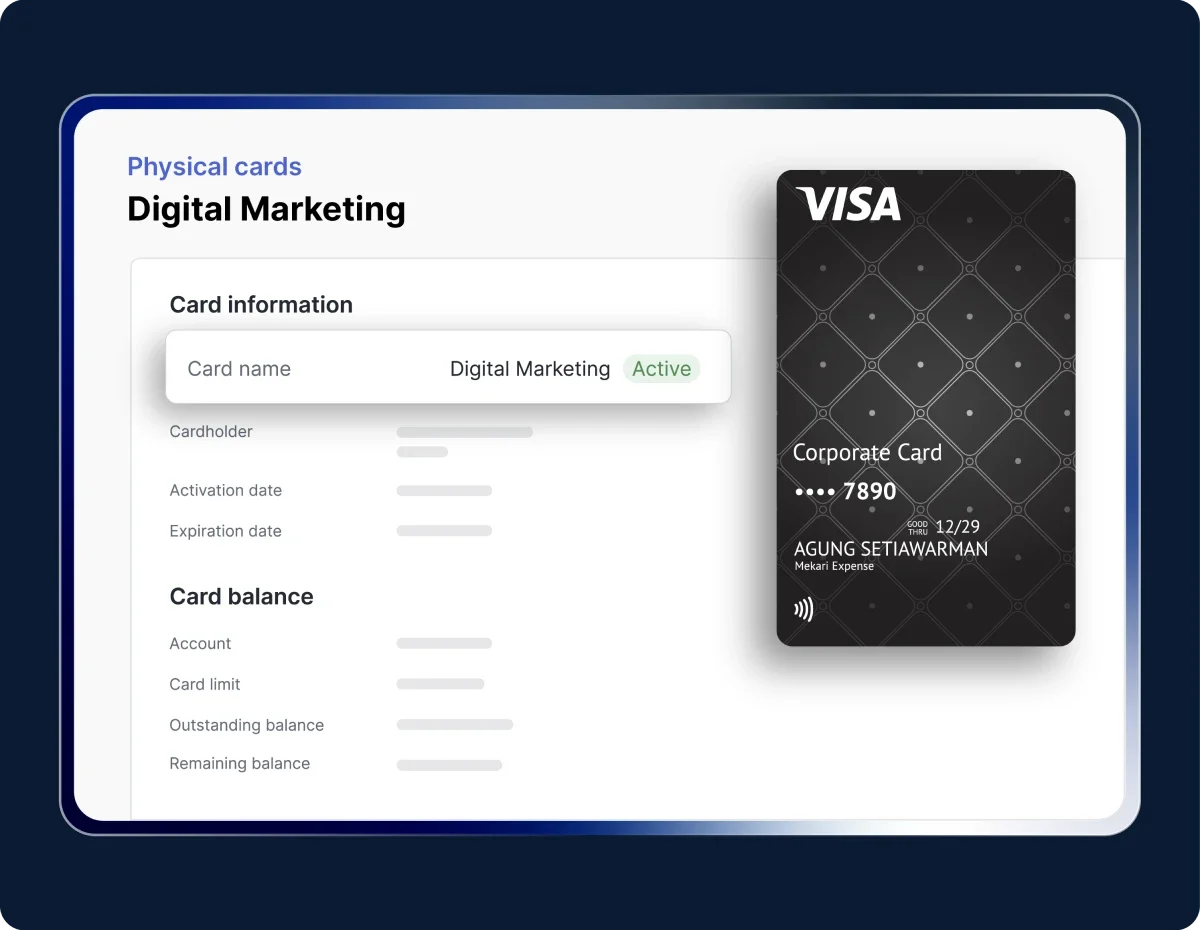
Kartu korporat Visa dipajang di kanan layar, menampilkan desain gelap dan nomor sebagian tersembunyi; di kiri panel antarmuka terlihat informasi kartu "Digital Marketing" berstatus aktif.

Activate the card

Change the dummy PIN via ATM or IVR to activate the card.

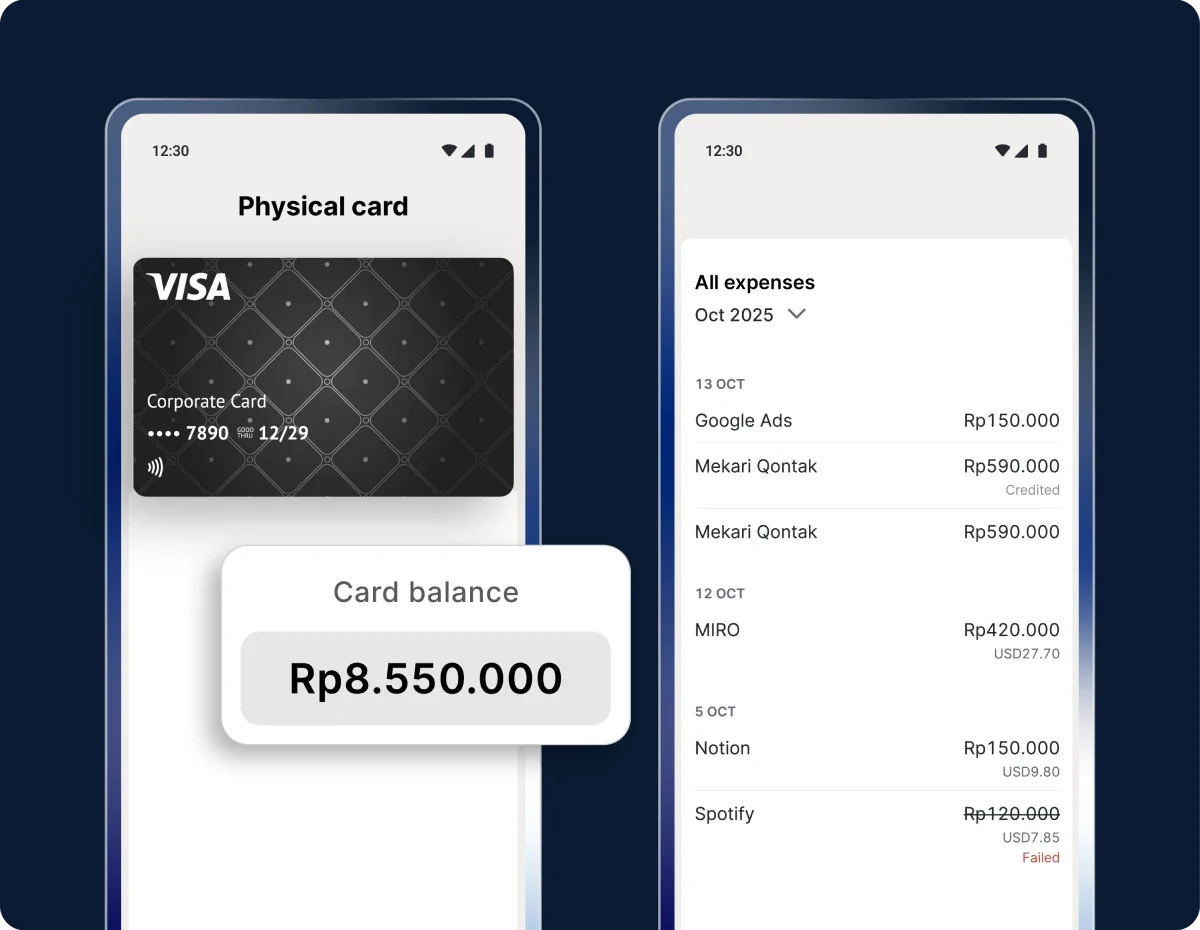
Kartu Visa korporat ditampilkan di layar ponsel dengan saldo Rp8.550.000; di sampingnya terlihat daftar pengeluaran bulan Oktober (Google Ads, Mekari, Miro, Notion, Spotify) dalam rupiah.

Manage your card

Once activated, you can monitor card details, outstanding balance, and transaction history. Submit top-ups (processed at 09:00 and 14:00 on business days) or request a limit increase when needed.

Try the Physical card feature in Mekari Expense

Work more efficiently with an integrated system

Our clients' payment process is getting easier with the Mekari Limitless Card

Our clients utilize virtual and physical cards to manage all business expenses.


"With Mekari Expense, the fulfillment of our business trip transactions and reimbursements is greatly helped. The status of every submission is truly monitored, the reference is clear, and there is an edit history."

Azalea Primanda People & Culture Services Manager, PT Bobobox Mitra Indonesia

"Sekarang proses pengajuan biaya jadi lebih cepat, bahkan bisa malam jam 10 tanpa harus nunggu besok. Paperless juga, jadi semua langsung terekam dan mengurangi kesalahan Kami dapat waktu lebih karena urusan operasional makin rapi. Waktu ini yang kami pakai untuk strategi dan pengembangan bisnis"

Busman E. W. Founder & CEO, Sentral Komputer

"Mekari Expense menyederhanakan pencatatan pengeluaran, memusatkan data untuk pelaporan, dan meningkatkan transparansi. Persetujuan via ponsel praktis, antarmuka web ramah pengguna, sehingga efisiensi operasional dan kepuasan karyawan meningkat."

Juliana Ho Direktur, PT. Eureka Sukses Abadi

I have a question...

What is Mekari Expense Physical Card?

The Mekari Expense corporate physical card is a company-issued card used for operational expenses such as in-store purchases, logistics, transportation, or field needs. Each card is connected to Mekari Expense so limits, policies, and transactions can be monitored in real time.

What is the difference between the Mekari Limitless physical card and virtual card?

The physical card can be used for offline transactions, physical merchants, and digital payments. Meanwhile, the virtual card is used specifically for online or digital transactions. Both follow the same limits, approvals, and policies in Mekari Expense.

Are transactions from the Physical Card automatically recorded in Mekari Expense?

Yes. Every transaction is automatically captured and appears on the dashboard, including merchant details, amount, and timestamp.

Can the company physical card be used across multiple teams or projects?

Yes. Companies can issue multiple physical cards and assign them to specific teams, projects, or branches to simplify cost control and budget tracking.

Can the Mekari Limitless physical card be used across Indonesia?

Yes. The physical card can be used at any merchant that accepts cards supported by the Visa network.

Faster transactions with stronger budget control

Give your team purchasing access without compromising visibility, budget discipline, or company security.

WhatsApp Icon WhatsApp sales