

Purchase Requisition Tracking Software

Digitize purchase requests for full control of business procurement

Submit and manage PR digitally so every stage of procurement is automatically recorded and well-tracked.

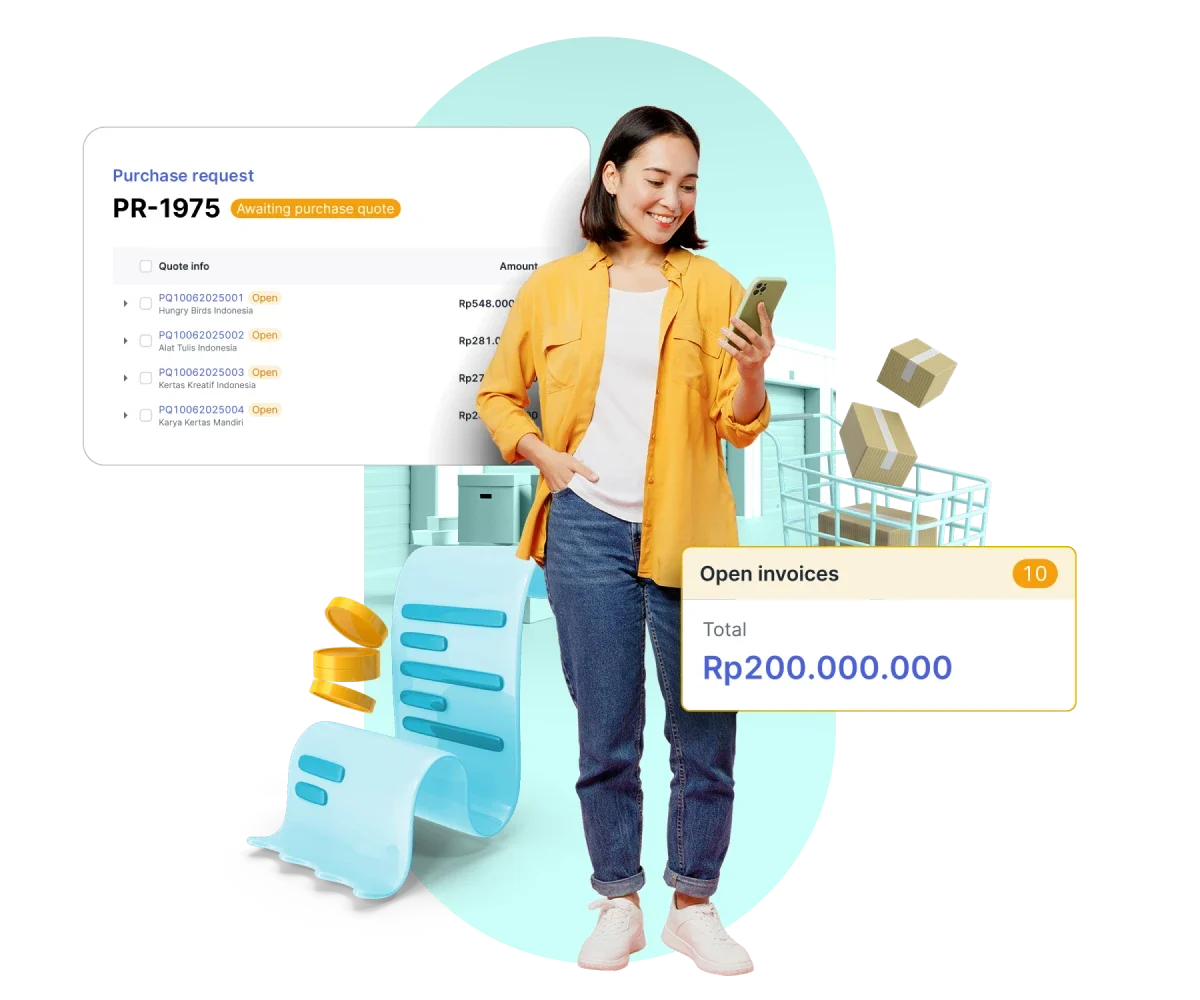
Seorang wanita sedang memegang dan melihat ponsel, di depan panel invoice terbuka (Rp200.000.000), daftar permintaan pembelian PR-1975, serta elemen keranjang dan paket pengiriman.
Trusted by many companies in Indonesia
Kata berhuruf kapital tebal berwarna biru terpampang di tengah latar putih polos; huruf berjajar rapi dan kontras tinggi terhadap latar sekitarnya.
Logo bertuliskan "KLAR" dengan huruf geometris berwarna biru kehijauan dan garis pinggir tipis, terpampang di tengah latar belakang hitam kosong dengan kontras tinggi.
Teks bergaya berwarna ungu terletak di sebelah kanan sebuah bentuk persegi kuning dengan sudut terpotong; keseluruhan terhampar di atas latar hitam polos.
Truk mainan biru dengan dua roda abu-abu dan panel merah tampak diam di latar hitam polos tanpa elemen lingkungan lain.
Logo Hyundai berwarna biru terpampang secara horizontal, menampilkan huruf kapital dan simbol 'H' bergaya di dalam oval; latar putih kosong memberi kontras bersih dan minimalis.
Logo merek hijau bertuliskan "oppo" terpampang, kontras dengan latar hitam polos, menonjolkan huruf berdesain bundar dan tampilan modern.
Teks 'ALGORITMA' berhuruf kapital berwarna biru, diberi efek bayangan gelap; tampak terpusat dan jelas pada latar belakang putih polos tanpa elemen tambahan.
Teks "KLAR" berhuruf besar, gaya geometris biru kehijauan, terpusat; latar belakang hitam polos memberi kontras tinggi, terlihat seperti logo perusahaan minimalis.
Sebuah logo: kotak kuning miring dengan aksen putih berdampingan dengan tulisan berwarna ungu; teks tersusun horizontal; diletakkan pada latar belakang hitam dengan kontras jelas.
Sebuah kendaraan biru berpiksel menampilkan dua jendela merah dan lampu belakang merah, terlihat diam di latar belakang hitam polos tanpa elemen lingkungan lain.
Logo Hyundai menampilkan huruf "H" miring berwarna biru dalam oval, disertai teks "HYUNDAI" kapital biru, terletak di latar belakang putih polos.
Logo merek "OPPO" berwarna hijau menampilkan huruf-huruf bergaya melengkung, terletak di tengah latar belakang hitam polos.

Faster, more reliable purchase request management

All PR statuses are organized in one place to support quicker decisions and responses.

Create and track purchase requests

Submit PR with complete details and monitor their status in real time with transparent history.

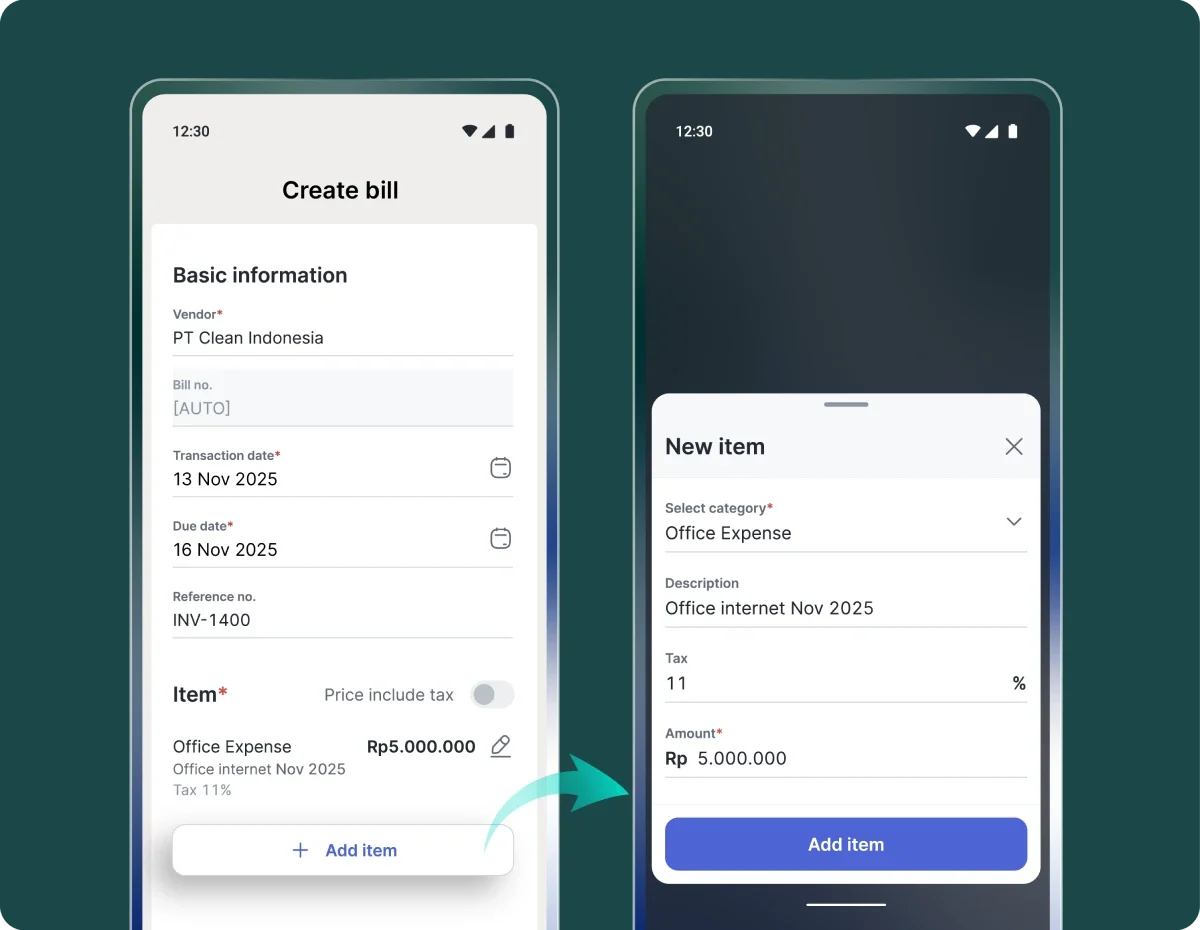
Formulir pembuatan tagihan menampilkan vendor, tanggal, referensi, dan item "Office Expense" Rp5.000.000; pop-up "New item" muncul untuk memasukkan kategori, deskripsi, pajak, dan jumlah, pada antarmuka aplikasi mobile.

Automated workflow without manual steps

PR move automatically through Procurement, PO/Invoice, and Payment stages for a more efficient process.

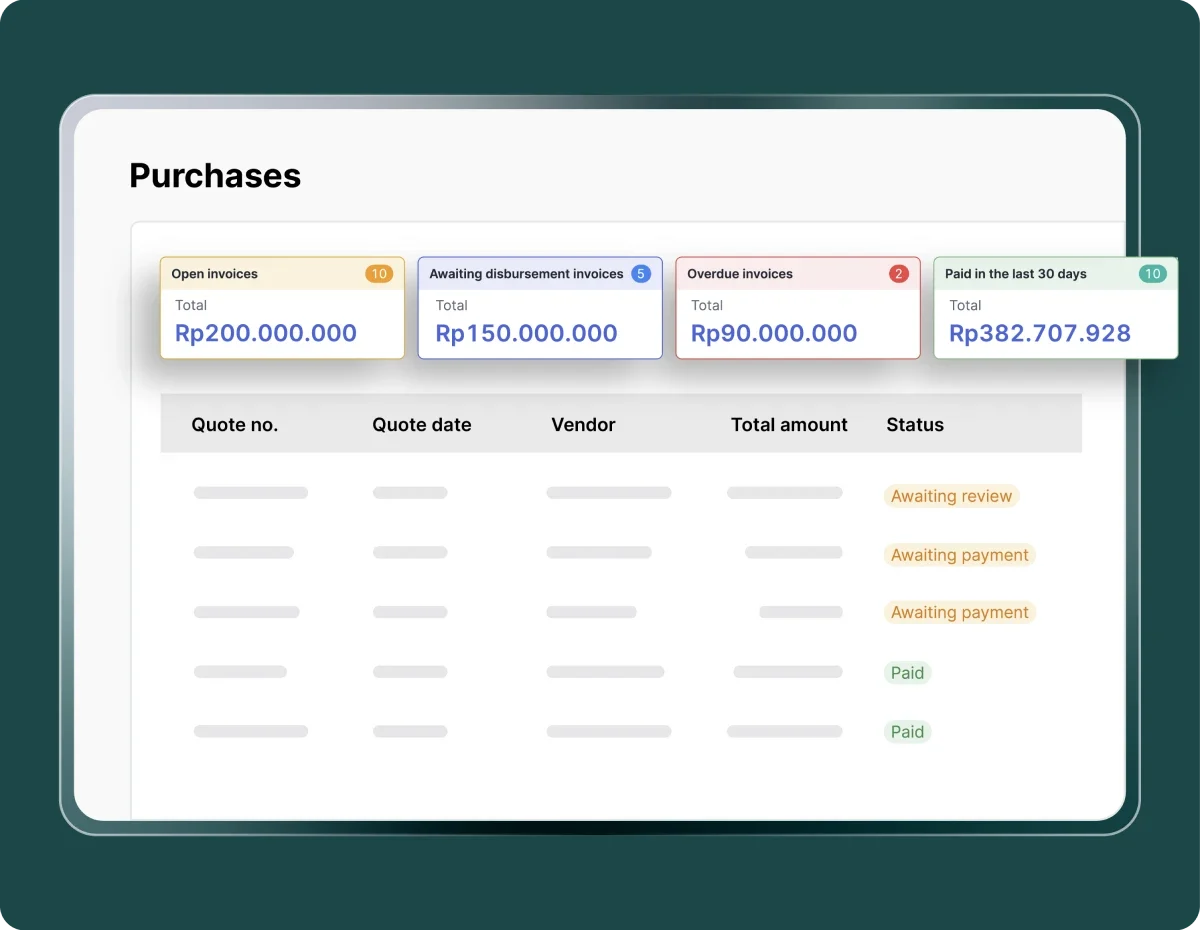
Panel "Purchases" menampilkan empat kartu ringkasan faktur (Open Rp200.000.000; Awaiting disbursement Rp150.000.000; Overdue Rp90.000.000; Paid Rp382.707.928) di atas tabel faktur dengan kolom status.

Fast search and filtering

Find PR by number, requester, or status to speed up follow-ups.

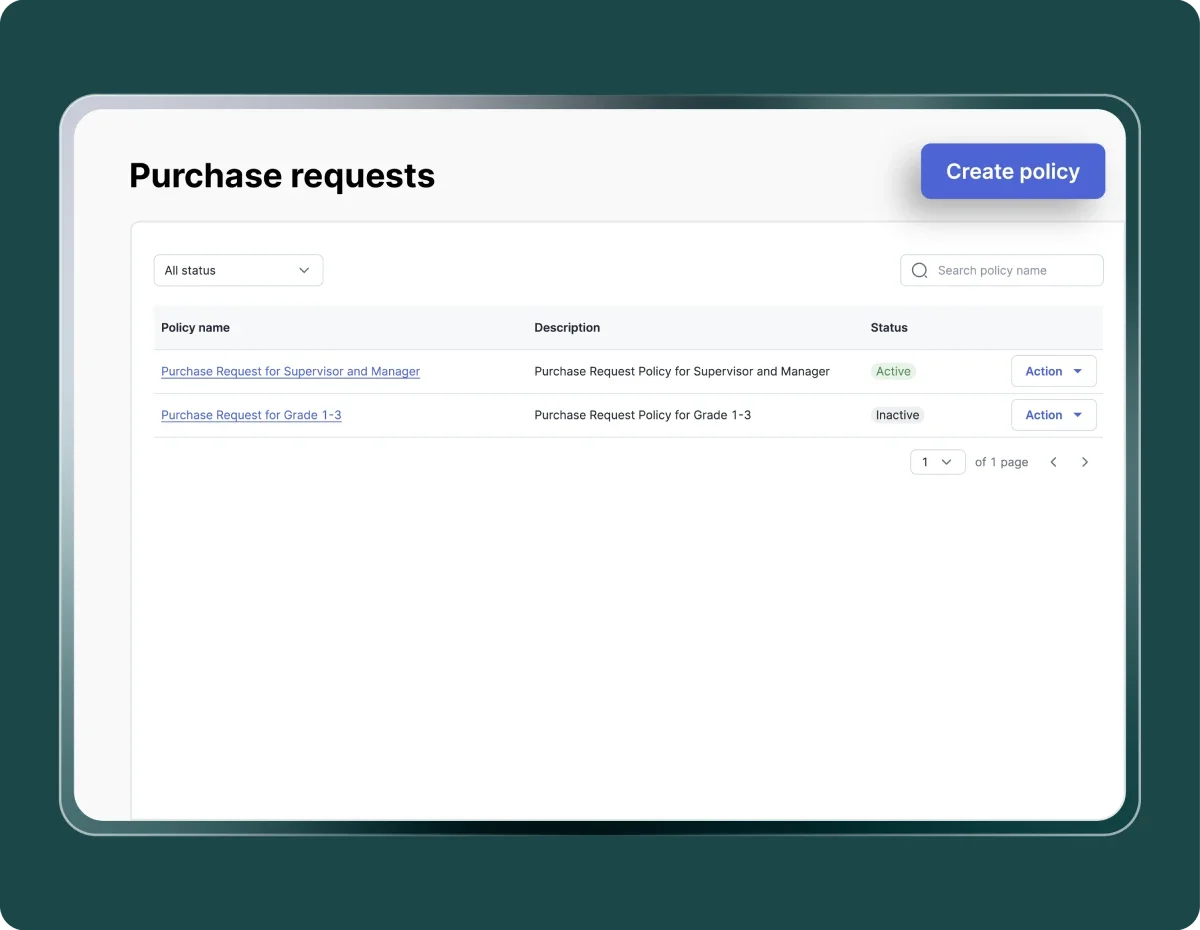
Antarmuka panel "Purchase requests" menampilkan dua entri kebijakan dengan status Active dan Inactive; tombol "Create policy" biru di pojok, diletakkan pada panel putih dengan latar hijau gelap.

Integrated with the Procurement

Each PR is directly connected to subsequent procurement steps to ensure full coordination and efficiency.

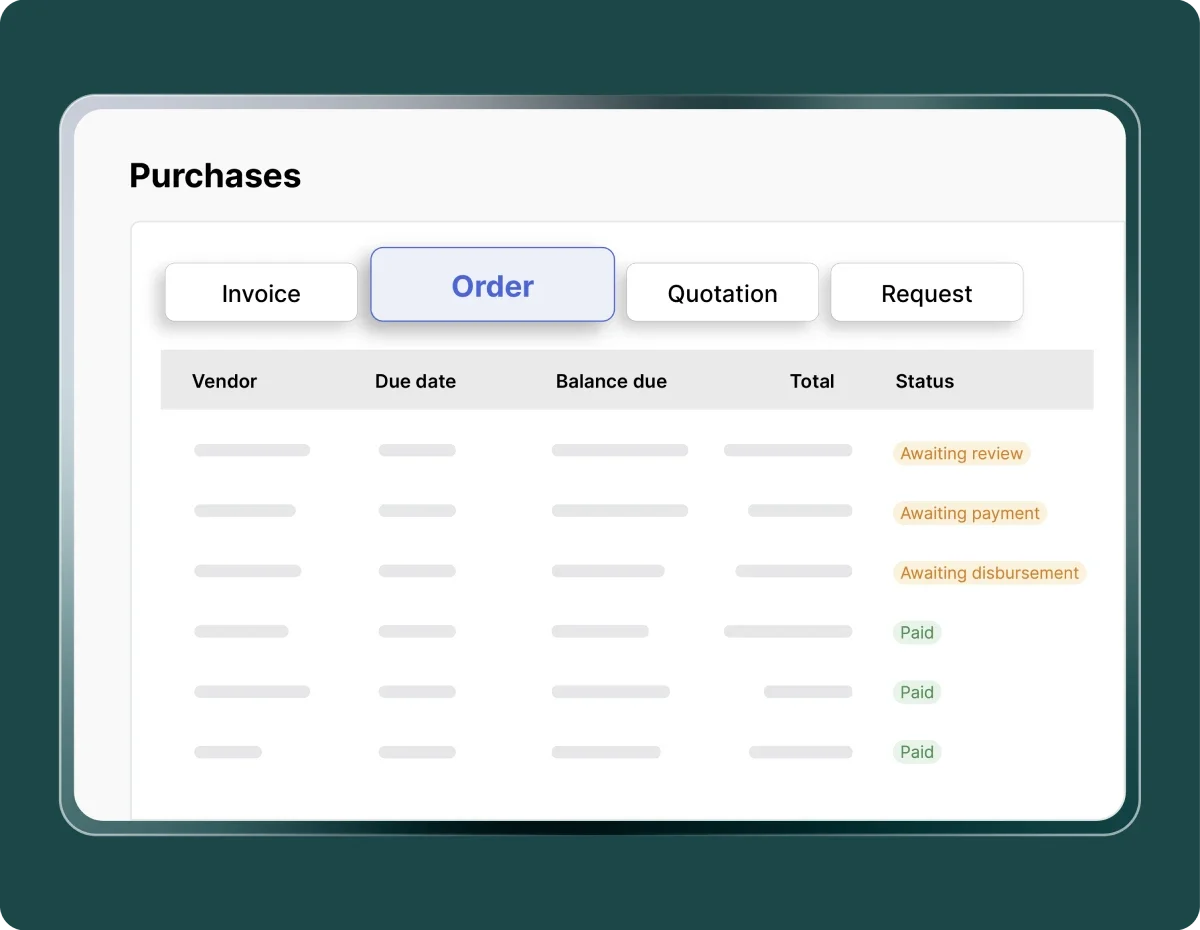
Panel antarmuka "Purchases" menampilkan tab "Order" terpilih; tabel berkolom (Vendor, Due date, Balance due, Total, Status) berisi baris dengan label status "Awaiting..." dan "Paid" di layar berbingkai.

Fast submissions, seamless approvals

Automated purchase request workflows make the procurement process more efficient and transparent.

More efficient submissions

Submit and track purchase requests from multiple departments in a single digital system.

More efficient submissions

Full transparency

Each purchase request can be monitored from submission to payment, ensuring no procurement is missed.

Full transparency

Procurement integration

Purchase requests are automatically connected to the procurement process to accelerate PO creation through to payment.

Procurement integration

Assured compliance

The system follows company policies and budgets to prevent unauthorized purchases.

Assured compliance

Real-time visibility

Finance teams can monitor statuses, amounts, and supporting documents whenever needed.

Real-time visibility

Audit-ready data

All activities and documents are recorded digitally, ensuring transparency and easy audits.

Audit-ready data

Kontrol permintaan pembelian lebih praktis

Ajukan, pantau, dan selesaikan proses pembelian dalam empat langkah mudah

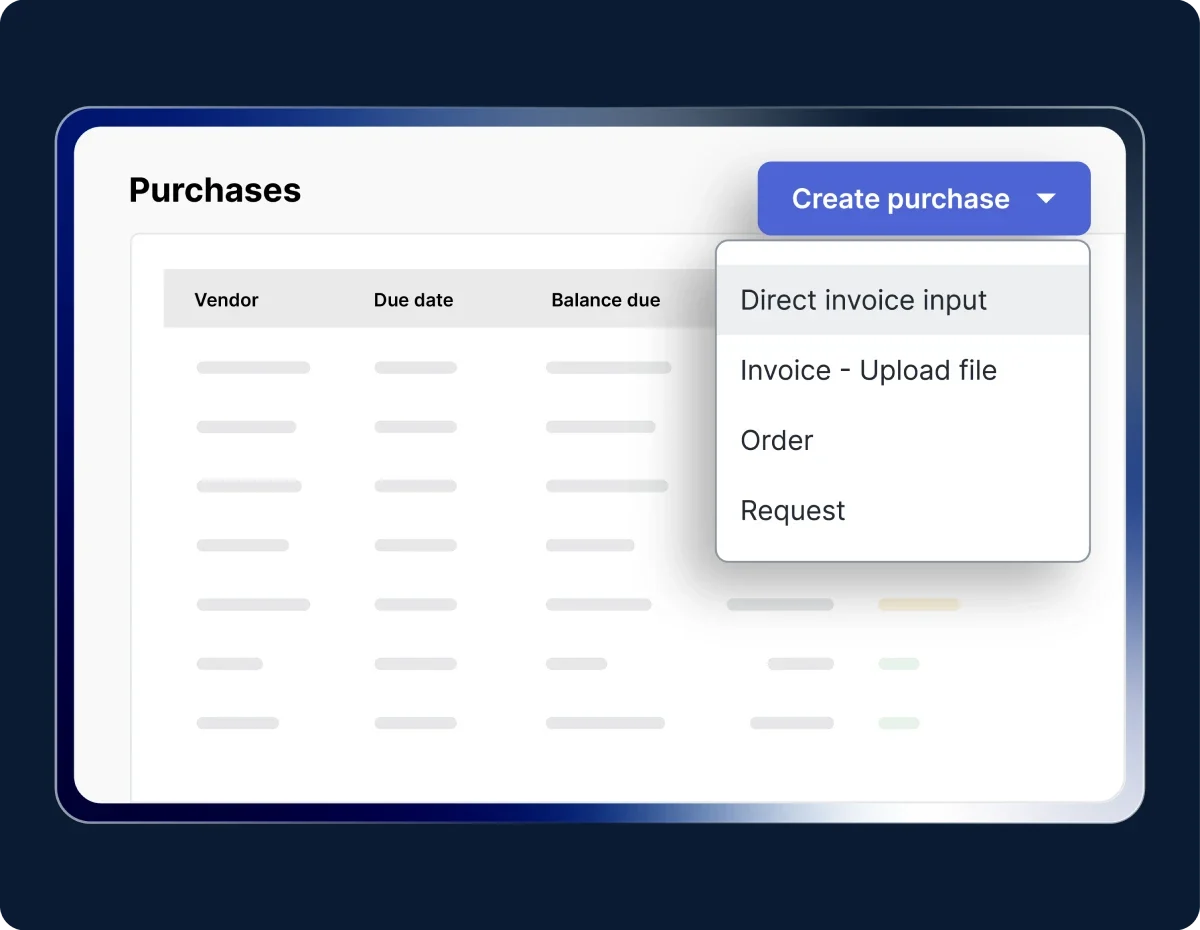
Menu "Create purchase" terbuka menampilkan opsi (Direct invoice input, Invoice - Upload file, Order, Request); latar berupa tabel daftar pembelian dengan kolom Vendor, Due date, Balance due pada antarmuka.

Create a purchase request

Fill in the requester details, urgency level, and required items, then submit for approval. The status will automatically update to Awaiting Procurement.

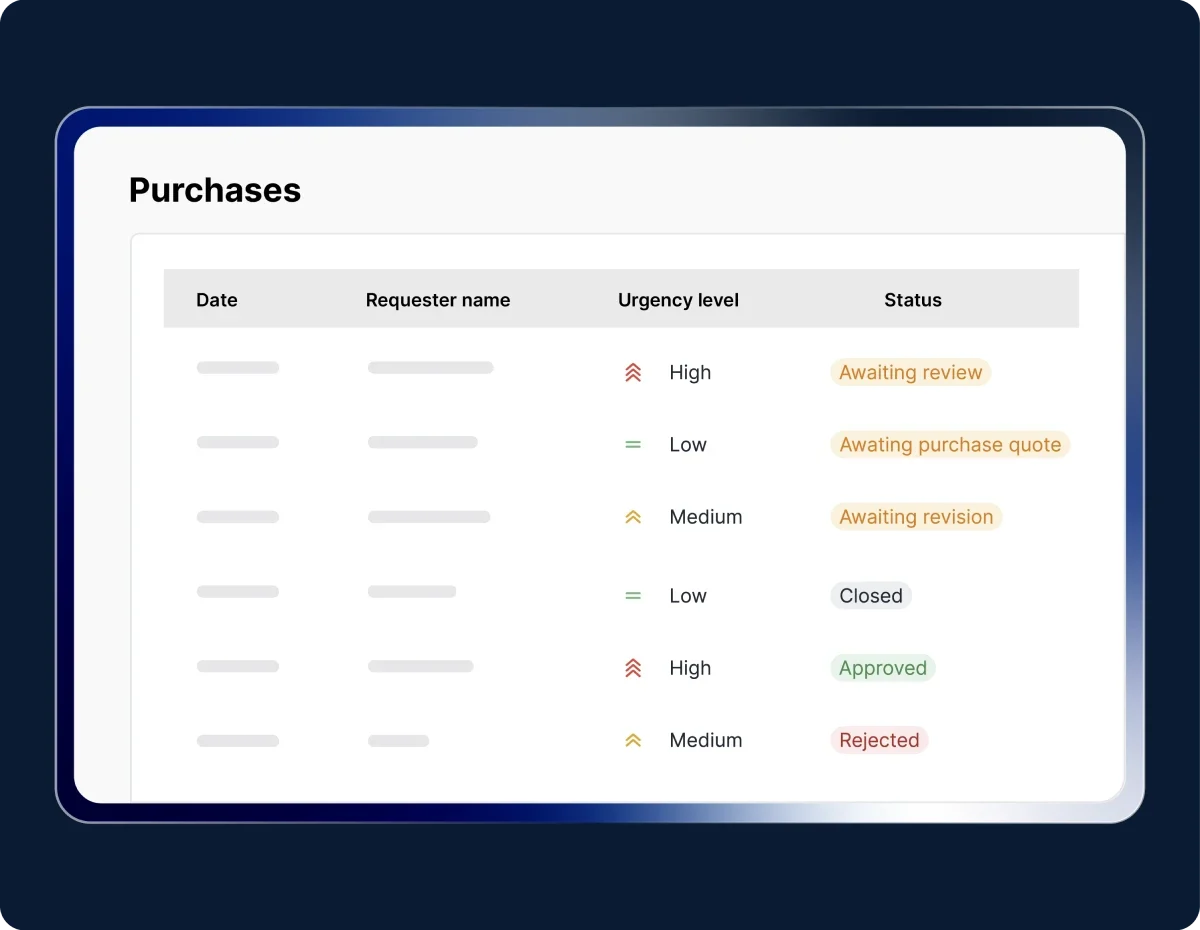
Tabel pembelian menampilkan baris permintaan dengan kolom tanggal, nama pemohon, tingkat urgensi, dan label status; ditampilkan pada antarmuka aplikasi berbingkai putih di latar biru gelap.

Track PR status

Monitor PR progress from submission to payment with filters for number, requester, organization, or status.

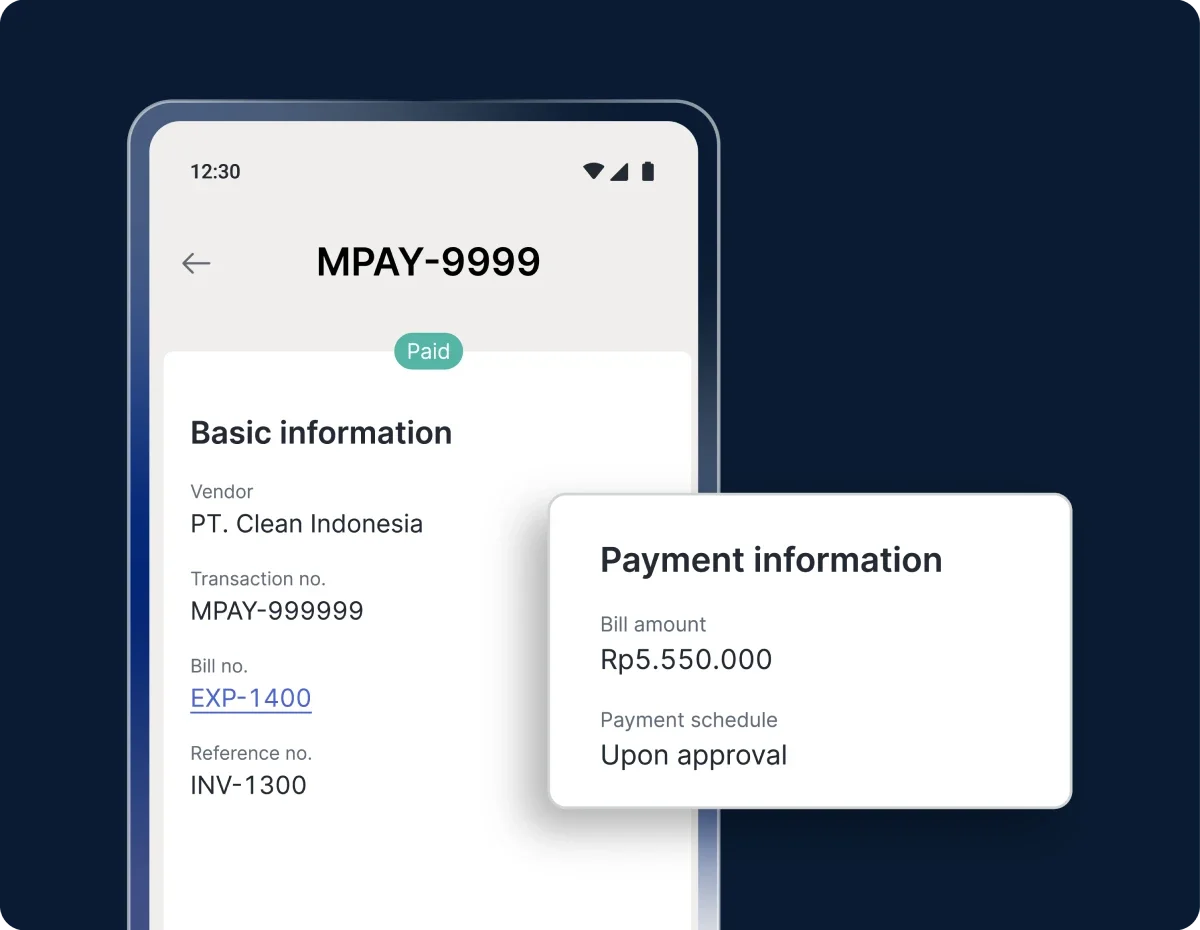
Layar aplikasi pembayaran menampilkan detail tagihan MPAY-9999 dan stempel "Paid"; menonjol kartu informasi biaya Rp5.550.000 serta data vendor PT. Clean Indonesia, di latar belakang ponsel gelap.

Access and share PR details

View complete details along with related documents (PO, PI, PQ) and share them via WhatsApp, email, or PDF download.

Mark items as received

After payment, upload delivery proofs and confirm receipt so the item status updates automatically.

Coba fitur Purchase Request Mekari Expense

Kerja lebih efisien dengan sistem yang saling terintegrasi

Semua invoice terkelola rapi

Dengar pelanggan kami yang sudah mengatur pembayaran vendor lebih cepat dan transparan di satu aplikasi.

"With Mekari Expense, the fulfillment of our business trip transactions and reimbursements is greatly helped. The status of every submission is truly monitored, the reference is clear, and there is an edit history."

Azalea Primanda People & Culture Services Manager, PT Bobobox Mitra Indonesia

"Sekarang proses pengajuan biaya jadi lebih cepat, bahkan bisa malam jam 10 tanpa harus nunggu besok. Paperless juga, jadi semua langsung terekam dan mengurangi kesalahan Kami dapat waktu lebih karena urusan operasional makin rapi. Waktu ini yang kami pakai untuk strategi dan pengembangan bisnis"

Busman E. W. Founder & CEO, Sentral Komputer

"Mekari Expense menyederhanakan pencatatan pengeluaran, memusatkan data untuk pelaporan, dan meningkatkan transparansi. Persetujuan via ponsel praktis, antarmuka web ramah pengguna, sehingga efisiensi operasional dan kepuasan karyawan meningkat."

Juliana Ho Direktur, PT. Eureka Sukses Abadi

I have a question...

What is the Purchase Request feature in Mekari Expense?

Purchase Request is a digital system for submitting, tracking, and approving requests for goods or services. This feature ensures every procurement request is recorded properly and follows the approval flow set by the company.

How does the Purchase Request system improve company efficiency?

All submissions and PR statuses are recorded automatically and can be monitored in real time. Teams no longer need manual forms or repetitive communication, making the purchasing process faster, more efficient, and more streamlined.

Is Purchase Request integrated with other modules in Mekari Expense?

Yes. This feature is directly connected to the Procurement and Finance modules, allowing each PR to be automatically forwarded to the Purchase Order (PO), Purchase Invoice (PI), and vendor payment processes.

How can I get access to the Purchase Request feature?

The Purchase Request feature is available in the Enterprise package when you sign up.

If you need assistance or encounter any issues, our support team is always ready to help.

Automate and simplify approval process

Speed up approvals and stay compliant without slowing down operations with Mekari Expense.

WhatsApp Icon WhatsApp sales