

Feature - Optical Character Recognition

Automatic data input with OCR technology

Extract information from receipts, invoices, and digital files or images, and instantly fill in transaction details.

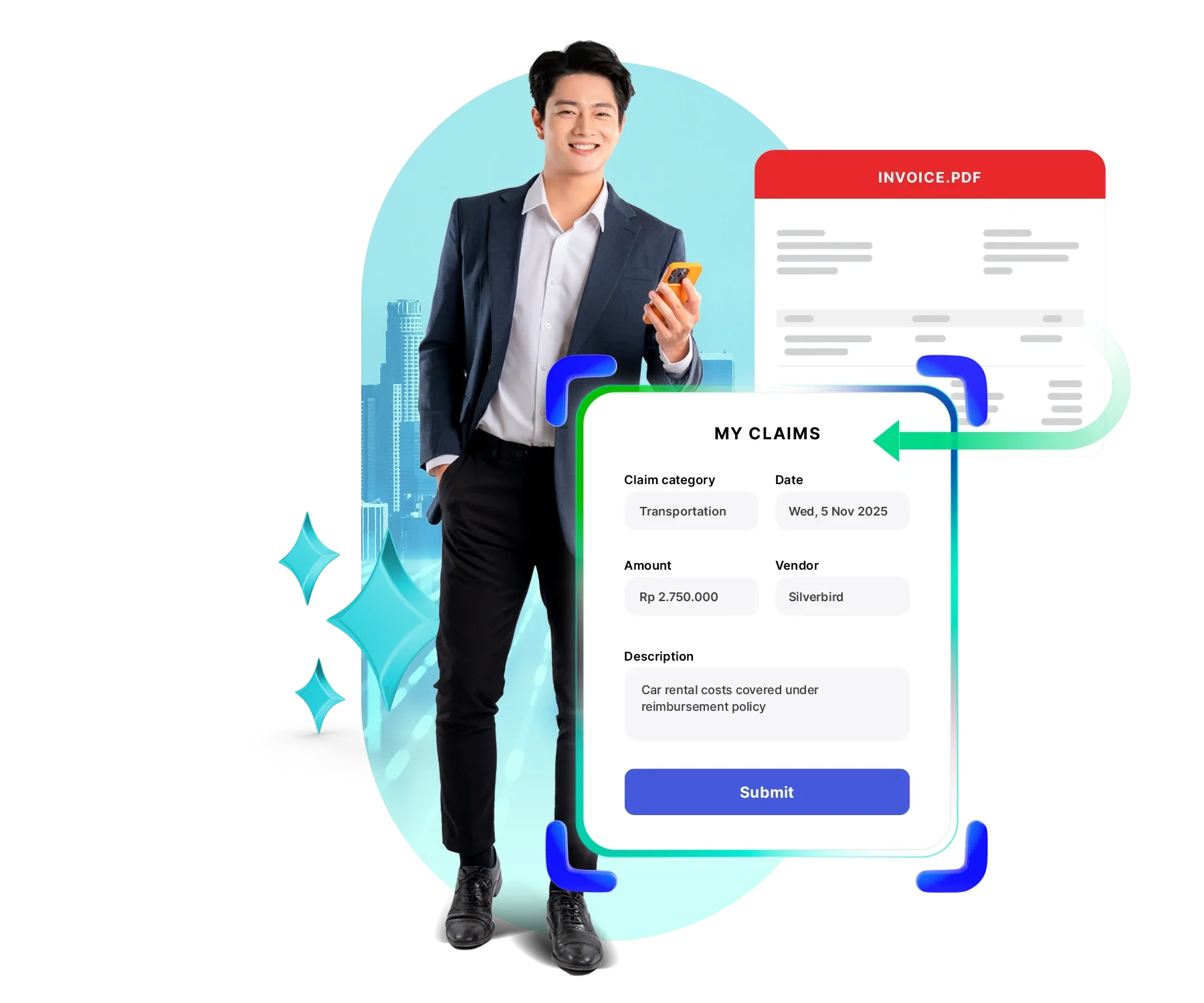
Pria berpakaian jas memegang ponsel, mengajukan klaim lewat formulir digital berisi kategori, tanggal, jumlah, vendor, dan tombol "Submit", dengan ilustrasi faktur dan siluet gedung di latar.
Trusted by many companies in Indonesia
Logo merek "OPPO" berwarna hijau menampilkan huruf-huruf bergaya melengkung, terletak di tengah latar belakang hitam polos.
Logo Hyundai menampilkan huruf "H" miring berwarna biru dalam oval, disertai teks "HYUNDAI" kapital biru, terletak di latar belakang putih polos.
Sebuah logo: kotak kuning miring dengan aksen putih berdampingan dengan tulisan berwarna ungu; teks tersusun horizontal; diletakkan pada latar belakang hitam dengan kontras jelas.
Teks "KLAR" berhuruf besar, gaya geometris biru kehijauan, terpusat; latar belakang hitam polos memberi kontras tinggi, terlihat seperti logo perusahaan minimalis.
Sebuah kendaraan biru berpiksel menampilkan dua jendela merah dan lampu belakang merah, terlihat diam di latar belakang hitam polos tanpa elemen lingkungan lain.
Teks 'ALGORITMA' berhuruf kapital berwarna biru, diberi efek bayangan gelap; tampak terpusat dan jelas pada latar belakang putih polos tanpa elemen tambahan.
Logo merek hijau bertuliskan "oppo" terpampang, kontras dengan latar hitam polos, menonjolkan huruf berdesain bundar dan tampilan modern.
Logo Hyundai berwarna biru terpampang secara horizontal, menampilkan huruf kapital dan simbol 'H' bergaya di dalam oval; latar putih kosong memberi kontras bersih dan minimalis.
Teks bergaya berwarna ungu terletak di sebelah kanan sebuah bentuk persegi kuning dengan sudut terpotong; keseluruhan terhampar di atas latar hitam polos.
Truk mainan biru dengan dua roda abu-abu dan panel merah tampak diam di latar hitam polos tanpa elemen lingkungan lain.
Logo bertuliskan "KLAR" dengan huruf geometris berwarna biru kehijauan dan garis pinggir tipis, terpampang di tengah latar belakang hitam kosong dengan kontras tinggi.
Kata berhuruf kapital tebal berwarna biru terpampang di tengah latar putih polos; huruf berjajar rapi dan kontras tinggi terhadap latar sekitarnya.

Automated data input with high accuracy

Automatically read data from emails, PDFs, or images into the Purchase Invoice and claims modules without manual input.

Automatic document reading

Instantly detect text from receipts, invoices, and PDFs to extract key information.

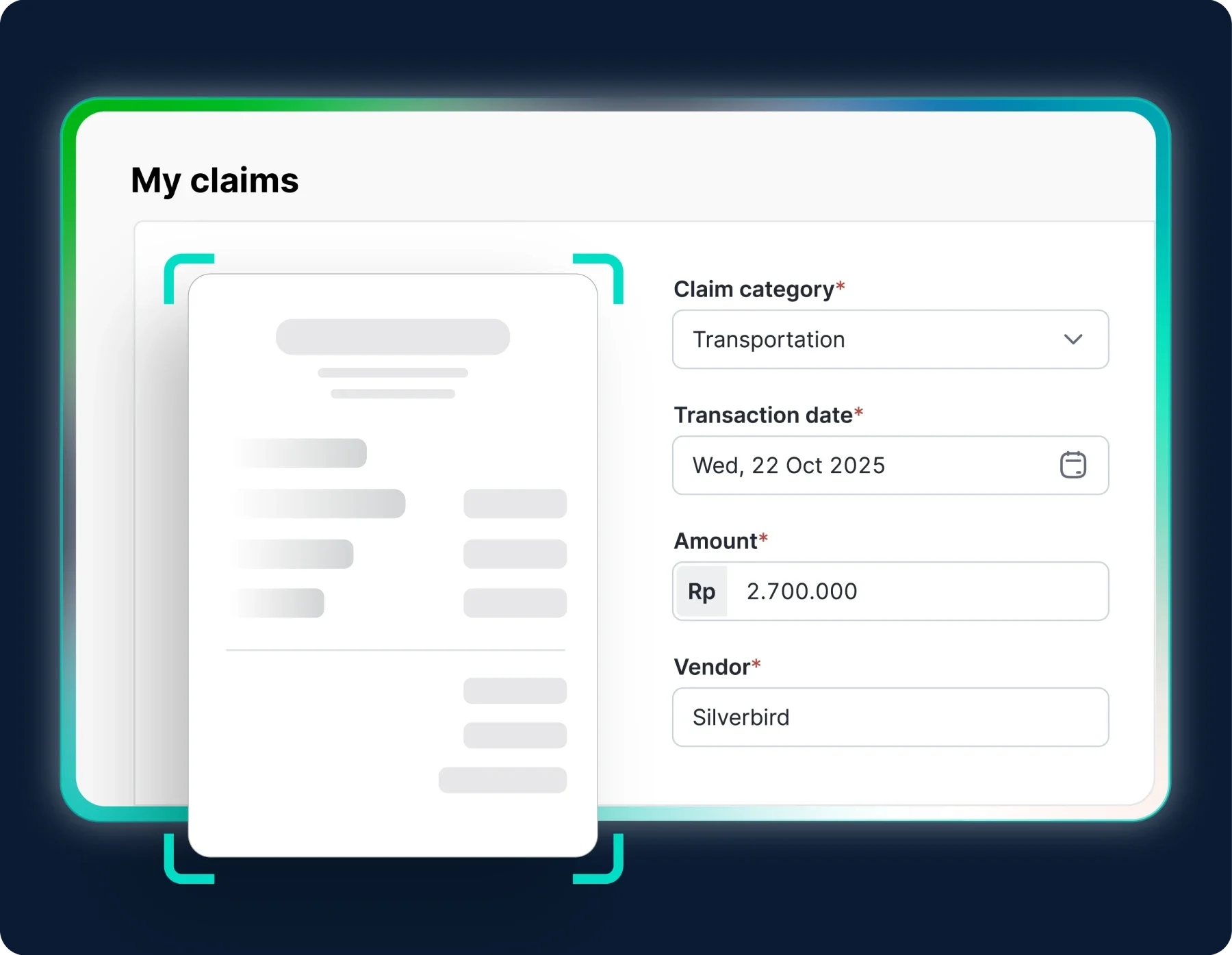
Formulir pengajuan penggantian biaya menampilkan unggahan bukti, kategori Transportasi, tanggal transaksi, jumlah Rp 2.700.000 dan vendor Silverbird, berdampingan dengan pratinjau faktur di layar.

Invoice detection from email

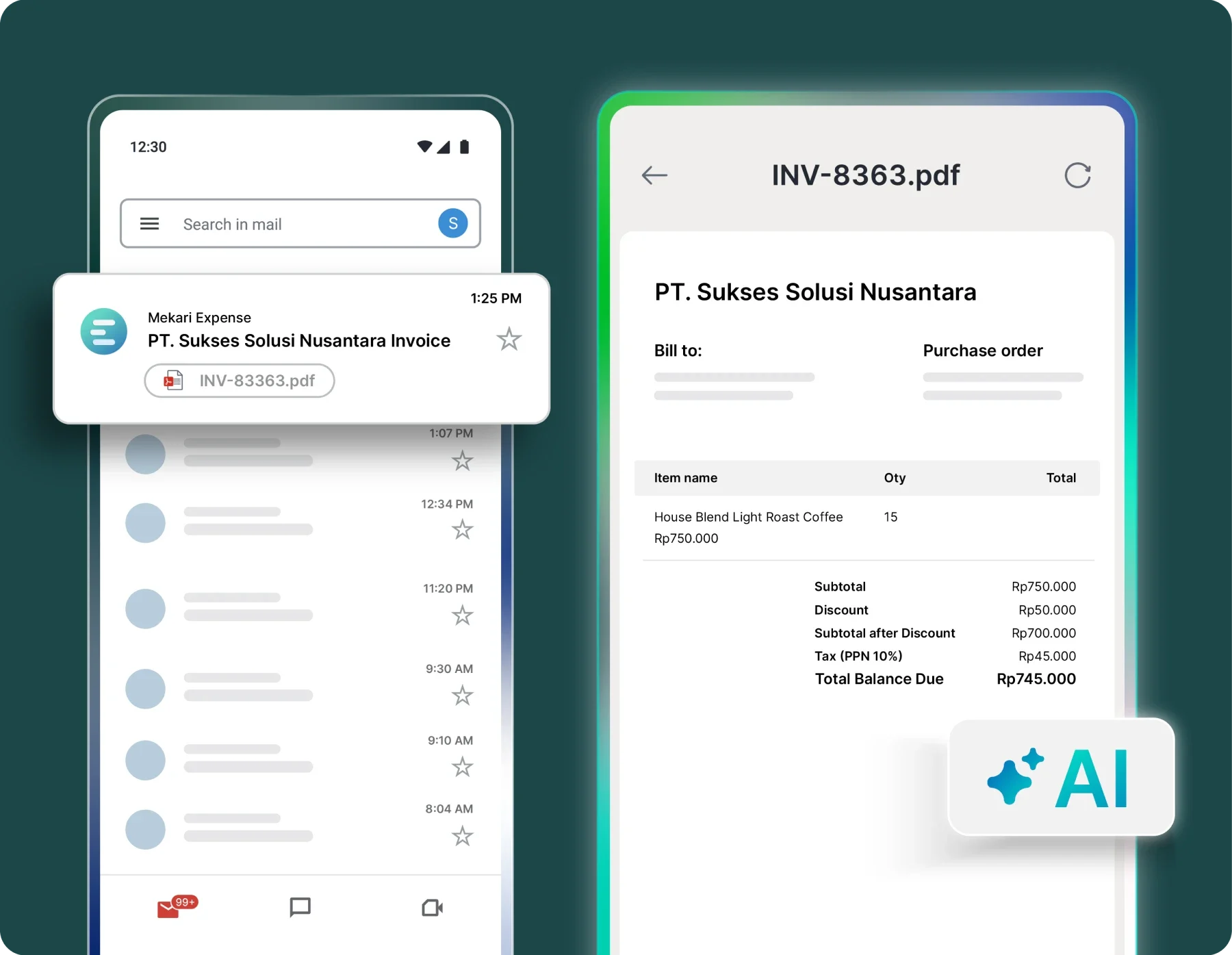
Invoices received via vendor emails are automatically read and processed into the Purchase Invoice module without manual upload.

Faktur digital PT. Sukses Solusi Nusantara ditampilkan; ponsel kiri menerima notifikasi lampiran INV-83363.pdf dan ponsel kanan membuka rincian pembayaran (Total Rp745.000), latar berwarna hijau.

Multi-format data extraction

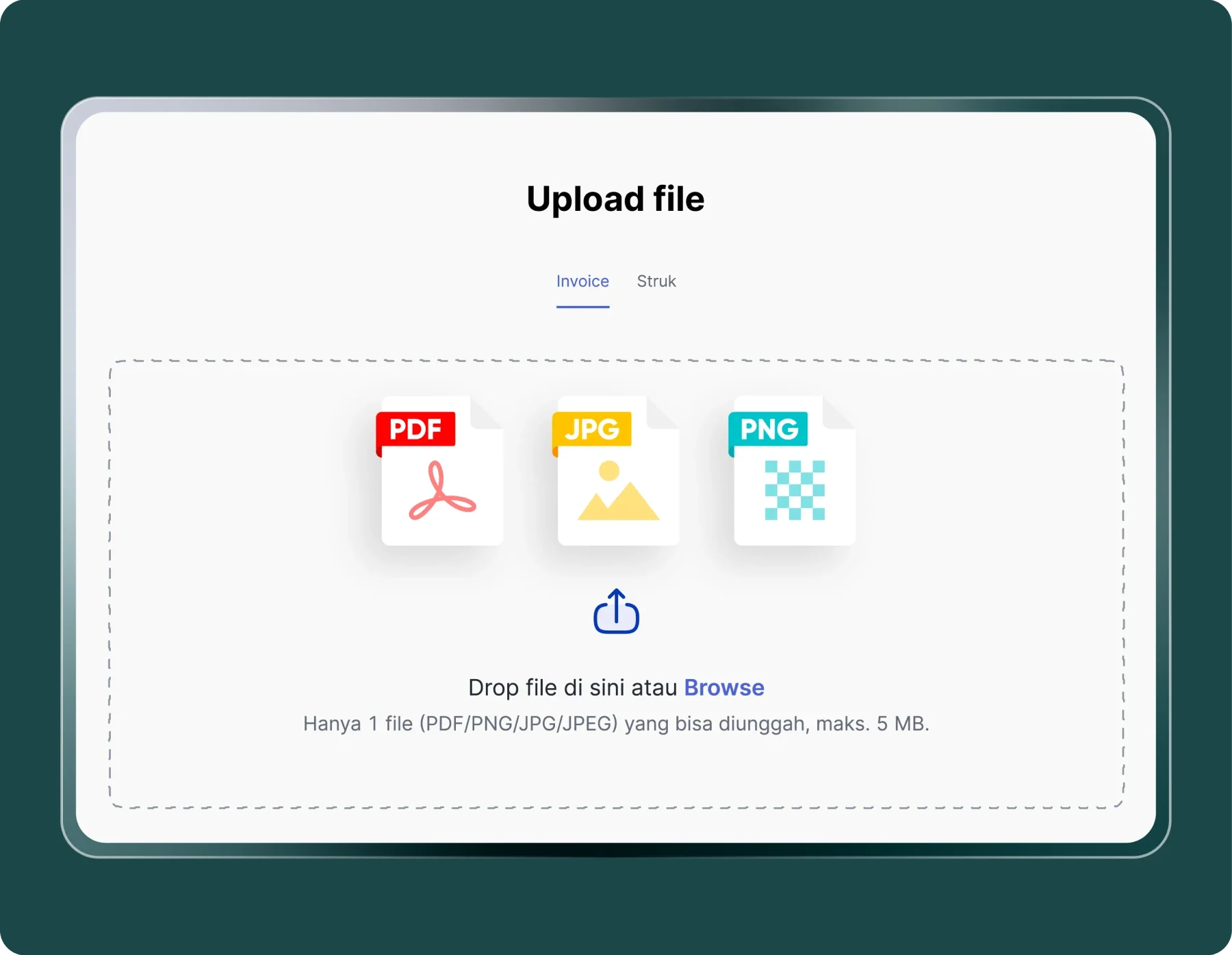
Supports various document formats such as images, scanned files, PDFs, and other digital documents.

Panel unggah file menampilkan tiga ikon (PDF, JPG, PNG) dan instruksi seret atau telusuri, terpajang dalam kotak bertanda putus-putus di latar putih dengan bingkai hijau gelap.

AI-powered OCR technology

Enhances character recognition accuracy to minimize errors and data duplication.

Time efficiency and productivity

Automated input helps finance teams process more data in less time.

Time efficiency and productivity

Financial data accuracy

AI-powered OCR ensures every number and text is read correctly, maintaining the integrity of financial reports.

Financial data accuracy

Cash flow optimization

Approval and payment processes become faster, helping maintain liquidity and healthy cash planning.

Cash flow optimization

Direct integration

Data from vendor emails is automatically synced to the Purchase Invoice and claims modules.

Direct integration

Reduce operational workload

Automated input saves finance teams time and reduces administrative costs.

Reduce operational workload

Real-time insights

Financial data can be monitored instantly through the Mekari Expense dashboard.

Real-time insights

Turn documents into data with one click

Make your data entry process more efficient, accurate, and transparent.

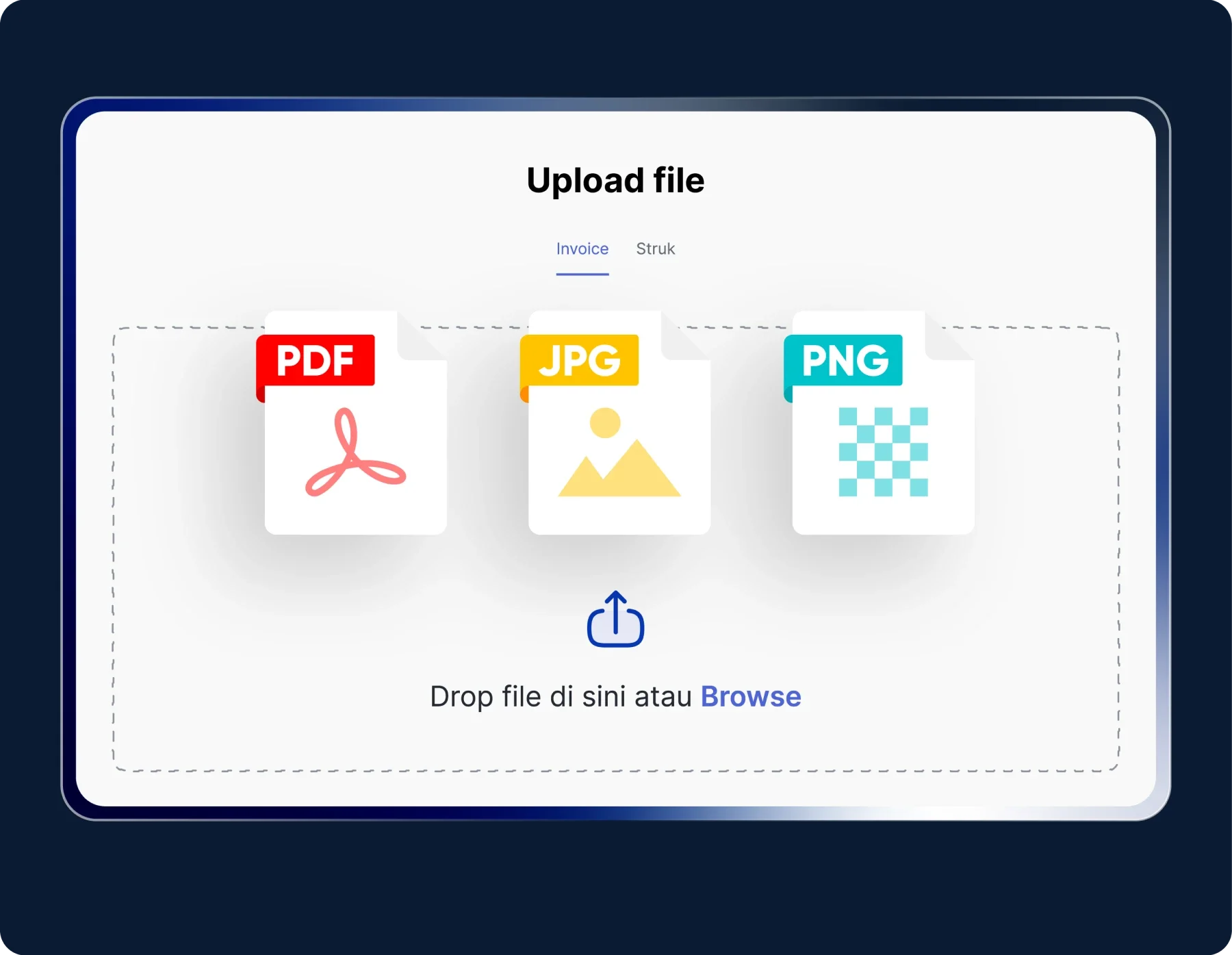
Tiga ikon berkas (PDF, JPG, PNG) ditampilkan sebagai opsi unggah di atas area seret-dan-lepas antarmuka putih dengan latar gelap, berlabel 'Upload file' dan petunjuk 'Drop file di sini atau Browse'.

Upload or receive documents automatically

Add receipts and invoices, or let the system detect invoices directly from vendor emails without manual input.

Form klaim perjalanan menampilkan kwitansi yang discan, dengan kategori "Transportation", tanggal 22 Okt 2025, jumlah Rp 2.700.000 dan vendor "Silverbird" pada antarmuka bertema gelap.

Instant data capture

OCR technology quickly and accurately recognizes text, numbers, and key details such as vendor name, date, and amount.

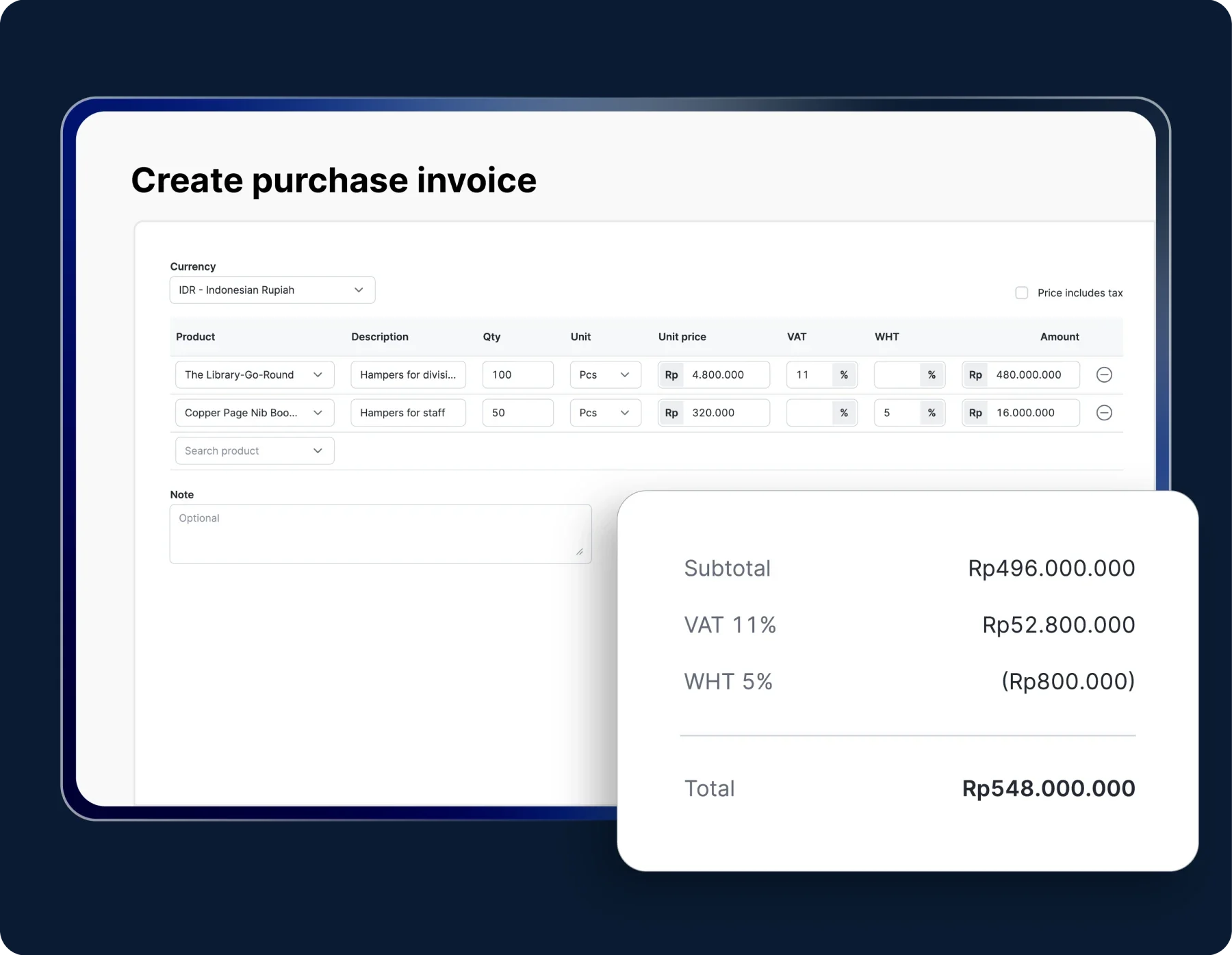
Form faktur pembelian menampilkan daftar produk dan jumlah, menghitung harga per unit, VAT 11% dan WHT 5%, serta ringkasan biaya di sisi kanan dengan total Rp548.000.000.

Automatic integration

Validated data is instantly synchronized with the Purchase Invoice module in Mekari Expense.

Try the OCR Technology feature in Mekari Expense

Work more efficiently with an integrated system

You only need to take one photo of the data

Our clients save time on expense recording thanks to Mekari Expenseโ€™s OCR technology.

"With Mekari Expense, the fulfillment of our business trip transactions and reimbursements is greatly helped. The status of every submission is truly monitored, the reference is clear, and there is an edit history."

Azalea Primanda People & Culture Services Manager, PT Bobobox Mitra Indonesia

"Sekarang proses pengajuan biaya jadi lebih cepat, bahkan bisa malam jam 10 tanpa harus nunggu besok. Paperless juga, jadi semua langsung terekam dan mengurangi kesalahan Kami dapat waktu lebih karena urusan operasional makin rapi. Waktu ini yang kami pakai untuk strategi dan pengembangan bisnis"

Busman E. W. Founder & CEO, Sentral Komputer

"Mekari Expense menyederhanakan pencatatan pengeluaran, memusatkan data untuk pelaporan, dan meningkatkan transparansi. Persetujuan via ponsel praktis, antarmuka web ramah pengguna, sehingga efisiensi operasional dan kepuasan karyawan meningkat."

Juliana Ho Direktur, PT. Eureka Sukses Abadi

I have a question...

What is OCR technology?

AI-powered Optical Character Recognition (OCR) technology allows you to convert text from physical or digital documents, such as invoices, receipts, or financial reports into editable and automatically processed data.

Can Mekari Expense read invoices directly from vendor emails?

Yes. Mekari Expense can detect invoices sent via vendor emails, then automatically extract and record the data into the Purchase Invoice module without the need for manual upload.

Does OCR in Mekari Expense support multiple document formats?

Yes. The system can read various file types such as PDF, JPG, PNG, or scanned documents, ensuring smooth processing even with different document formats.

How can I access the OCR Technology feature?

The OCR Technology feature is available in the Enterprise package upon registration. If you need assistance or encounter any issues, our support team is ready to help at any time.

Improve data accuracy with OCR technology

Automatically digitize documents for easier data management with the OCR feature in Mekari Expense.

WhatsApp Icon WhatsApp sales