




Control every purchase with procurement management software
With Mekari Expense procurement software, raise purchase requests, route them through approval, and pay vendors without leaving the system.
- Digital PO creation with automated approval
- Integrated deposit management with real-time payment status
- Standardized vendor and product database for safer transactions
- Multi-branch and multi-warehouse procurement in one dashboard
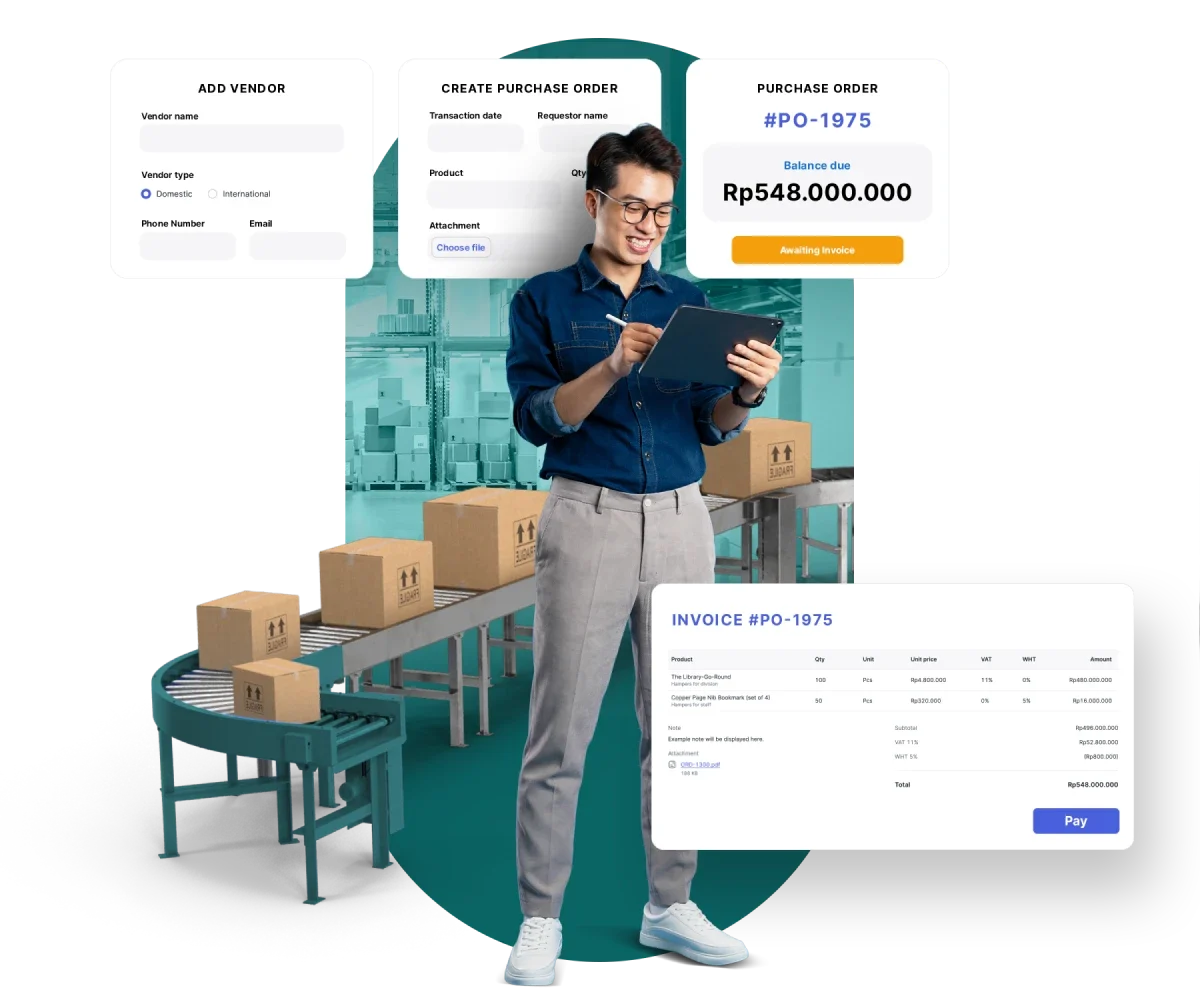












One procurement management system from request to payment
Manage the entire procurement process faster and more transparently, from creating PO, managing deposits, to handling vendors, products, and warehouses.
More transparent vendor & purchasing management
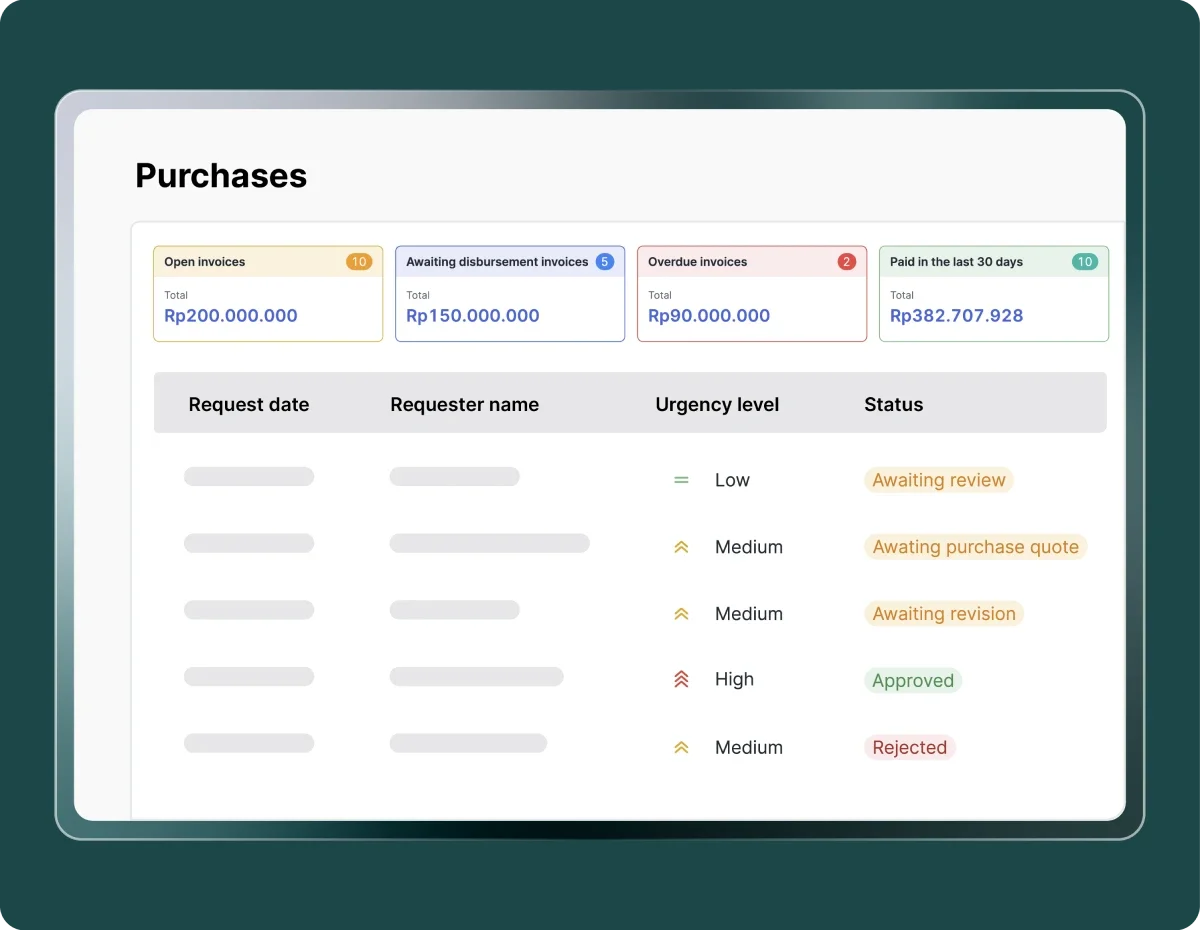
Submit and manage purchase requests with automated approval flows based on company policies.
- Create and send purchase requests based on department, project, or vendor needs.
- Set up multi-level approval flows with backup approver options.
- Automatically assign procurement teams for purchasing processes and vendor reviews.
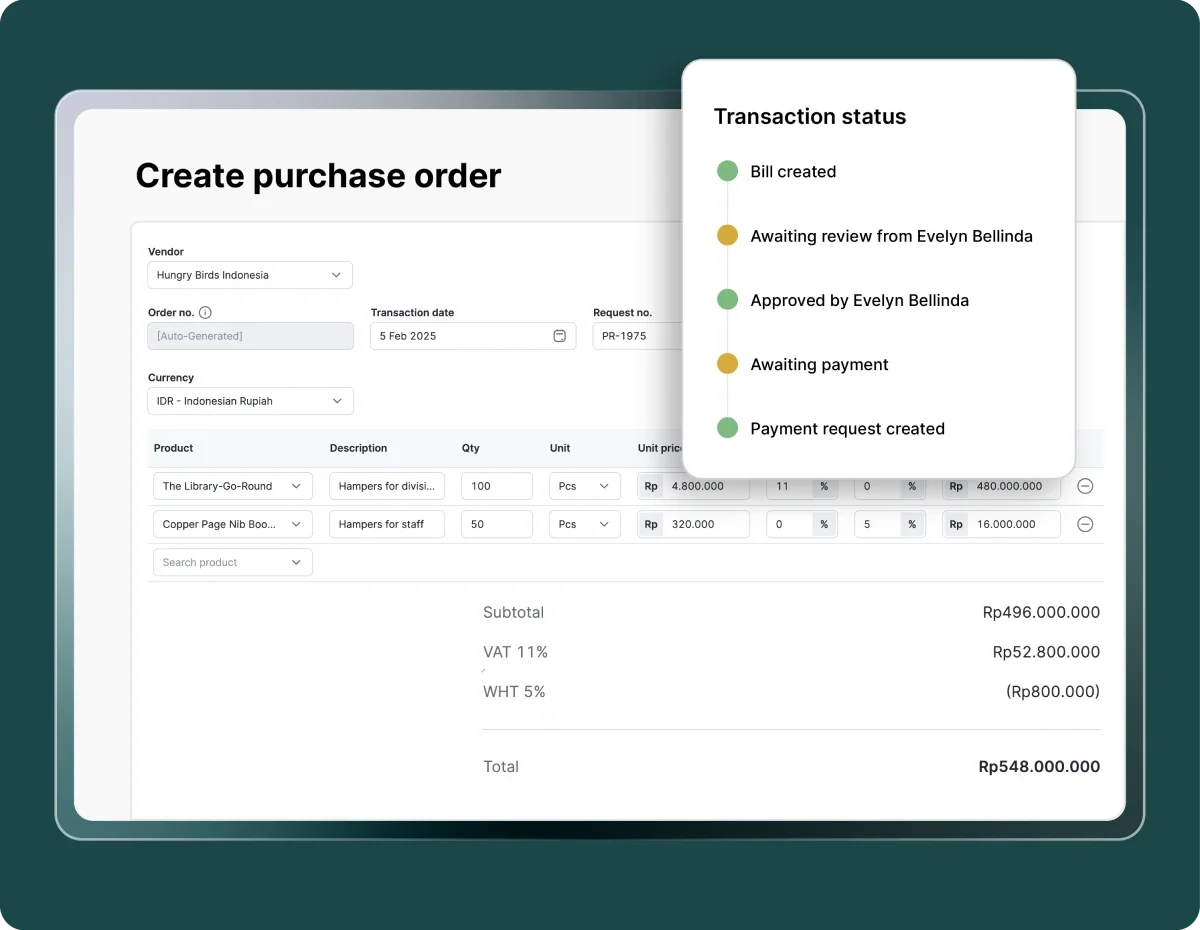
Create and manage purchase orders with complete details, document attachments, and integrated digital approvals.
- Create POs with vendor, product, quantity, price, warehouse, and payment term details.
- Manage PO deposits.
- Track PO status (Draft, Submitted, Approved, Rejected).
Standardize your product list for a faster, accurate, and consistent purchasing process.
- Add products with detailed pricing, units, and categories.
- Manage product lists to simplify selection when creating POs or invoices.
- Standardize purchase items to prevent inconsistent data entries.

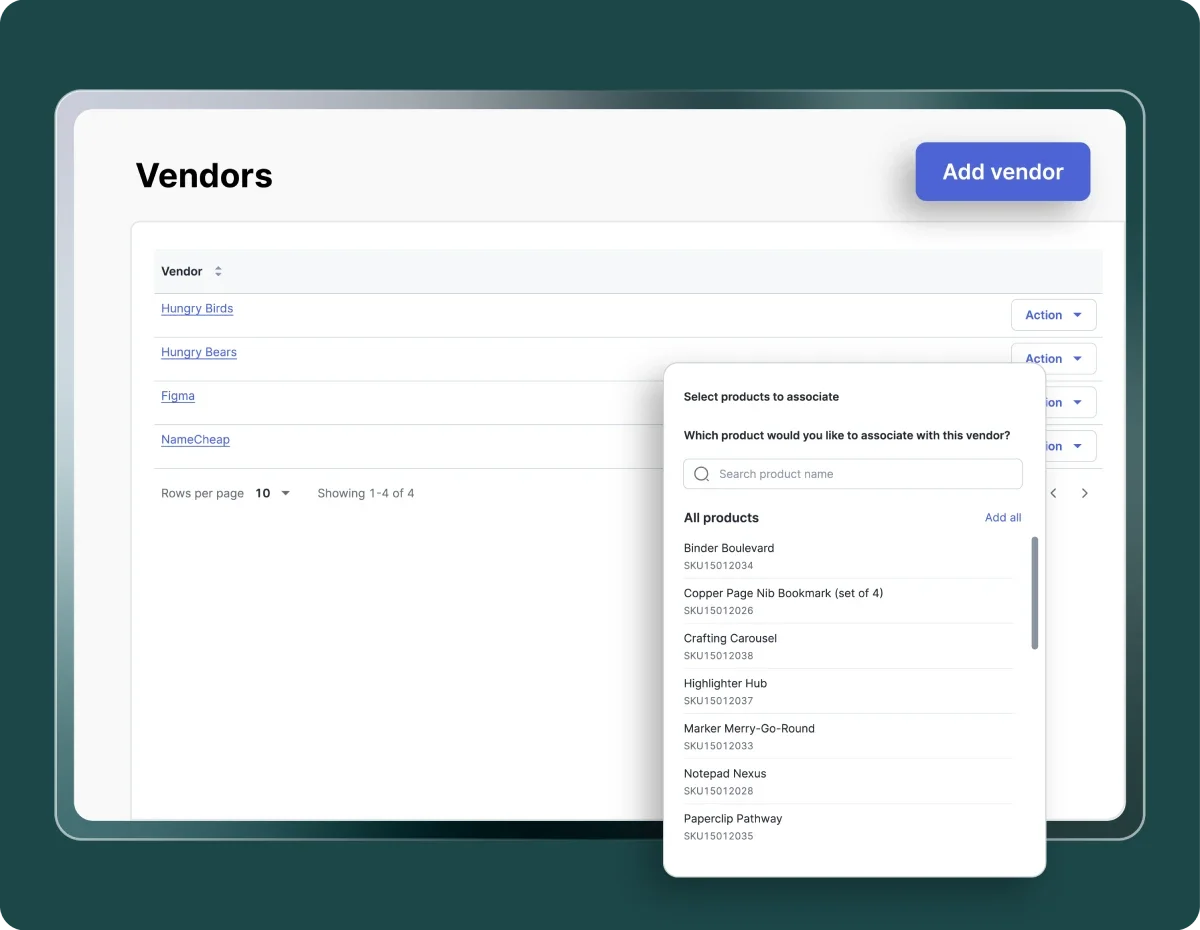
Manage all vendors in a centralized database to improve transparency and compliance.
- Add domestic and international vendors with complete details.
- Manage a list of vendors available for invoice payments.
- Ensure only registered vendors can be used in POs and invoices.
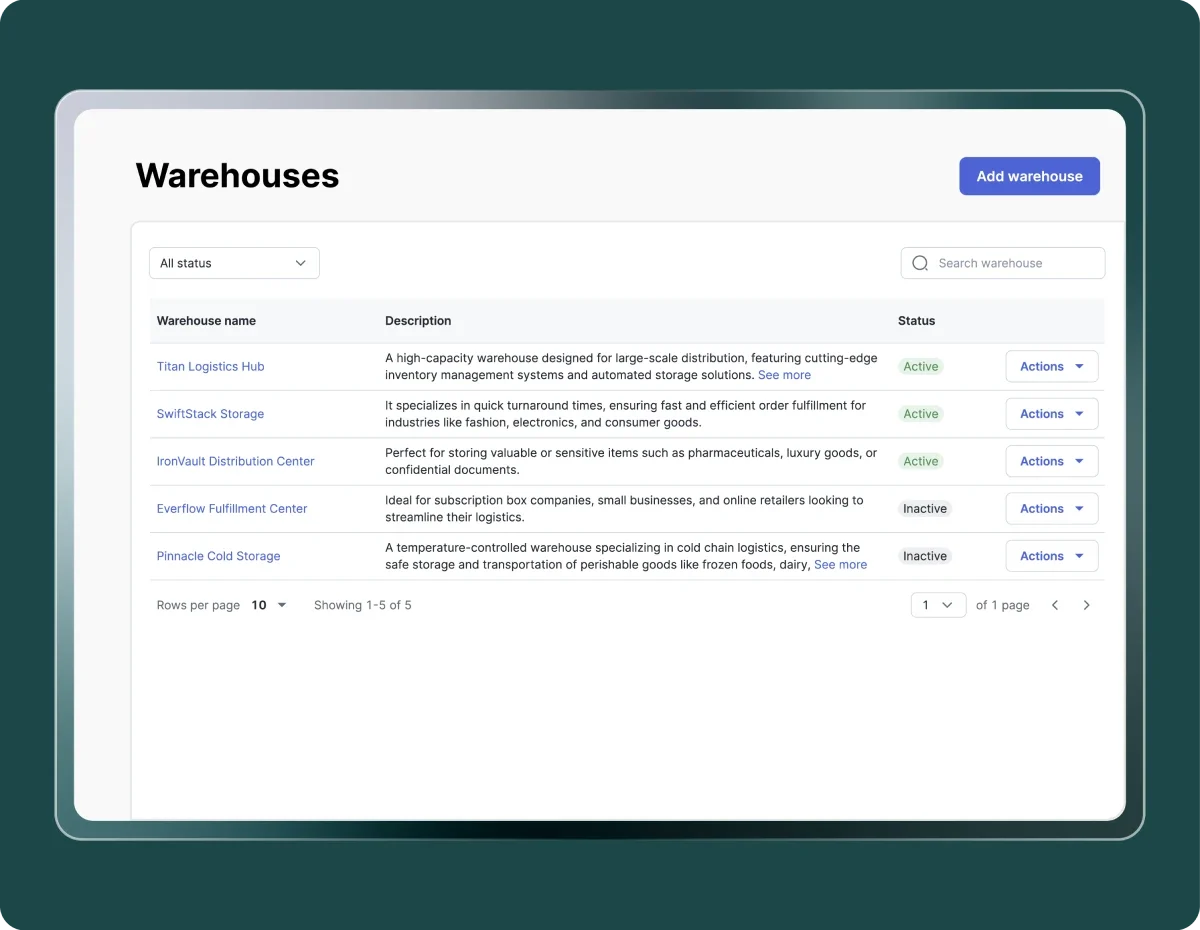
Integrate warehouses with the PO process for cleaner and more organized goods receipt recording.
- Add storage locations.
- Link warehouses with POs.
- Support goods receipt recording based on storage location.
Procurement process that is more controlled, efficient, and transparent
Support business growth with optimized procurement operations.

Faster PO creation
Digitize the creation and approval of POs by automatically recording vendor details, products, prices, and supporting documents without manual forms.

Controlled products and inventory
A standardized product list and warehouse integration ensure consistent purchasing, accurate inventory records, and controlled distribution.
100% transparency and compliance
Every PO, deposit, and vendor transaction is recorded in the dashboard in real-time. All procurement data is audit-ready, ensuring compliance with company policies and regulations.
Why choose Mekari Expense for Procurement?

Full integration from PO to payment
All procurement processes are connected, allowing direct payments without switching applications.

Automated Procurement Workflow
The process of creating POs, deposits, and approvals follows company authorization, ensuring every transaction complies with policies.

Vendor and Product Transparency
A standardized vendor database and product list make transactions safer, more consistent, and easily auditable.

Multi-branch and multi-warehouse support
Procurement from multiple branches and warehouses can be monitored in a single centralized dashboard.

Designed for Indonesian business needs
Procurement and vendor payment processes are tailored to local practices and Indonesian regulations.

International-standard data security
Protected by ISO 27001 certification, ensuring financial and employee data remain secure.
Operations made efficient with an integrated system
Hear directly from our clients
Productivity doubled after using Mekari
I have a question...
What is procurement software?
Procurement software is a system for running company purchasing digitally, covering the purchase request, approval, purchase order, goods receipt, and vendor payment. It is also referred to as procurement management software, or a procurement management system.
What separates it from a spreadsheet process is control. Approvals follow your authorization structure, only registered vendors can be transacted with, and every step leaves a record that can be audited later.
In Mekari Expense, procurement sits in the same system as expense reports and corporate cards, so a purchase is tracked from the first request through to the money leaving the company.
Why do businesses need a procurement management system?
Without one, four problems repeat on every purchase cycle:
- Approvals get stuck: requests circulate by email and chat, and nobody can say where one is waiting.
- Purchases happen outside policy: without a registered vendor list, teams buy from whoever answers first.
- Records don’t match: the PO, the goods received, and the invoice are reconciled by hand at month end.
- Spending is invisible until late: finance only sees committed spend when invoices arrive.
Mekari Expense closes all four, because requests, approvals, vendors, and payments run in one system.
What can you manage with procurement in Mekari Expense?
Five areas, all from one dashboard:
- Purchase requests: raised by department, project, or vendor need, with multi-level approval and backup approvers.
- Purchase orders: created with vendor, product, quantity, price, warehouse, and payment terms, with status tracked from draft to approved.
- Vendor database: domestic and international vendors in one list, with only registered vendors usable on POs and invoices.
- Product catalog: standardized pricing, units, and categories so purchasing data stays consistent.
- Warehouses: storage locations linked to POs, so goods receipt is recorded against the right location.
Deposits and vendor payments run in the same system, so procurement does not stop at the PO.
How does procurement automation software reduce the risk of fictitious purchases?
Three controls work together:
- Registered vendors only: POs and invoices can only name vendors already in the approved database.
- Multi-level approval: each request passes the authorization layers your policy defines before any commitment is made.
- Complete audit trail: every PO, deposit, and vendor transaction is recorded with its time and approver.
With all three in place, a purchase cannot be created, approved, and paid by the same person without leaving a trace.
Can approval flows be adjusted to our company structure?
Yes. Approval can run across multiple levels, configured to your policy and authorization structure, with backup approvers so requests do not stall when someone is away. Different flows can apply by department, project, or purchase value.
Does it support companies with multiple branches and warehouses?
Yes. Procurement from several branches or warehouses is monitored from one central dashboard, with goods receipt recorded against the correct storage location. Head office can see committed spend across every branch without waiting for each one to report.
Can procurement connect to the accounting and systems we already use?
Yes. Mekari Expense connects natively to other Mekari products such as Mekari Jurnal, and offers an open API for connecting procurement data to ERP, inventory, or internal systems.
What matters when comparing vendors is whether the integration runs both ways. One-way integration only copies data across, which leaves your reconciliation manual anyway.
How is this different from procurement inside a full ERP?
An ERP covers procurement as one module among many, which means a wider implementation and a longer rollout before the first purchase order is raised.
Mekari Expense approaches it from the spending side. Procurement connects directly to expense reports, corporate cards, and vendor payments, so companies that need purchasing under control without replacing their whole system can start from there.
Run your business procurement digitally from a single system with Mekari Expense
Every purchase request, PO, and vendor payment recorded in one system, in line with company policy.