

Feature - Mekari Limitless Card - Virtual Card

Pay business needs safely and easily

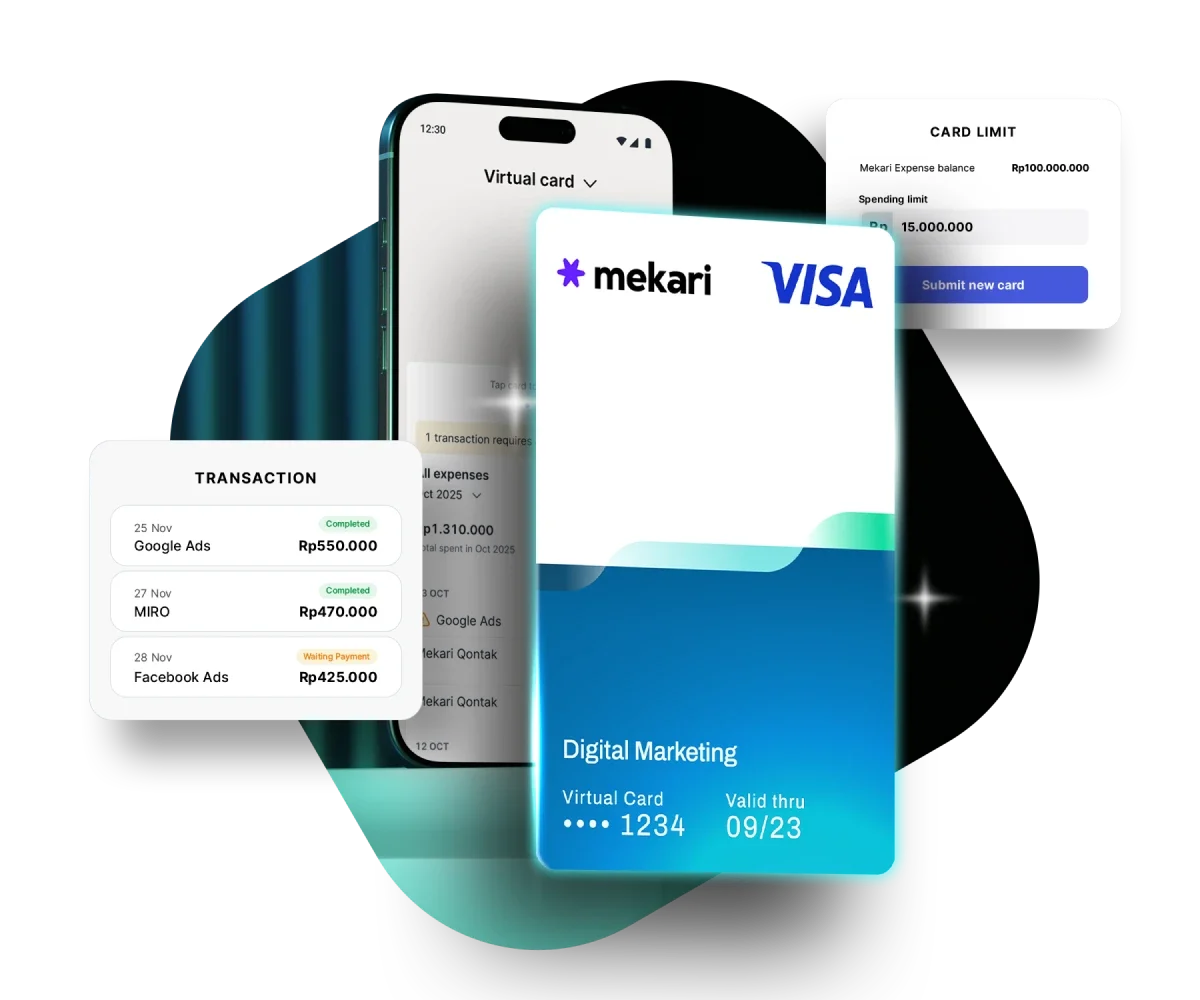
Use Mekari Expenseโ€™s Virtual Corporate Card (VCC), powered by Visa, to pay for digital ads, software subscriptions, and other online transactions anywhere in the world.

Kartu virtual berlogo Mekari dan Visa menonjol di depan layar ponsel, menunjukkan label "Digital Marketing"; latar menampilkan daftar transaksi, saldo, dan panel batas kartu pada latar gelap.
Telah dipercaya berbagai perusahaan di Indonesia

Full flexibility in controlling business spending

A fast, secure, and easily controlled virtual card to support digital payments across teams and projects.

Kaca pembesar menyorot beberapa kotak-piksel gelap di sudut kanan atas, di atas latar biru tua datar.

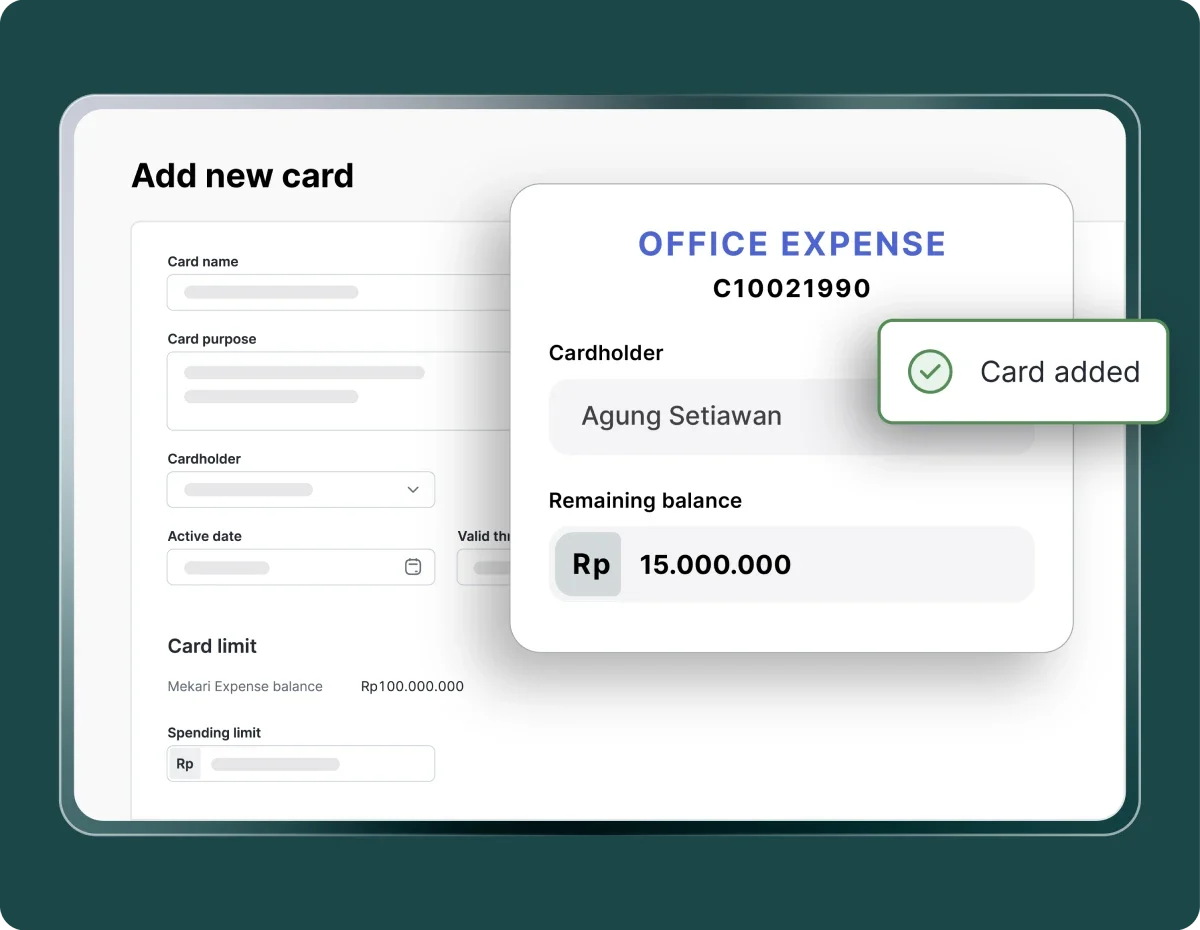
Instant card creation

Create virtual cards in seconds for teams, projects, or campaigns to eliminate manual process.

Kartu virtual "OFFICE EXPENSE" menampilkan pemegang Agung Setiawan, sisa saldo Rp15.000.000 dan notifikasi "Card added", berada di atas formulir "Add new card" pada antarmuka berlatarkan hijau.
Ikon aplikasi persegi berwarna biru menampilkan kotak bertingkat dan lingkaran kecil di sudut kanan atas; latar belakang kotak lebih gelap.

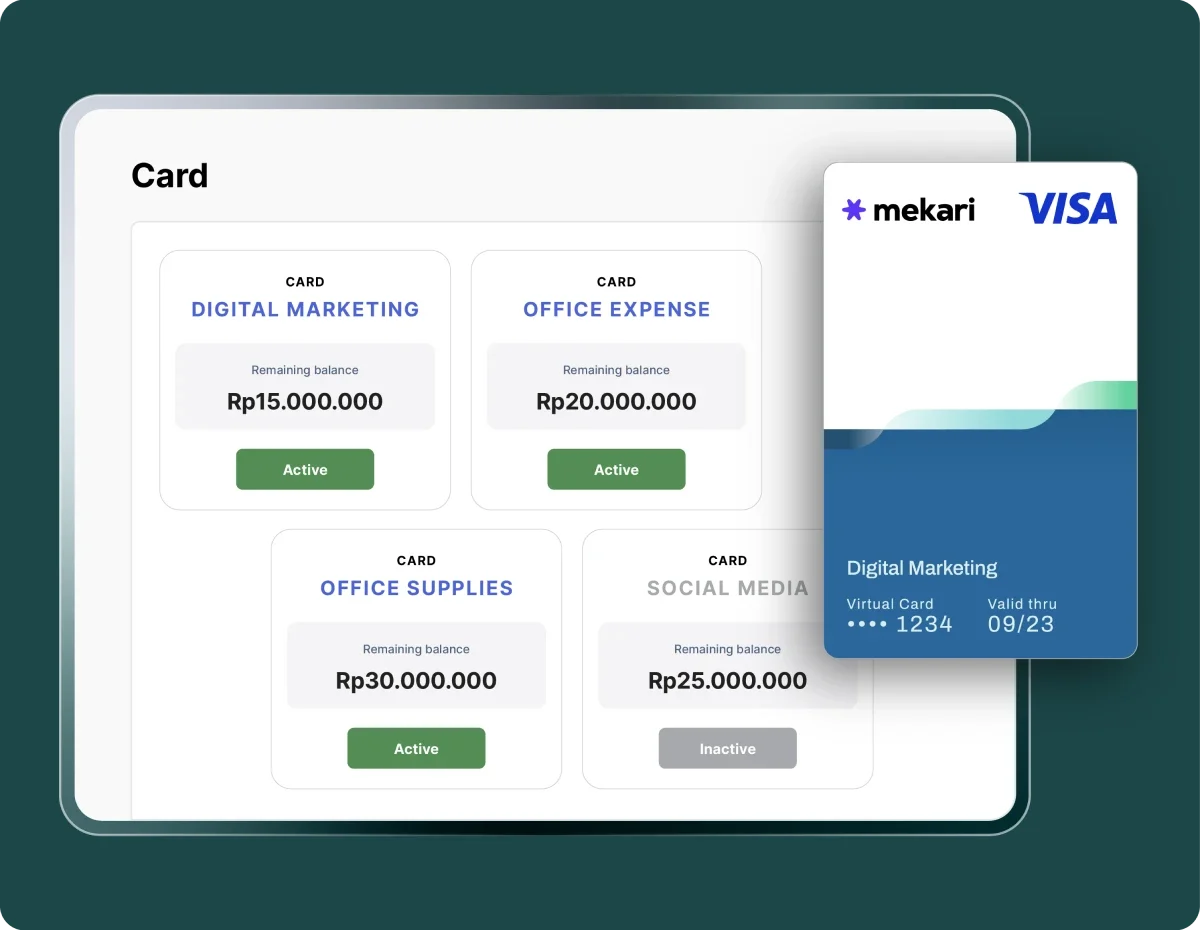
Set limits and policies

Set spending limits for each card by category, team, or division to keep Corporate Card usage controlled.

Kartu virtual Mekari (Visa) menampilkan detail Digital Marketing dan nomor tersamarkan; muncul di atas layar tablet yang memuat empat kartu anggaran dengan saldo Rp dan status aktif/inaktif.
Ikon simpul biru terhubung oleh garis, menggambarkan koneksi antar node dalam diagram jaringan, ditampilkan di atas latar belakang transparan.

Multi-level approvals

Manage approval flows and card access easily. Decide who can use the card and adjust access anytime.

Antarmuka aplikasi pengeluaran menampilkan dua kartu permintaan persetujuan biaya yang menunggu, ditampilkan di layar ponsel dengan latar hijau gelap dan ikon centang hijau besar.
Ikon kotak jendela biru tua berujung melengkung menampilkan bar atas dengan dua lingkaran kecil dan area bawah berisi garis serta persegi panjang seperti kartu; latar transparan.

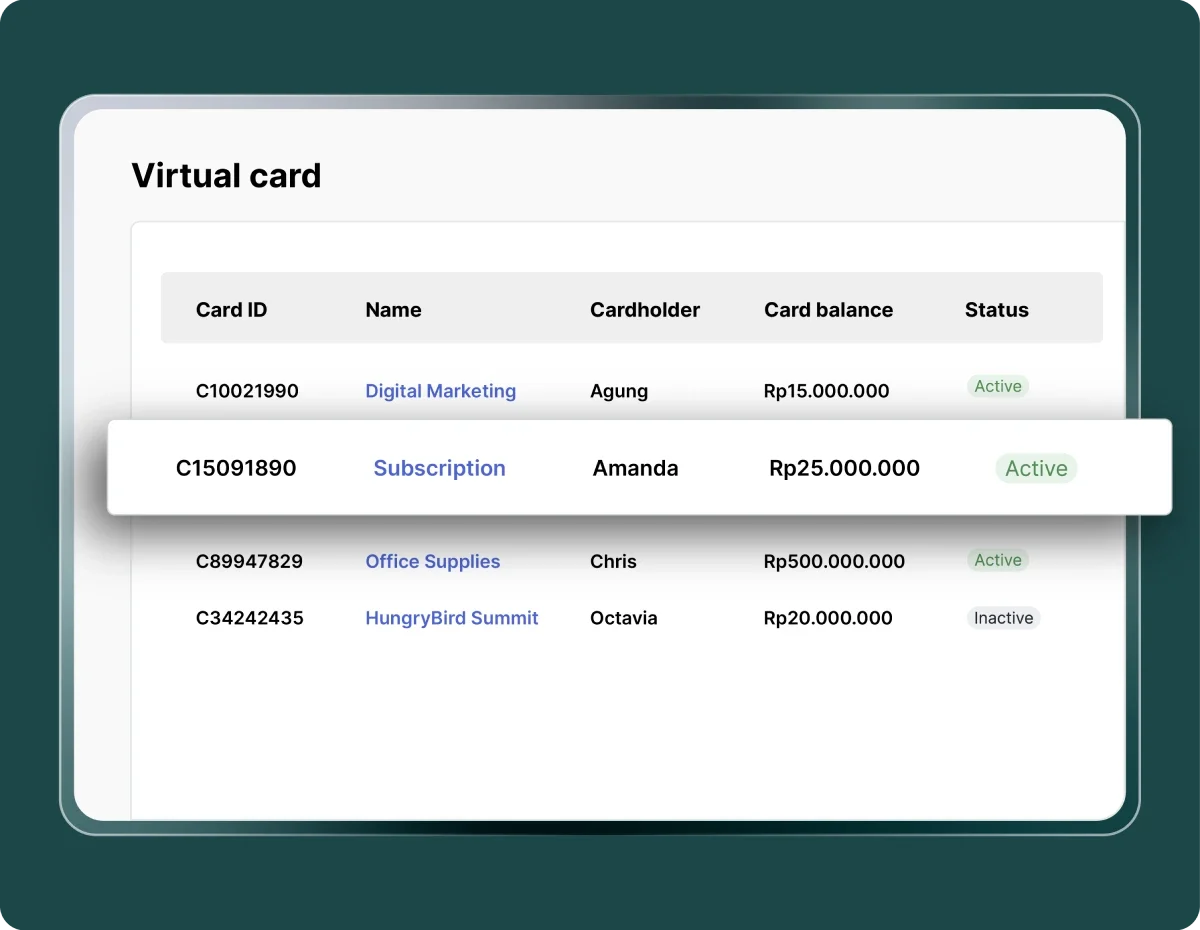
Unique card numbers

Issue dedicated card numbers for each team or project, with limits aligned to the approved budget.

Tabel kartu virtual menampilkan entri kartu dengan ID, nama, pemegang, saldo dan status; satu bar terpilih berbayang menonjol di antarmuka putih dengan latar hijau gelap.

Manage online payments more efficiently

Simplify online transactions using virtual cards with full spending control.

More controlled subscriptions

Software subscriptions, digital ads, and routine operations run smoothly without payment issues or overspending.

More controlled subscriptions

Real-time visibility

Transactions update instantly on the dashboard for more accurate monitoring and reporting.

Real-time visibility

Faster & more accurate reconciliation

Each transaction is automatically recorded in Mekari Jurnal, making monthly reports cleaner and audit-ready.

Faster & more accurate reconciliation

Easier budget allocation

No more overbudget by settomg spending limits for each team, department, or project.

Easier budget allocation

More efficient operations

Create virtual cards in seconds from the app, saving time and operational costs.

More efficient operations

Guaranteed compliance & security

Policies, activity logs, and multi-level approvals ensure every transaction is accountable.

Guaranteed compliance & security

Virtual card makes every transaction safer, faster, and easier

Issue virtual cards instantly to speed up operations and keep spending under control.

Image by Mekari

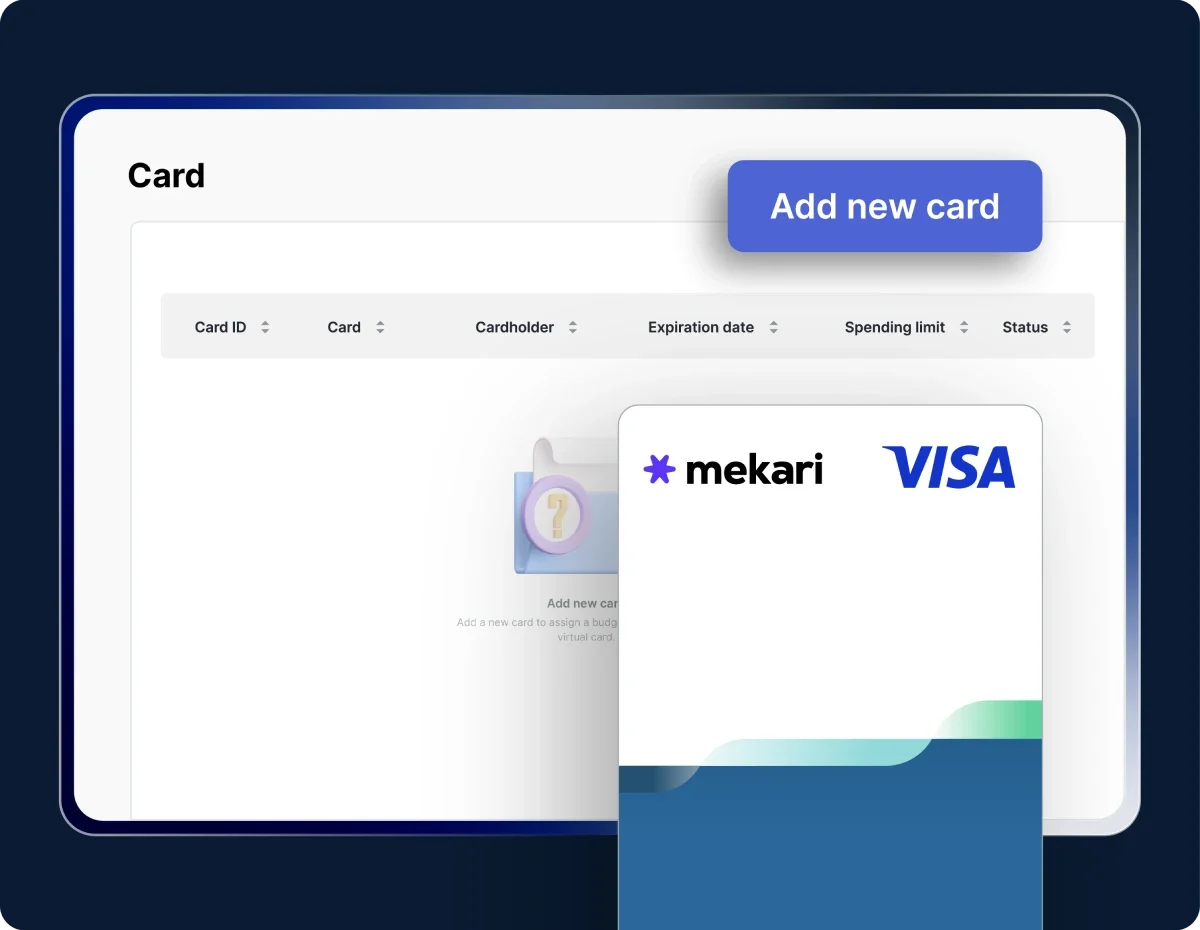
Create a virtual card

Go to Card โ†’ Virtual Cards โ†’ Create Card to start creating a new card.

Image by Mekari

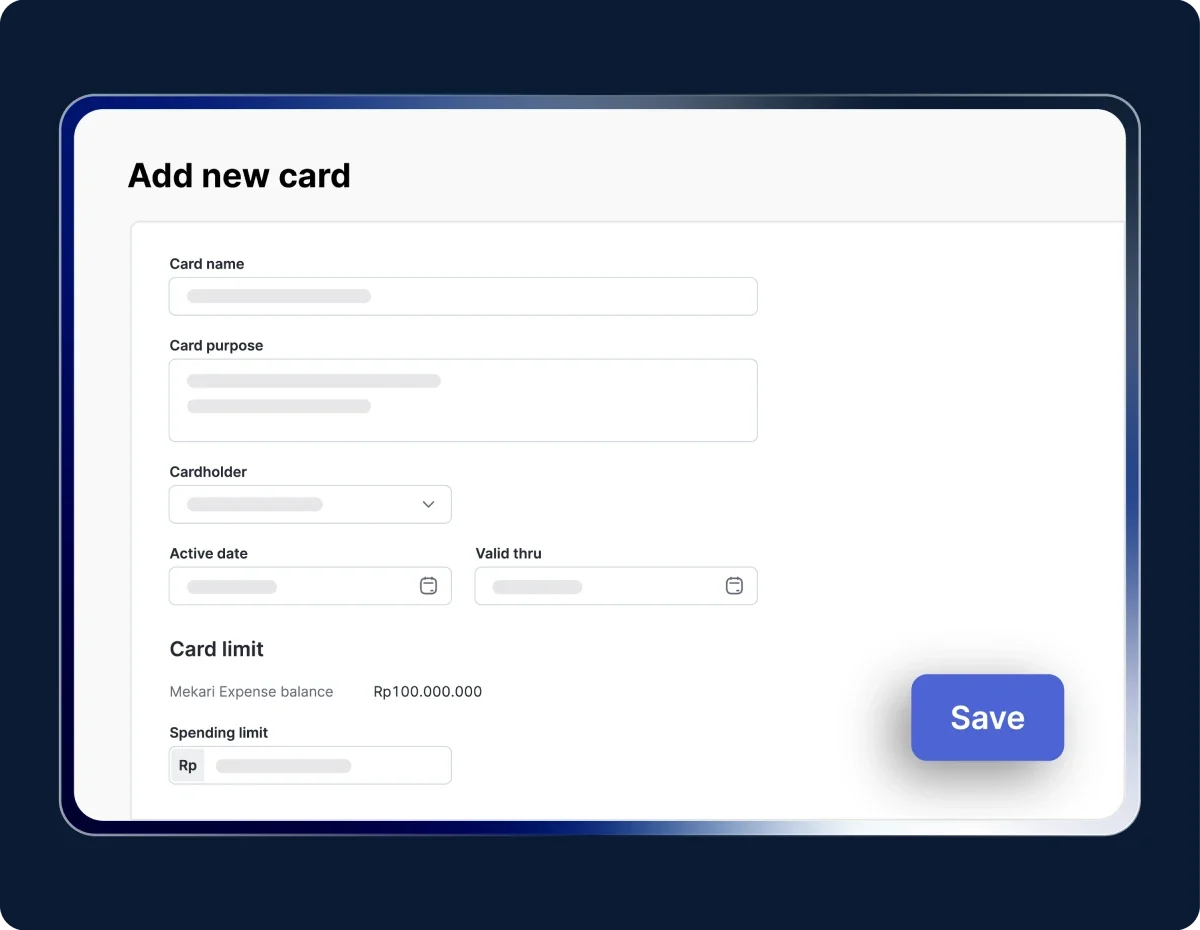
Fill in card details

Enter the card name, purpose of use, cardholder (one holder per card), activation date, spending limit, and any budget caps based on company policy.

Image by Mekari

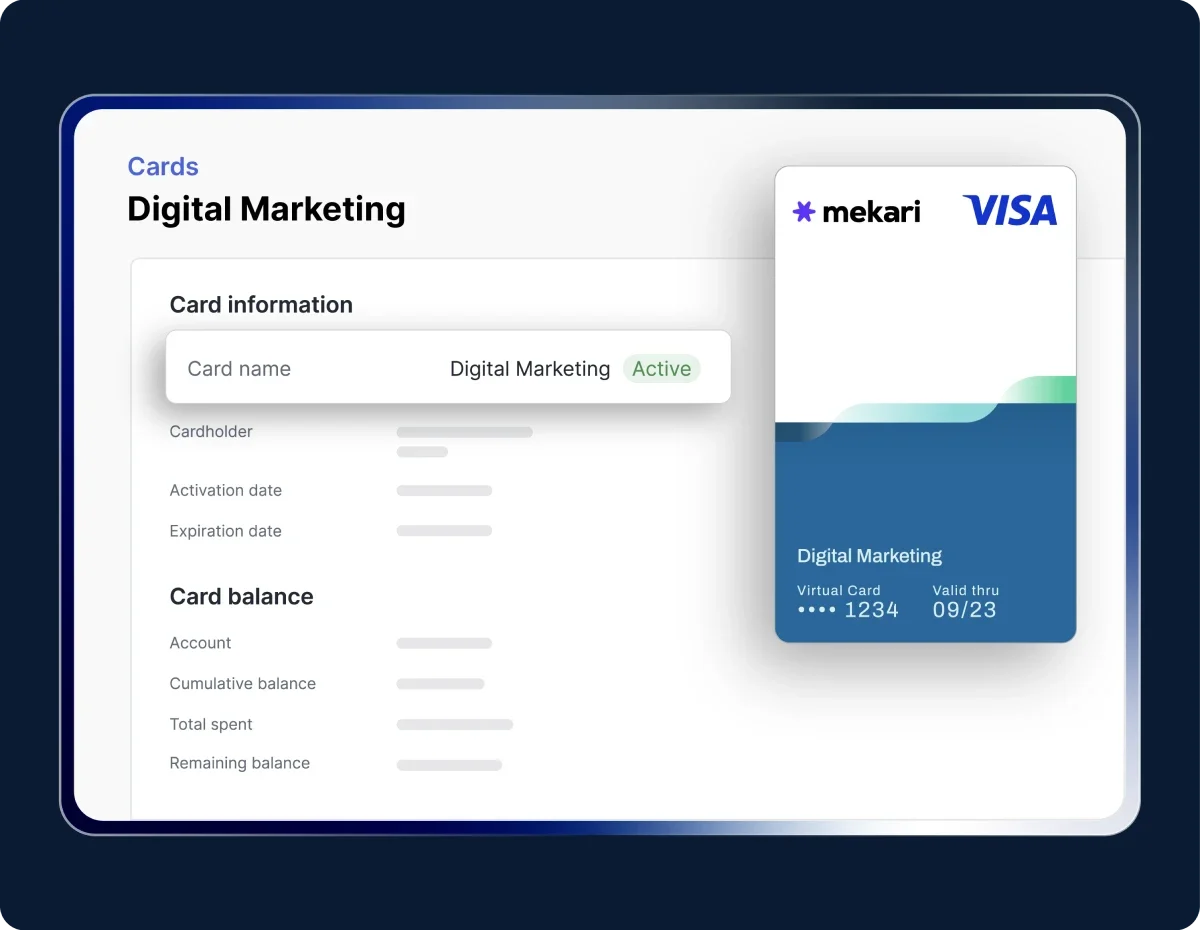
Confirm and activate

Agree to the terms and conditions, click Save, and the card will be issued with a status such as Activating, Active, Failed, Deactivating, or Inactive.

Try the Virtual Card feature in Mekari Expense

Work more efficiently with an integrated system

Our clients' payment process is getting easier with the Mekari Limitless Card

Our clients use virtual and physical cards to manage all business expenses.

"Sekarang proses pengajuan biaya jadi lebih cepat, bahkan bisa malam jam 10 tanpa harus nunggu besok. Paperless juga, jadi semua langsung terekam dan mengurangi kesalahan Kami dapat waktu lebih karena urusan operasional makin rapi. Waktu ini yang kami pakai untuk strategi dan pengembangan bisnis"

Busman E. W. Founder & CEO, Sentral Komputer

"Mekari Expense menyederhanakan pencatatan pengeluaran, memusatkan data untuk pelaporan, dan meningkatkan transparansi. Persetujuan via ponsel praktis, antarmuka web ramah pengguna, sehingga efisiensi operasional dan kepuasan karyawan meningkat."

Juliana Ho Direktur, PT. Eureka Sukses Abadi

โ€œSekarang pengajuan biaya jadi lebih fleksibel, enggak perlu lagi ke ruangan finance hanya untuk serahkan pertanggungjawaban. Semua cukup dari aplikasi dan lebih tertata.โ€

Cindy Finance Staff, PT. Adev Natural Indonesia

I have a question...

What is a virtual corporate card in Mekari?

Mekariโ€™s virtual card is a digital payment card for companies that can be created instantly for various team needs, such as software subscriptions, digital advertising, and operational expenses. Each card comes with limits, policies, and real-time controls to ensure spending stays within budget.

How does a virtual card work for digital payments?

A virtual card works like a corporate credit card, but without a physical card. You simply create the card online, set the limit, and your team can immediately use it for digital transactions such as Google Ads, Meta Ads, and other tools.

Is the virtual card secure for company transactions?

Yes. Mekariโ€™s virtual card uses a unique card number and includes instant freeze options, automatic expiry, and complete activity logs to enhance security and support audit needs.

Can virtual card limits be adjusted?

Yes. You can set daily, monthly, category-based, or project-specific limits, ensuring every transaction remains controlled and within the approved budget.

How do I monitor virtual card transactions?

All transactions appear in real time on the Mekari Expense dashboard. You can view usage details, spending categories, limits, and card status to prevent overspending.

Pay digitally with ease while keeping budgets secure

Simplify daily transactions and ensure spending stays compliant with company policies using Mekari Expense VCC.

WhatsApp Icon WhatsApp sales