

Top 9 OCR Invoice Scanning Software: Cut Costs by 78%
Manual invoice processing is still common in many organizations. In fact, according to Rillion, 80โ90% of invoices are received as paper or email, and around 75% of companies still enter invoice data manually, making the process slow, error-prone, and costly.
With technologies like AI, machine learning, and OCR, businesses can now automate invoice data capture and streamline accounts payable workflows. In this article, we highlight 8 OCR invoice scanning software tools that help reduce manual work and cut processing costs by up to 78%.
What is OCR invoice scanning software?
OCR invoice scanning software is a tool that automatically extracts key information from invoices, such as supplier name, invoice number, amounts, line items, and order details, and converts it into structured digital data.
This data can then be sent directly to the spend management system, eliminating the need for manual data entry.
Modern invoice capture solutions use OCR combined with AI and machine learning to automate accounts payable workflows. The process typically works as follows:
- Invoice scanning or upload: Paper or PDF invoices are uploaded or captured using a scanner or camera.
- Data extraction: OCR technology reads the invoice and converts the image into editable text data.
- Data validation: AI checks the extracted information for accuracy and cross-references it with records like purchase orders or vendor databases.
- Automated data entry: Once verified, the invoice data is automatically sent to the spend management system for processing.
Read more: Best AI for Accounts Payable Solutions for Businesses
7 Benefits of OCR invoice processing
OCR technology has become a key component of modern invoice automation, helping finance teams process invoices faster, more accurately, and at a lower cost.
Here are five proven benefits of OCR invoice processing.
1. Reduce cost significantly
Manual invoice processing requires significant staff time for data entry, verification, and corrections. OCR reduces this workload by automatically extracting invoice data and sending it directly into financial systems.
According to APQC, top-performing organizations using OCR spend just $2.07 per invoice, compared to $10.89 for manual processing, a cost reduction of more than 80%.
2. Near-elimination of human errors
Manual data entry often leads to mistakes such as incorrect amounts, invoice numbers, or vendor details. These errors can create accounting discrepancies and require additional time to resolve.
A 2024 Institute of Finance and Management study found that automation reduces invoice error rates from 3.6% to just 0.3%, dramatically improving financial data accuracy.
3. Significantly faster invoice turnaround
Processing invoices manually involves opening documents, entering data, checking details, and routing approvals, a process that can take 10โ30 minutes per invoice.
With OCR, invoice data can be extracted and processed in one to two seconds, making invoice handling roughly 99% faster.
4. More early payment discounts captured
Many vendors offer early payment discounts, but slow invoice processing often causes companies to miss these opportunities.
According to Deloitte, 67% of companies using automated invoice processing capture early payment discounts, compared to only 18% of those relying on manual processes.
5. Frees up hundreds of hours of staff time
Manual invoice processing requires repetitive administrative tasks that consume significant staff time.
For a team handling 1,000 invoices per year, switching to OCR processing can return up to 500 hours of work time back to the business.
Best OCR invoice scanning software: 9 top picks
Below are nine OCR invoice scanning software solutions that can help finance teams automate invoice processing and reduce manual data entry.
| Software | Best For | OCR Accuracy | Key Differentiator |
|---|---|---|---|
| Mekari Expense | End-to-end AP automation for Southeast Asian businesses | High (AI-powered) | Only tool combining OCR invoice capture, duplicate detection, email auto-detection, and full Purchase Invoice workflow integration in one platform |
| Nanonets | Mid-market AP teams | 99%+ | Self-learning AI that improves from manual corrections; best Zapier + QuickBooks automation |
| Rossum | Enterprise / ERP users | 95โ99% | Cognitive data capture engine built for complex, multi-entity workflows with country-specific rules |
| Docsumo | SMBs with varied formats | 95%+ | Handles both structured and unstructured docs; most flexible for non-standard invoice layouts |
| Klippa DocHorizon | Global / multilingual ops | 95โ98% | Strongest multilingual support; ideal for companies processing invoices across multiple countries |
| ABBYY FlexiCapture | High-volume enterprise | 98%+ | Industry veteran; best raw OCR engine accuracy, especially for scanned/low-quality documents |
| Tipalti | Full AP automation | 95โ97% | Goes beyond OCR โ covers the entire AP lifecycle including payments, tax compliance, and reporting |
| Envoice | SMBs & accountants | 99.9% | Affordable entry point; Human-in-the-Loop review guarantees near-perfect accuracy |
| Lido | Finance & AP teams | 99%+ | Spreadsheet-native interface; easiest for teams already working in Excel/Sheets environments |
1. Mekari Expense

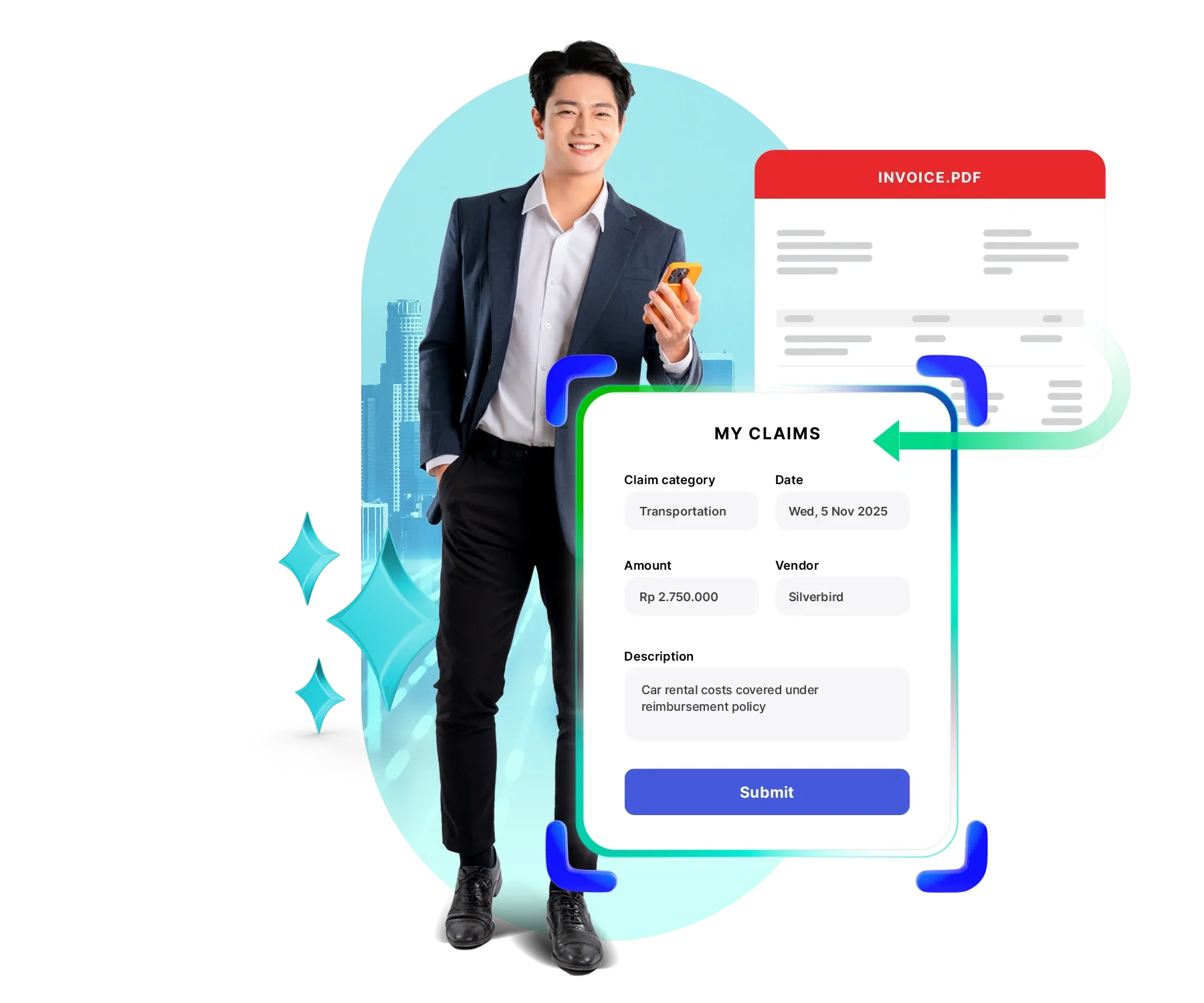
Mekari Expense is a spend management system with AI-powered account payable management features designed to eliminate manual invoice entry.ย
Its OCR engine automatically captures vendor invoices from emails or uploaded documents and syncs them directly into the Purchase Invoice module.
Key Features
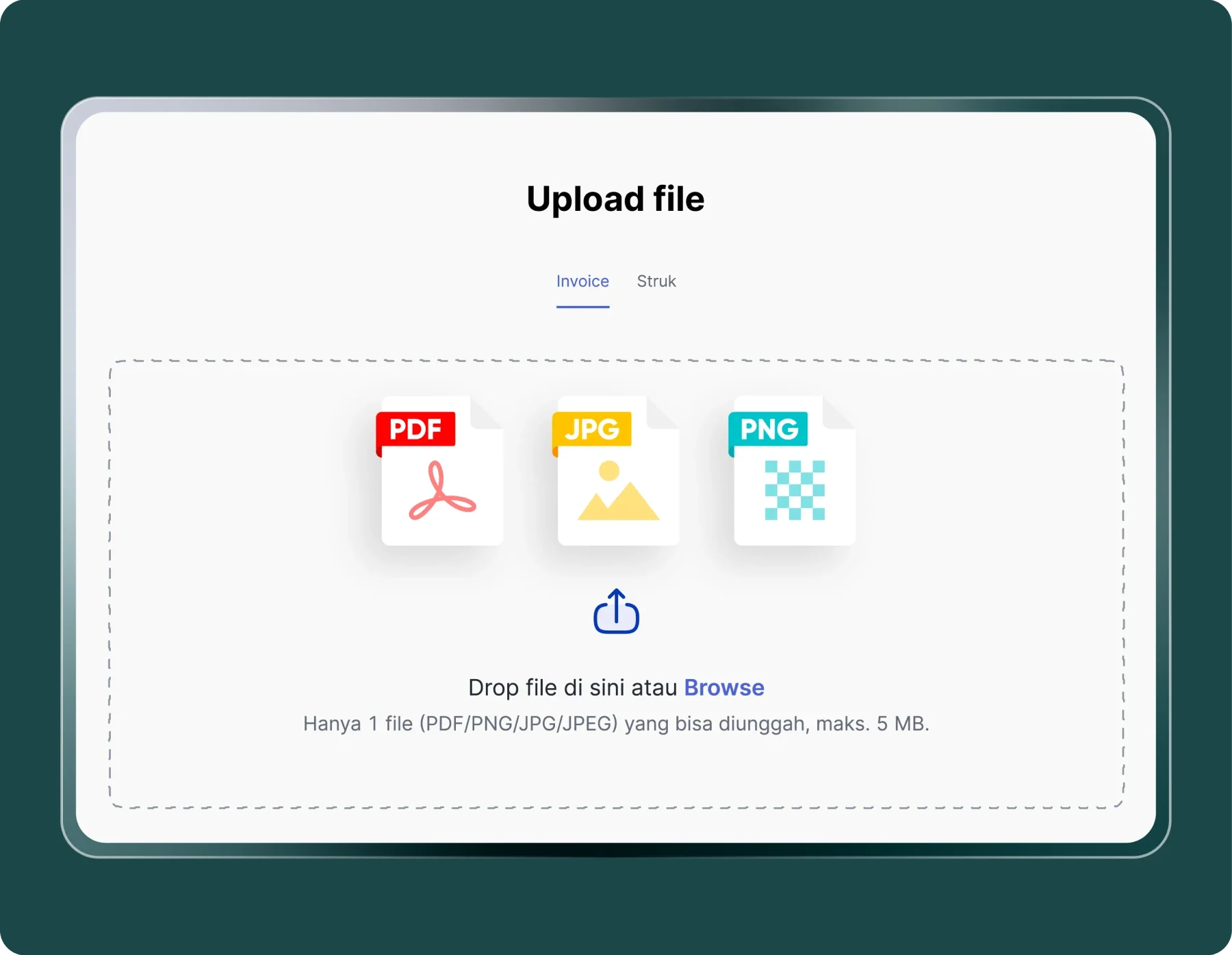
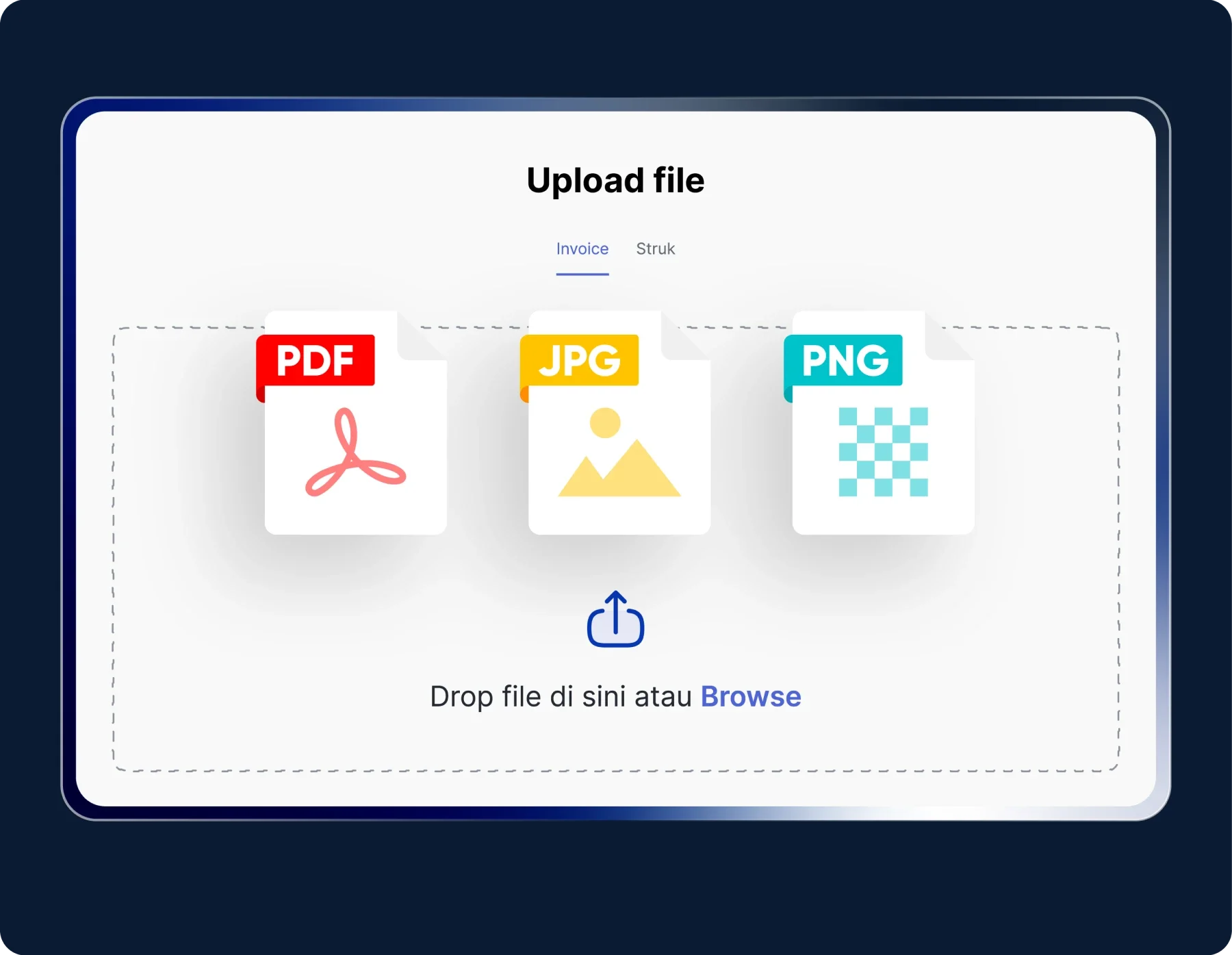
- Automatic invoice data extraction: Extract invoice details such as vendor name, invoice number, date, and total amount from uploaded files (PDF, images, or scanned documents).
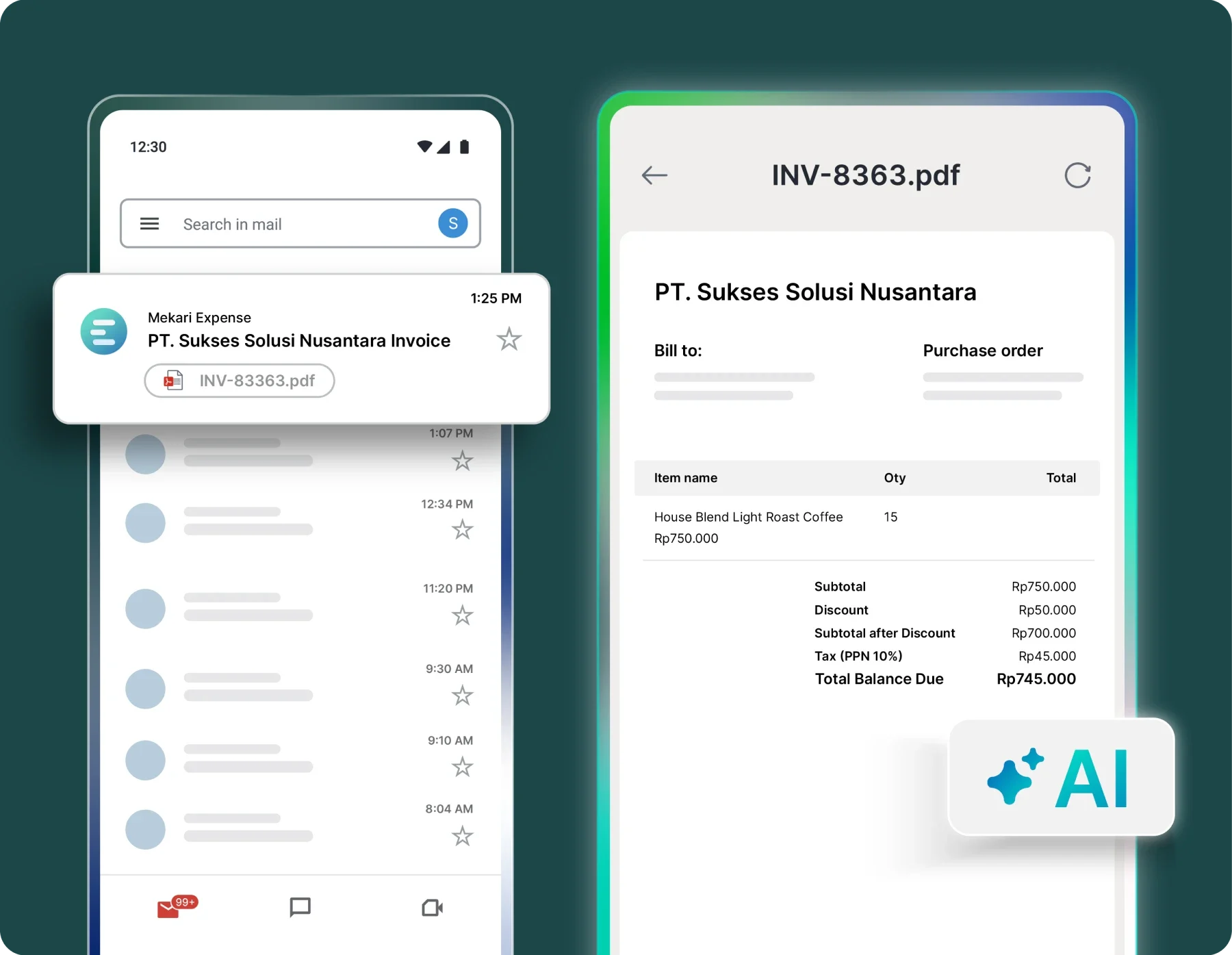
- Invoice detection from email: Vendor invoices received via email are automatically detected and processed into the Purchase Invoice module without manual upload.
- Multi-format data extraction: Supports various document formats including images, scanned files, PDFs, and other digital documents.
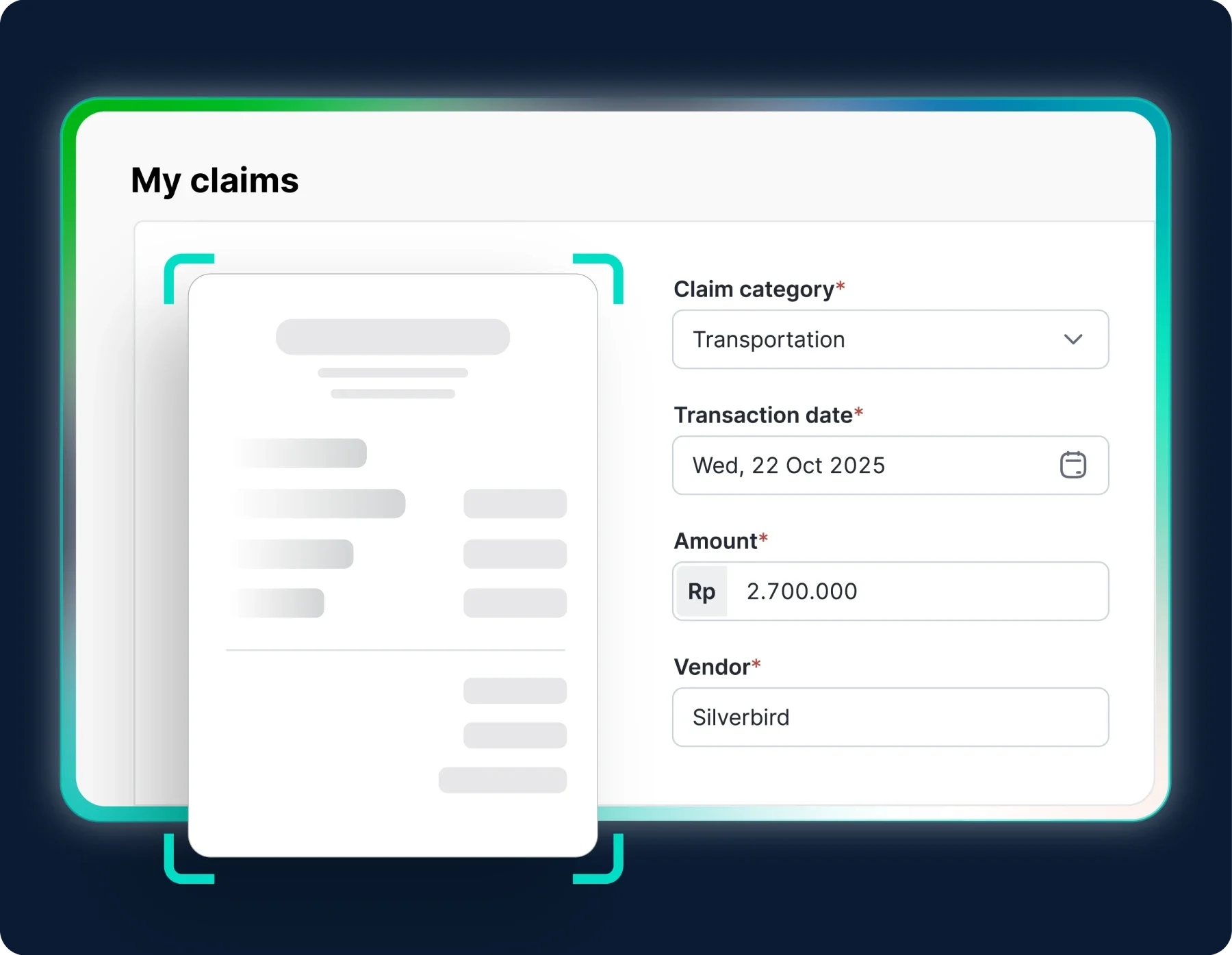
- Auto-population of invoice fields: Automatically fills invoice fields such as vendor name, invoice number, invoice date, and amount to reduce manual entry.
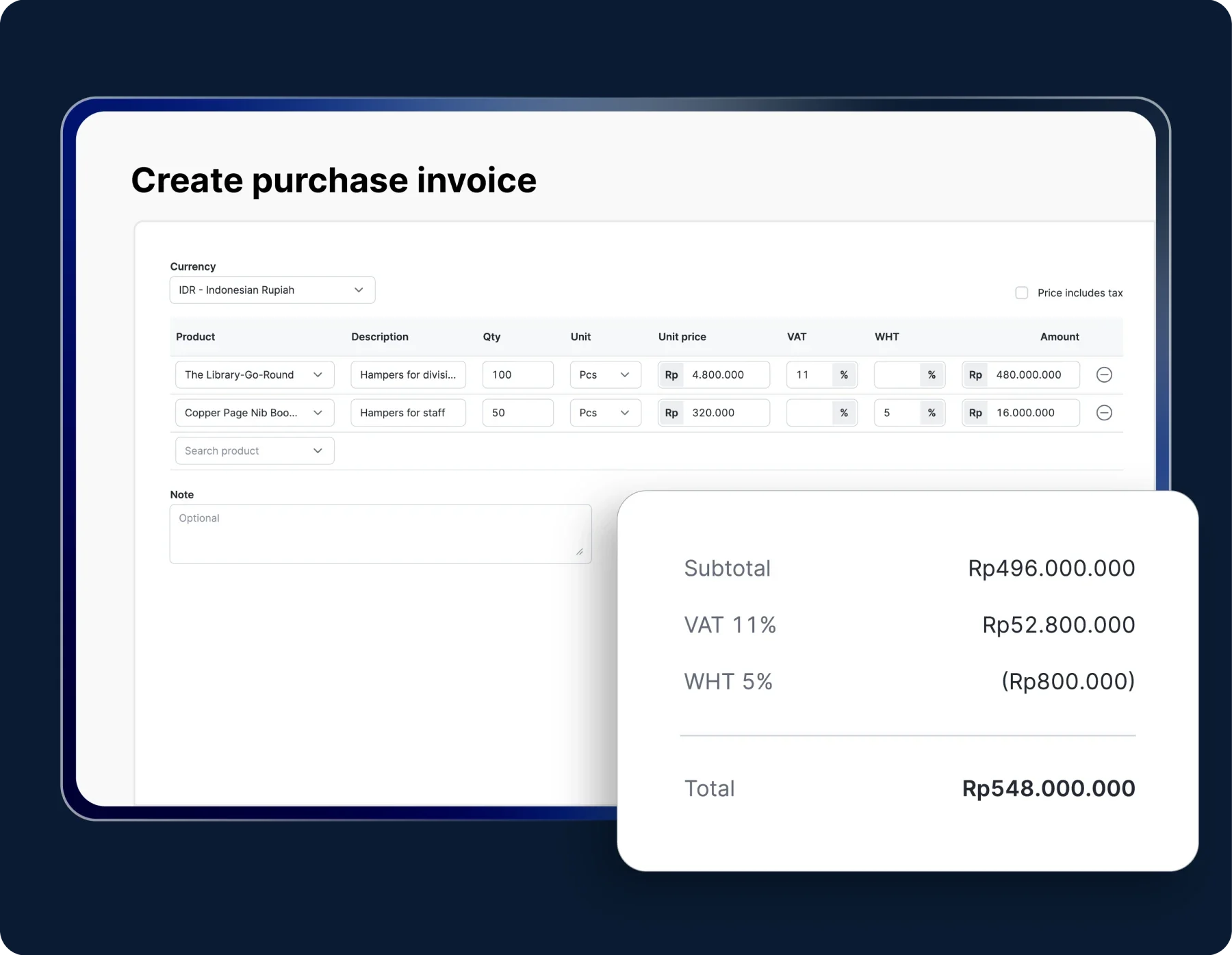
- Purchase invoice workflow integration: Extracted invoice data flows directly into the purchase invoice workflow, enabling faster approval and payment processing.
- Duplicate invoice detection: Automatically identifies duplicate invoices to prevent double entry and payment errors.
- AI-powered OCR technology: Improves character recognition accuracy and minimizes data extraction errors.
Why choose Mekari Expense
- Time efficiency and productivity: Automated input allows finance teams to process more invoices in less time.
- Financial data accuracy: AI-powered OCR ensures invoice data is captured accurately to maintain reliable financial records.
- Cash flow optimization: Faster approval and payment cycles help businesses maintain better liquidity and cash planning.
- Direct integration: Invoice data captured from emails automatically syncs with the Purchase Invoice and claims modules.
- Reduced operational workload: Automation minimizes administrative tasks and reduces manual data entry.
- Real-time insights: Finance teams can monitor invoice status and financial data directly through the Mekari Expense dashboard.
Read more: Best 10 Accounts Payable Software for Large Businesses in 2026
2. Nanonets

Nanonets is an AI-driven document processing platform built to automate invoice data extraction and accounts payable workflows. Its machine learning models continuously improve as users correct extracted data, helping increase accuracy over time.
Key Features:
- Self-learning AI that improves extraction accuracy from corrections
- Integrations with QuickBooks, Xero, and Zapier
- Automated PO matching and 3-way reconciliation
- Supports invoices from PDFs, images, and emails
- Custom approval routing and exception flagging
Ideal for: Mid-market accounts payable teams
OCR accuracy: 99%+
3. Rossum

Rossum uses a cognitive data capture engine that understands document context instead of simply reading text. It is designed for enterprises handling complex invoice workflows across ERP systems.
Key Features:
- Context-aware data capture that understands invoice structure
- Country-specific validation rules for compliance
- ERP integrations with SAP, Oracle, and Microsoft Dynamics
- Multi-entity and multi-currency support
- Full audit trail and role-based permissions
Ideal for: Enterprise finance teams with ERP-heavy workflows
OCR accuracy: 95โ99%
4. Docsumo

Docsumo is a document AI platform designed to extract information from structured and unstructured invoices. It works well for organizations receiving invoices in inconsistent formats.
Key Features:
- Extraction for structured and unstructured invoice formats
- Pre-trained models for invoices and financial documents
- REST API for custom integrations
- Human review queue for low-confidence results
- Bulk document upload and batch processing
Ideal for: SMBs handling varied invoice formats
OCR accuracy: 95%+
5. Klippa DocHorizon

Klippa DocHorizon is a document intelligence platform with strong multilingual OCR support, making it suitable for organizations processing invoices from multiple regions.
Key Features:
- OCR supporting multiple languages
- Automatic document classification
- GDPR-compliant data processing
- API integrations for workflow automation
- Fraud detection and authenticity checks
Ideal for: Global businesses processing multilingual invoices
OCR accuracy: 95โ98%
6. ABBYY FlexiCapture
ABBYY FlexiCapture is a long-standing OCR platform widely used for high-volume document processing. Its recognition engine performs well with scanned and low-quality documents.
Key Features:
- Advanced OCR engine optimized for scanned documents
- Intelligent document classification
- Cloud, on-premise, and hybrid deployment
- Integration with enterprise content management systems
- Human verification workflows
Ideal for: Enterprises processing large volumes of invoices
OCR accuracy: 98%+
7. Tipalti
Tipalti provides a full accounts payable automation platform, covering invoice capture, supplier payments, compliance, and financial reporting.
Key Features:
- End-to-end AP automation
- Tax compliance support across multiple countries
- Global supplier payments in many currencies
- PO matching and duplicate invoice detection
- Built-in reporting and reconciliation
Ideal for: Companies needing full AP lifecycle automation
OCR accuracy: 95โ97%
8. Envoice
Envoice combines AI-powered OCR with human verification to ensure highly accurate invoice extraction. Its pricing makes it accessible for smaller businesses and accounting firms.
Key Features:
- Human-in-the-loop verification system
- Affordable pricing for SMBs
- Sync with accounting platforms
- Smart categorization and tagging
- Mobile receipt capture
Ideal for: SMBs and accounting firms
OCR accuracy: 99.9%
9. Lido
Lido integrates OCR invoice processing into spreadsheet-style workflows, making it ideal for finance teams that rely heavily on Excel or Google Sheets.
Key Features:
- Spreadsheet-native invoice processing interface
- Automatic extraction into spreadsheet rows
- Custom formulas and workflow logic
- API integrations with finance tools
- Collaborative editing with permissions
Ideal for: Finance teams working primarily in spreadsheets
OCR accuracy: 99%+
How to choose OCR invoice scanning software
Before selecting a tool, itโs important to evaluate a few key factors to ensure the software fits your finance workflow and invoice volume.
1. OCR accuracy
Accuracy is critical in invoice scanning. Even small errors can create reconciliation issues later. Look for tools that perform well with different invoice formats, low-quality scans, and multilingual documents.
2. Features and usability
Choose software that simplifies your workflow with features like automatic data capture, field extraction, and easy document uploads. An intuitive interface is also important so your team can adopt the tool quickly.
3. Integrations and automation
Make sure the software integrates with your accounting or ERP system. Automation features like approval workflows and data syncing can significantly reduce manual work.
Baca Juga: Top 7 Procurement Automation Software to Streamline Procurement Cycle
4. Pricing and overall value
Understand how the software is priced โ whether per scan, subscription, or per user. Consider the total value, including onboarding, support, and additional features that may affect long-term costs.
5. Security and compliance
Invoice data contains sensitive financial information. Choose a solution with strong security features such as encryption, access controls, audit trails, and compliance with standards like GDPR or SOC 2.
The right OCR invoice scanning software
The right OCR invoice scanning software helps finance teams automate invoice data capture, reduce manual errors, and speed up accounts payable workflows. When choosing a solution, businesses should consider factors such as OCR accuracy, integrations with accounting systems, automation capabilities, pricing, and security.
For businesses in Indonesia and Southeast Asia, Mekari Expense is a strong choice. It is a spend management system with AI-powered OCR technology as an accounts payable features designed to eliminate manual invoice entry.
Key capabilities include:
- AI-powered OCR technology that improves character recognition accuracy and minimizes errors
- Automatic document capture from uploads or vendor emails without manual input
- Instant data extraction for details like vendor name, invoice date, and amount
- Automatic integration with the Purchase Invoice workflow for faster approvals and payments
Companies using Mekari Expense have reported significant efficiency improvements. A representative from Sentral Komputer shared:
โNow expense submissions are much fasterโeven at 10 PM without waiting until the next day. The process is paperless, everything is recorded automatically, and errors are reduced. We now have more time to focus on strategy and business development.โ
With automated invoice capture and integrated financial workflows, Mekari Expense helps businesses simplify invoice processing while improving financial visibility.
Referensi
Envoice. โโ6 Best Automated Invoice Scanning Software of 2025โโ
Rillion. โโOCR invoice processing, scanning & invoice data capture reportโโ
FAQ
1. What is the difference between OCR and AI-powered invoice scanning?
OCR (Optical Character Recognition) converts text from images or scanned documents into machine-readable data. AI-powered invoice scanning goes a step further, it uses machine learning to understand document context, validate extracted data against records like purchase orders, and improve accuracy over time. Most modern tools combine both technologies.
2. How accurate is OCR invoice scanning software?ย
Accuracy varies by tool and document quality. Accuracy can drop with low-quality scans, handwritten fields, or non-standard layouts, which is why some tools offer human-in-the-loop review as a fallback.
3. Can OCR invoice scanning software integrate with my existing accounting system?
Yes, most tools on this list offer native integrations with major accounting and ERP platforms. Before selecting a tool, confirm that it supports your specific system to avoid manual export workarounds that negate the efficiency gains.
4. How does OCR invoice scanning help with compliance and audit readiness?
OCR tools create a structured, searchable digital record of every invoice processed, complete with extraction timestamps, validation logs, and approval trails. Combined with features like role-based access control and encryption, this makes it significantly easier to meet GDPR, SOC 2, and financial reporting requirements, and to produce clean records during an audit.