Feature - Purchase order

PO approval is faster and more transparent in every division

Centralizing PO approvals to eliminate duplication, bottlenecks, and miscommunication.

Trusted by many companies in Indonesia

Gain measurable control over your entire PO process

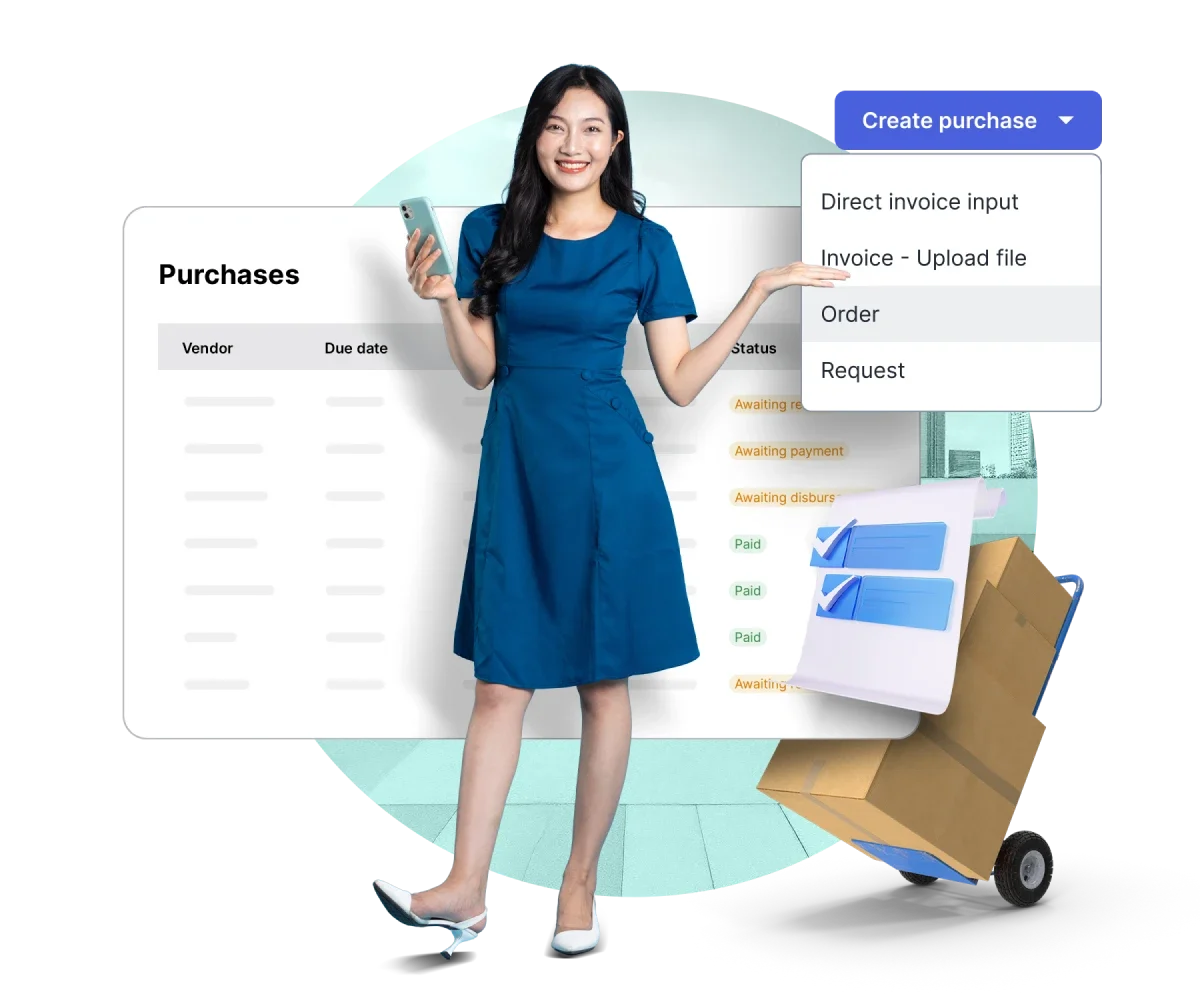
Centralize PO creation, approvals, deposits, and payments in one fast, secure, and policy-compliant system.

Purchase order creation

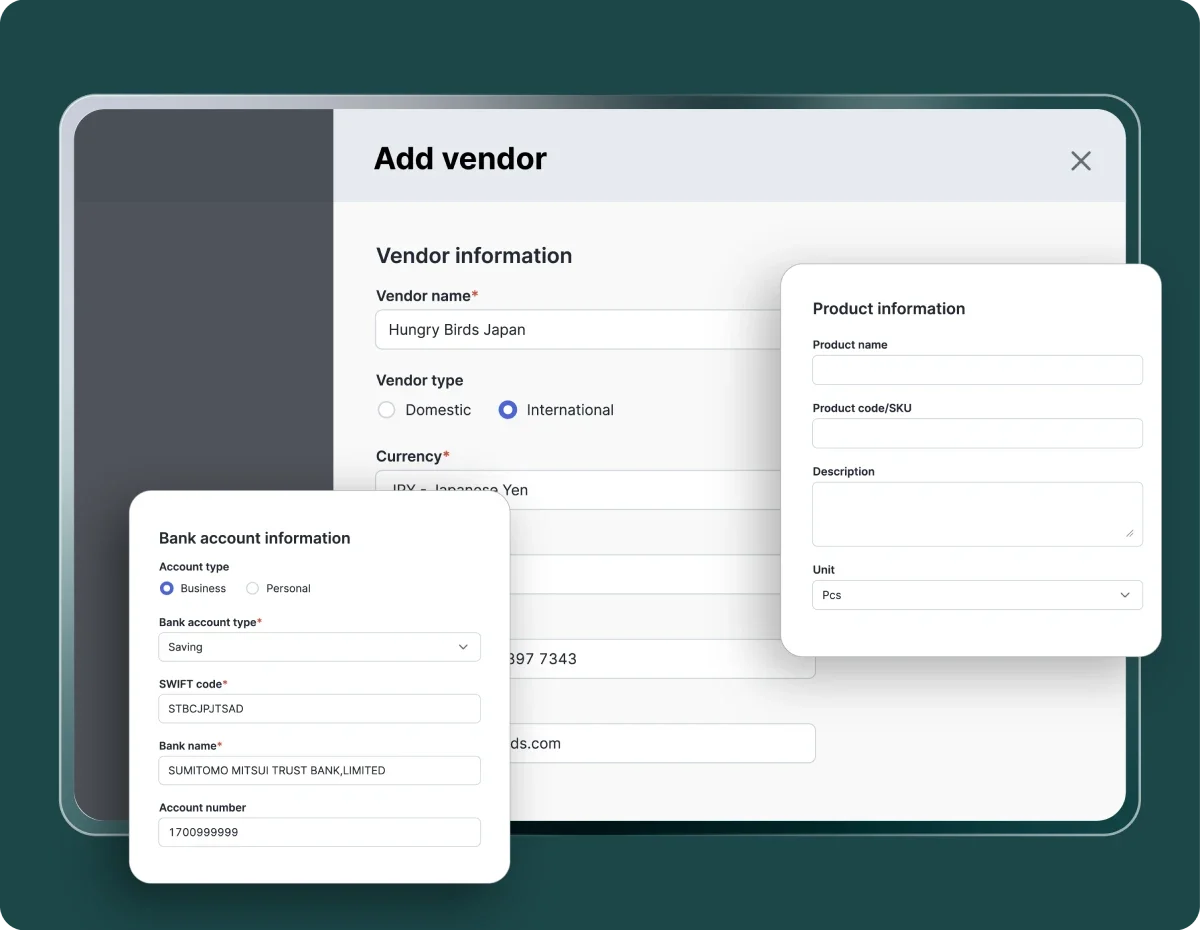
Create and send PO complete with vendor, product, warehouse details, and supporting documents.

Automatic deposit requests

Request vendor deposits directly from the same PO without separate processes.

Integration from purchase requests and quotations

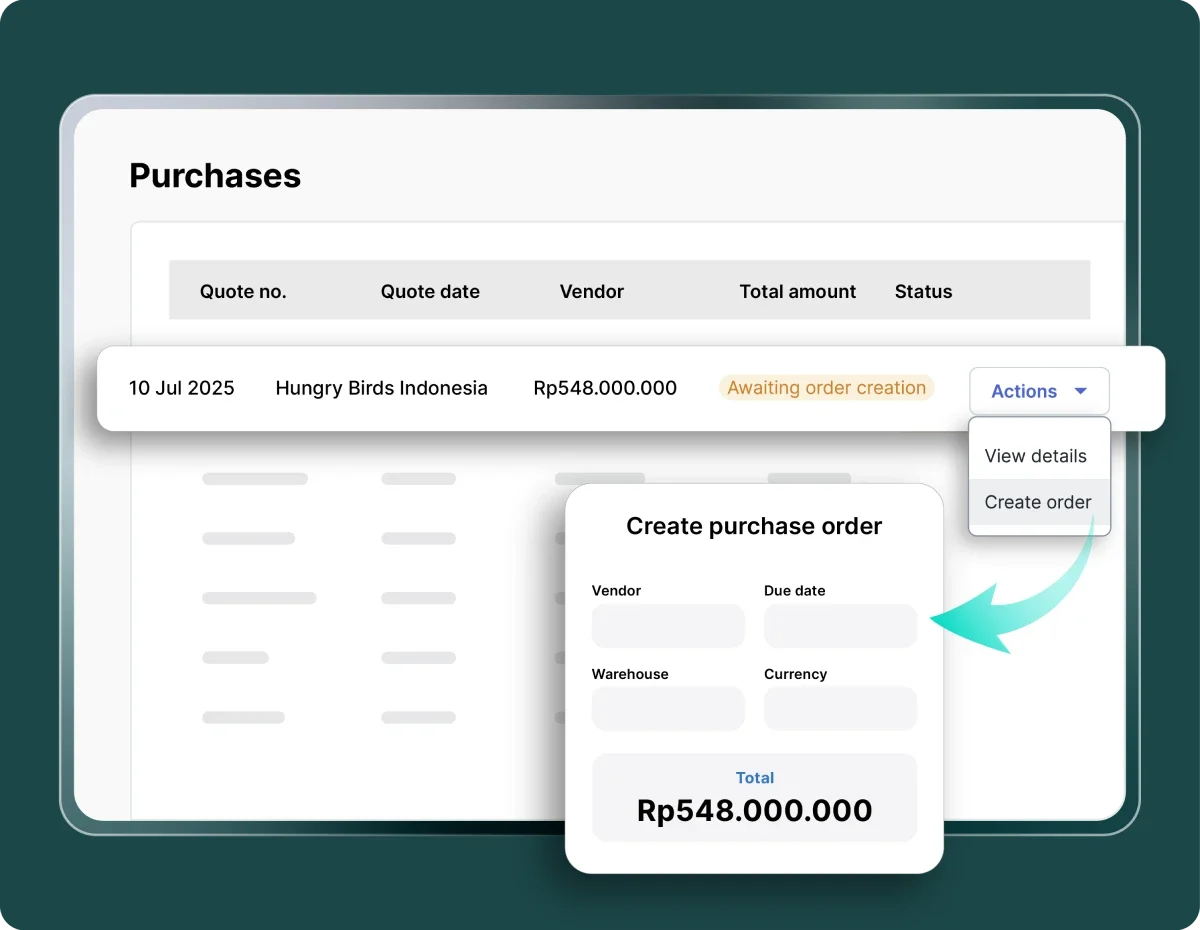
Convert purchase requests (PR) and purchase quotations (PQ) into purchase orders (PO) automatically without data duplication.

Centralized vendor, product, and warehouse management

Manage all supplier data, product catalogs, and warehouse locations in one system.

Reconciliation with purchase invoices

Vendor deposits and payments are automatically reconciled once the invoice is issued.

Full control over every purchasae order

With a digital PO system and transparent payment status, communication with vendors becomes faster and more measurable.

Consistent purchasing data

PR and PQ are automatically converted into PO to payment with no data duplication.

Consistent purchasing data

Faster approvals

Automated approval flows and real-time notifications ensure POs are not delayed.

Faster approvals

Spending stays within budget

The approval system follows company-defined limits and policies.

Spending stays within budget

Smoother vendor relationships

Payments are clearer, faster, and can be monitored in real time.

Smoother vendor relationships

Integrated with financial systems

Financial reporting becomes faster and more accurate without manual reconciliation.

Integrated with financial systems

More efficient operations

Digitized documents and approval processes reduce manual administrative work.

More efficient operations

One efficient workflow for purchase invoices.

From creation to payment, every step runs automatically within a single platform, allowing the finance team to focus on strategic decisions.

Image by Mekari

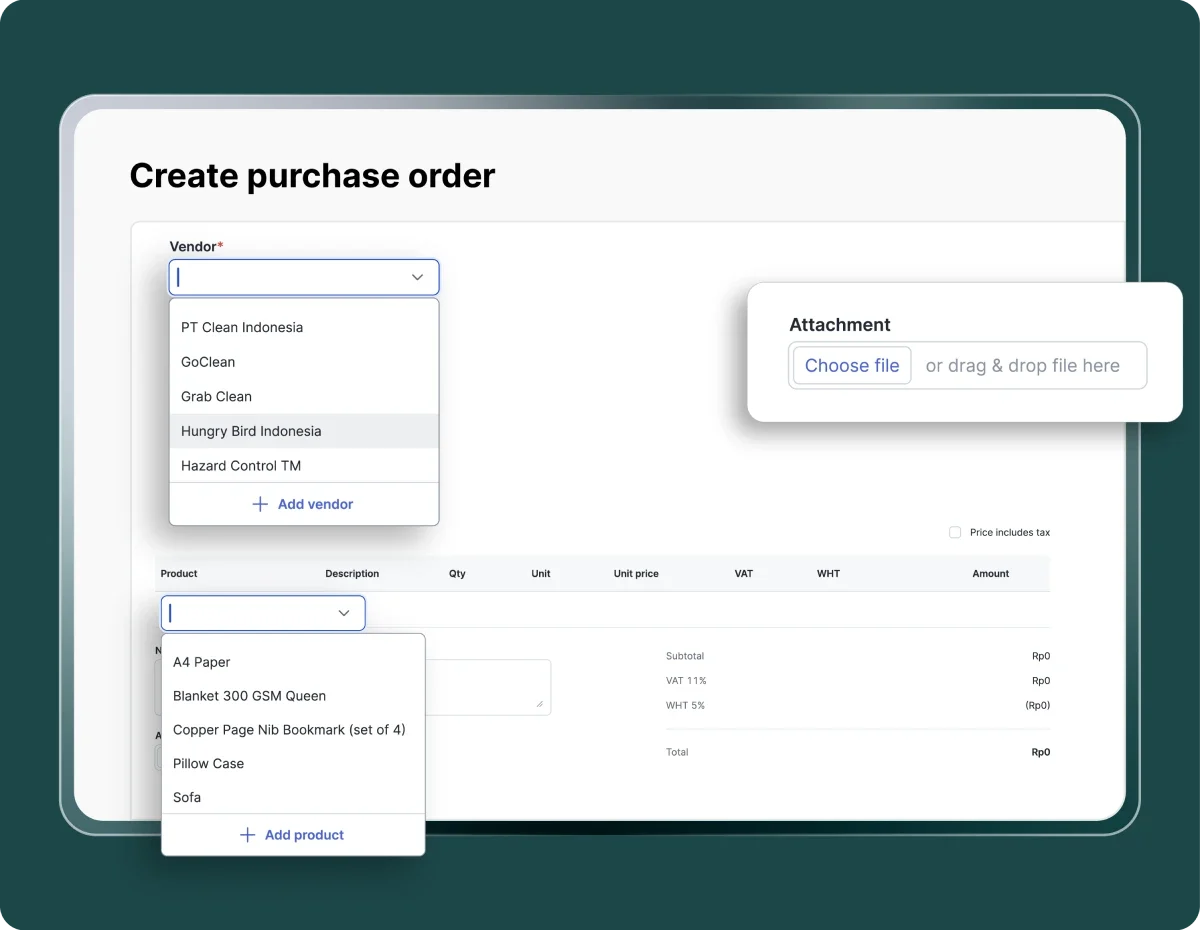
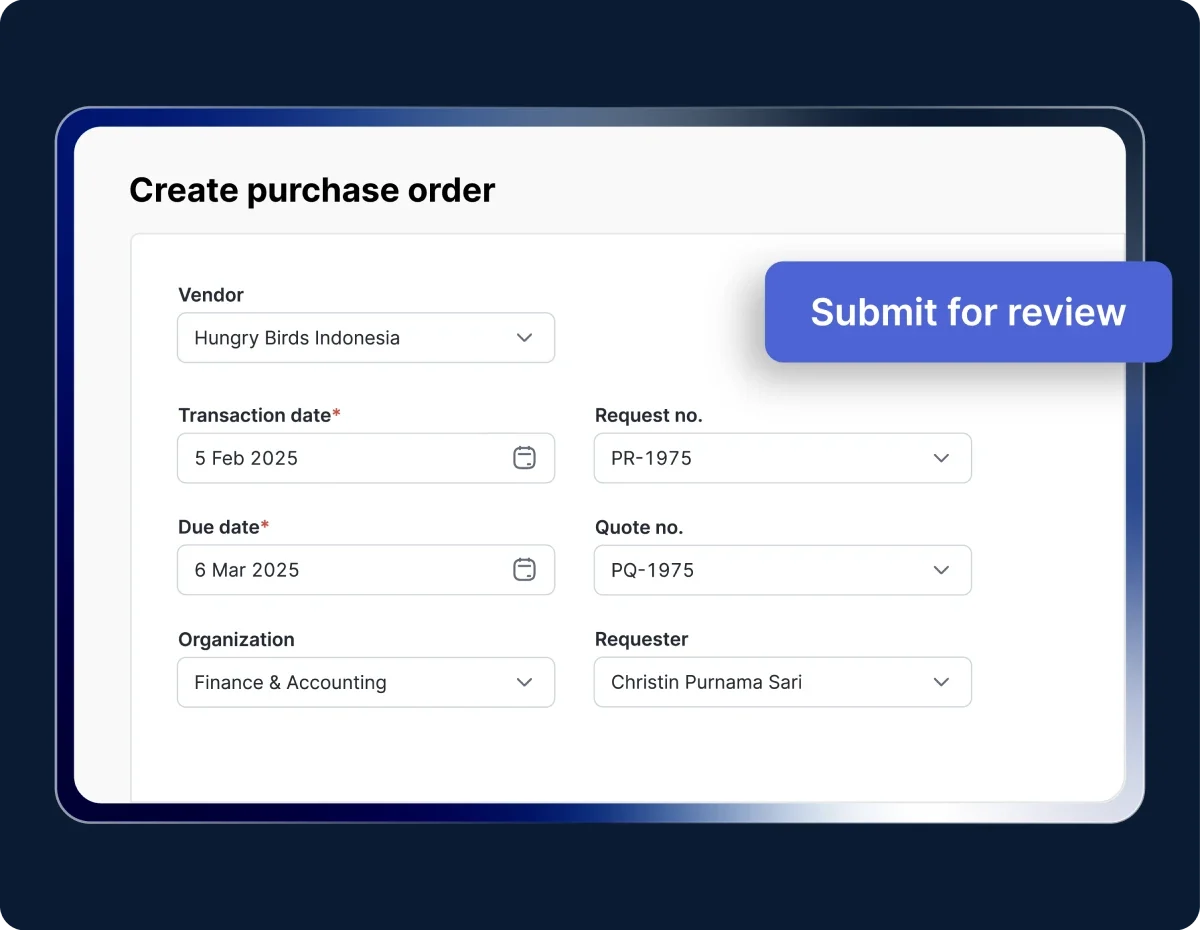
Create a purchase order

Create PO from an approved request or quotation. Complete the transaction, vendor, payment, product, and attachment details, then submit it for review.

Image by Mekari

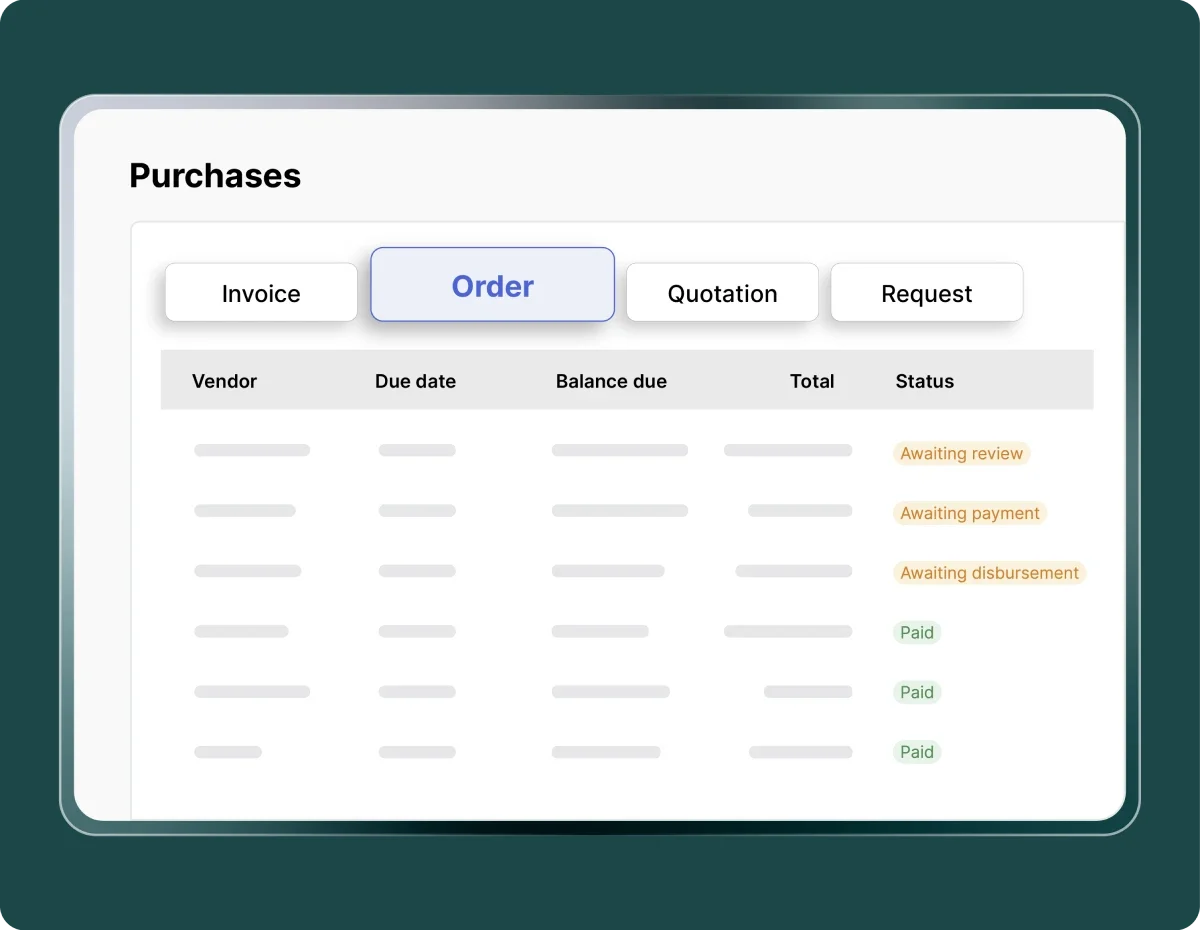
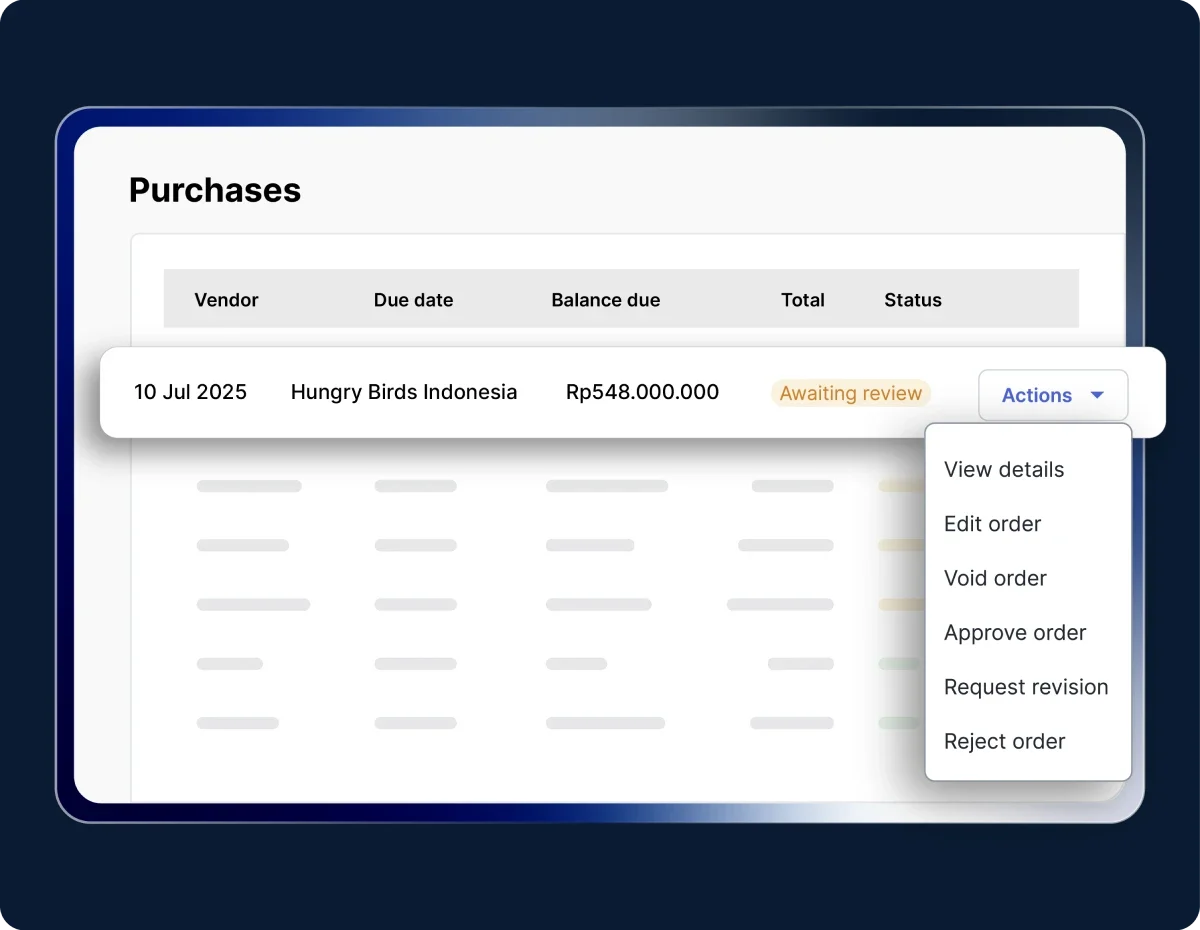
Approve or reject a purchase order

Review the PO through the Action menu to Approve, Reject, or Void. Approved POs will be marked as Awaiting Invoice.

Image by Mekari

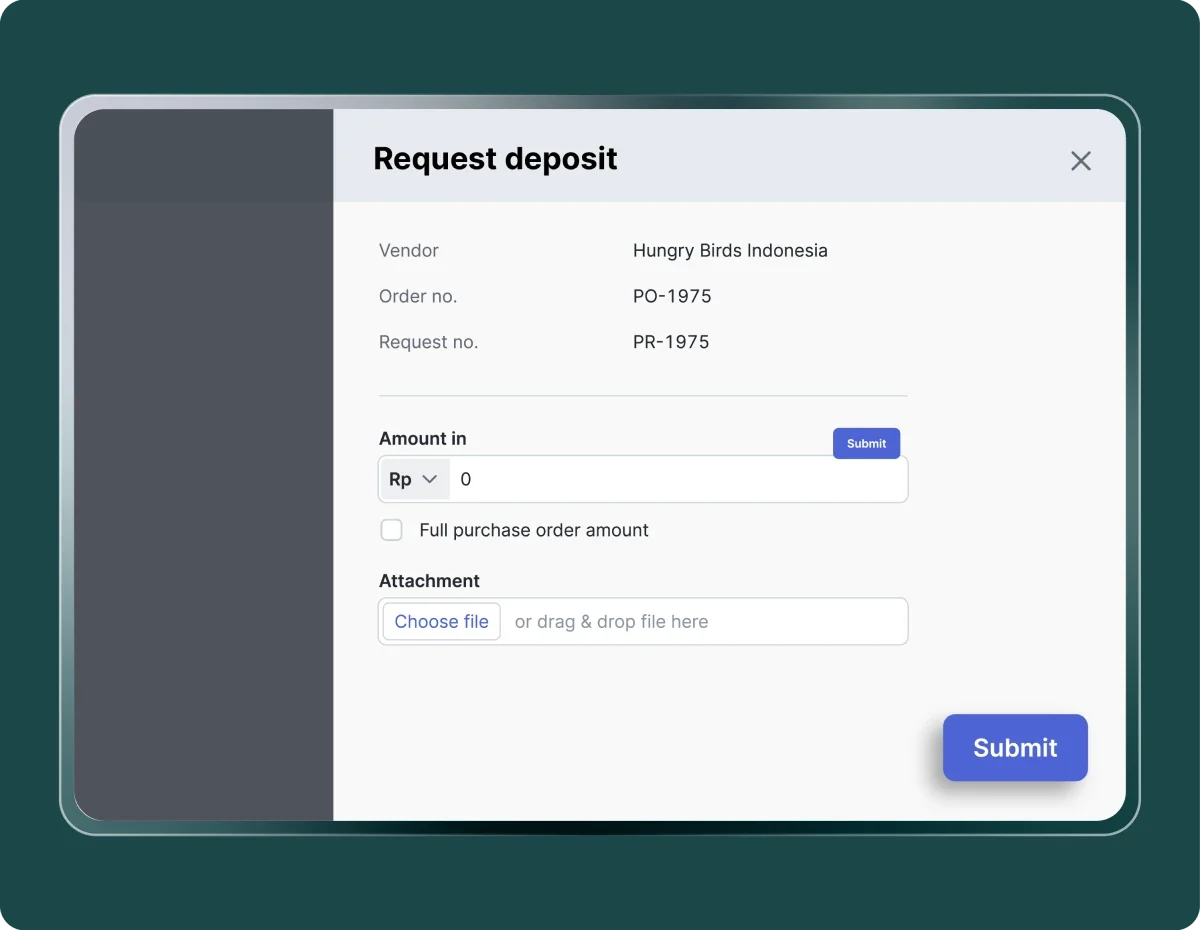
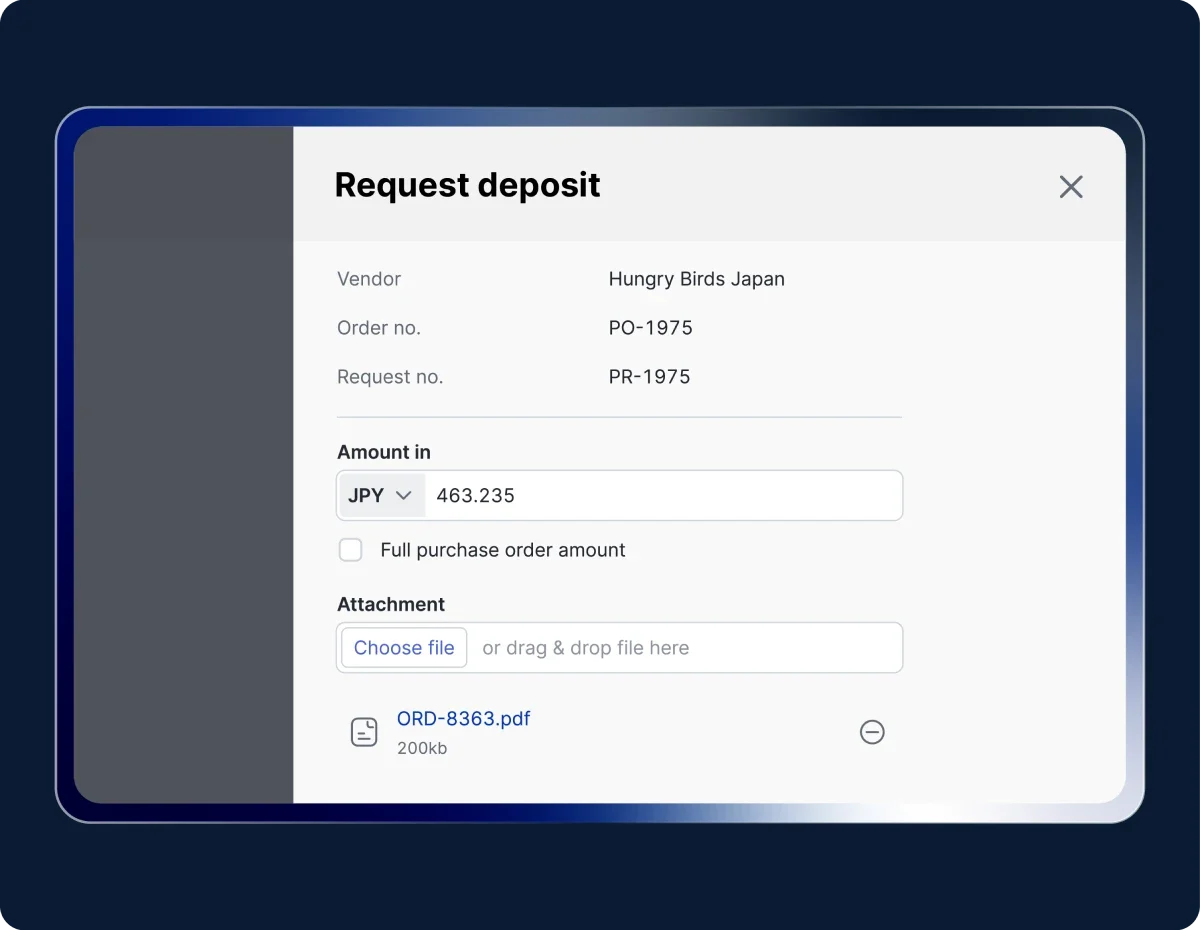
Submit a deposit (Optional)

Request an advance payment directly from the PO with the specified amount and terms. All deposits will be recorded automatically in the system.

Image by Mekari

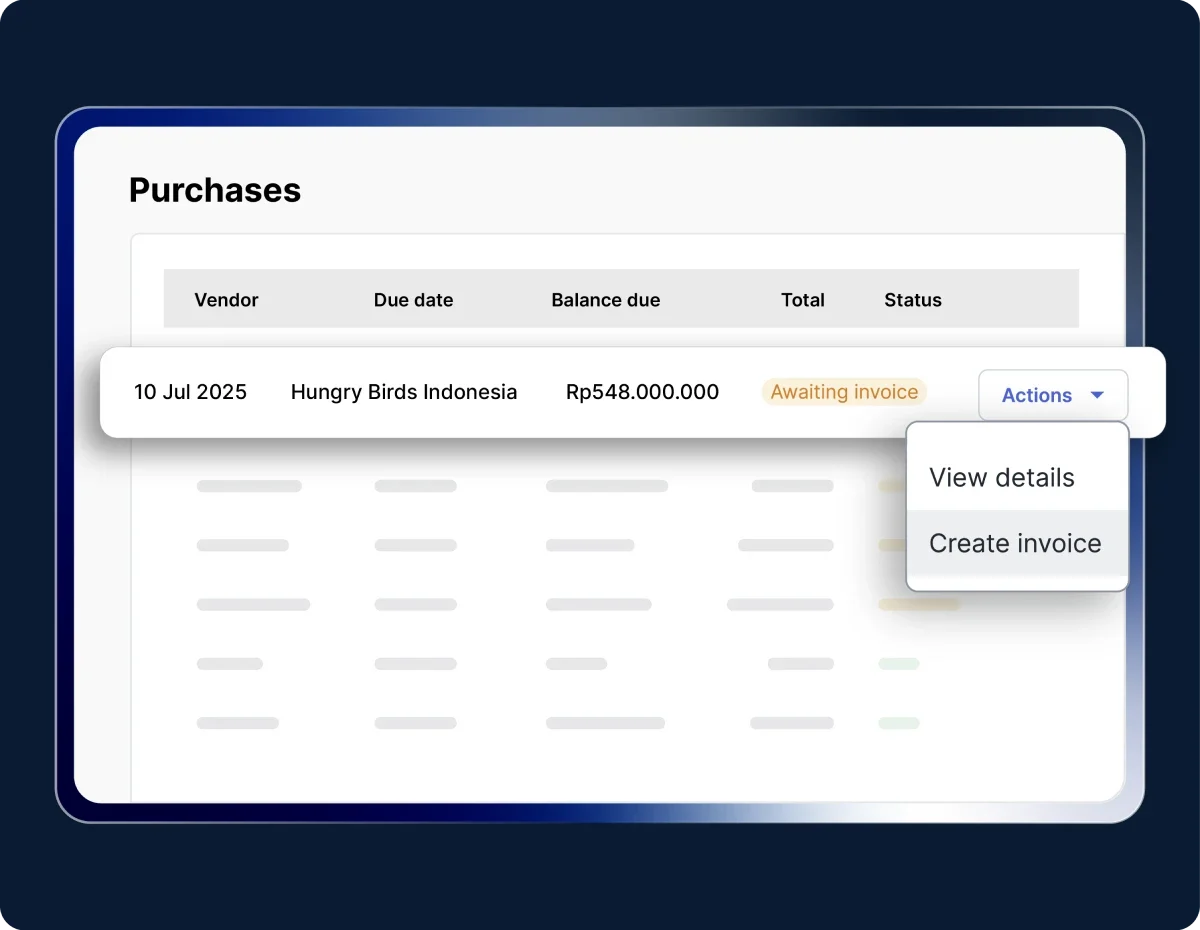
Create a purchase invoice

Create an invoice from an approved PO. Product details are filled in automatically; you only need to complete the invoice data and submit it for approval.

Try the Purchase Invoice feature in Mekari Expense.

Work more efficiently with an integrated system

Purchases and business expenses become more efficient

Our clients experience faster, more transparent, and more controlled processes in a single application

"Sekarang proses pengajuan biaya jadi lebih cepat, bahkan bisa malam jam 10 tanpa harus nunggu besok. Paperless juga, jadi semua langsung terekam dan mengurangi kesalahan Kami dapat waktu lebih karena urusan operasional makin rapi. Waktu ini yang kami pakai untuk strategi dan pengembangan bisnis"

Busman E. W. Founder & CEO, Sentral Komputer

"Mekari Expense menyederhanakan pencatatan pengeluaran, memusatkan data untuk pelaporan, dan meningkatkan transparansi. Persetujuan via ponsel praktis, antarmuka web ramah pengguna, sehingga efisiensi operasional dan kepuasan karyawan meningkat."

Juliana Ho Direktur, PT. Eureka Sukses Abadi

“Sekarang pengajuan biaya jadi lebih fleksibel, enggak perlu lagi ke ruangan finance hanya untuk serahkan pertanggungjawaban. Semua cukup dari aplikasi dan lebih tertata.”

Cindy Finance Staff, PT. Adev Natural Indonesia

I have a question...

Faster and more integrated purchasing process

The Purchase Order feature in Mekari Expense helps companies manage purchasing digitally and automatically, ensuring every transaction is faster, more accurate, and compliant with company policies.

What is the Purchase Order feature in Mekari Expense?

The Purchase Order feature is a digital purchasing system that helps companies create, approve, and monitor vendor purchase transactions automatically. It replaces manual processes done through email or spreadsheets, ensuring every purchase is organized, well-documented, and aligned with the budget.

How does a digital Purchase Order system improve company efficiency?

With an automated flow from Purchase Request (PR) to Purchase Invoice (PI), the purchasing process becomes faster and more controlled. The finance team no longer needs to input data repeatedly, and approval and payment statuses can be monitored in real time, resulting in more efficient cash flow and procurement processes.

What is Purchase Order Deposit in Mekari Expense?

Purchase Order Deposit is a feature that allows users to request upfront payments to vendors directly from an approved PO. Users can set the amount, payment terms, and continue the approval process automatically. The deposit will be recorded in the system and linked to the final invoice for accurate reconciliation.

How do Purchase Orders support budget control?

Each PO follows predefined policies and budget limits. With real-time visibility and automated approvals, companies can prevent out-of-budget purchases and ensure every transaction complies with financial policies.

How do I get access to the Purchase Order feature?

The Purchase Order feature is available in the Enterprise package when you sign up.

If you need help or encounter any issues, our support team is ready to assist you.

Automate and simplify approval process

Speed up approvals and stay compliant without slowing down operations with Mekari Expense.

WhatsApp Icon WhatsApp sales