

The Best #1 Budget Tracking Software for Business

Track every budget across teams and branches in real time

Business budget tracking software to monitor every budget account, track spending, and catch overspending before it becomes a problem.

  • Monitor budget balances across branches and departments in real time
  • Get alerted before spending exceeds its limit
  • Categorize budgets by team, branch, or project
  • Track every transaction as it happens, no manual reconciliation
Seorang wanita memegang tablet sambil tersenyum dan mengepalkan tangan; di sekelilingnya terlihat kartu akun dan grafik keuangan dengan saldo serta ikon koin, menggambarkan aktivitas perbankan digital.
Trusted by many companies in Indonesia
Logo merek "OPPO" berwarna hijau menampilkan huruf-huruf bergaya melengkung, terletak di tengah latar belakang hitam polos.
Logo Hyundai menampilkan huruf "H" miring berwarna biru dalam oval, disertai teks "HYUNDAI" kapital biru, terletak di latar belakang putih polos.
Sebuah logo: kotak kuning miring dengan aksen putih berdampingan dengan tulisan berwarna ungu; teks tersusun horizontal; diletakkan pada latar belakang hitam dengan kontras jelas.
Teks "KLAR" berhuruf besar, gaya geometris biru kehijauan, terpusat; latar belakang hitam polos memberi kontras tinggi, terlihat seperti logo perusahaan minimalis.
Sebuah kendaraan biru berpiksel menampilkan dua jendela merah dan lampu belakang merah, terlihat diam di latar belakang hitam polos tanpa elemen lingkungan lain.
Teks 'ALGORITMA' berhuruf kapital berwarna biru, diberi efek bayangan gelap; tampak terpusat dan jelas pada latar belakang putih polos tanpa elemen tambahan.
Logo merek hijau bertuliskan "oppo" terpampang, kontras dengan latar hitam polos, menonjolkan huruf berdesain bundar dan tampilan modern.
Logo Hyundai berwarna biru terpampang secara horizontal, menampilkan huruf kapital dan simbol 'H' bergaya di dalam oval; latar putih kosong memberi kontras bersih dan minimalis.
Teks bergaya berwarna ungu terletak di sebelah kanan sebuah bentuk persegi kuning dengan sudut terpotong; keseluruhan terhampar di atas latar hitam polos.
Truk mainan biru dengan dua roda abu-abu dan panel merah tampak diam di latar hitam polos tanpa elemen lingkungan lain.
Logo bertuliskan "KLAR" dengan huruf geometris berwarna biru kehijauan dan garis pinggir tipis, terpampang di tengah latar belakang hitam kosong dengan kontras tinggi.
Kata berhuruf kapital tebal berwarna biru terpampang di tengah latar putih polos; huruf berjajar rapi dan kontras tinggi terhadap latar sekitarnya.

Real-time budget tracking for every department

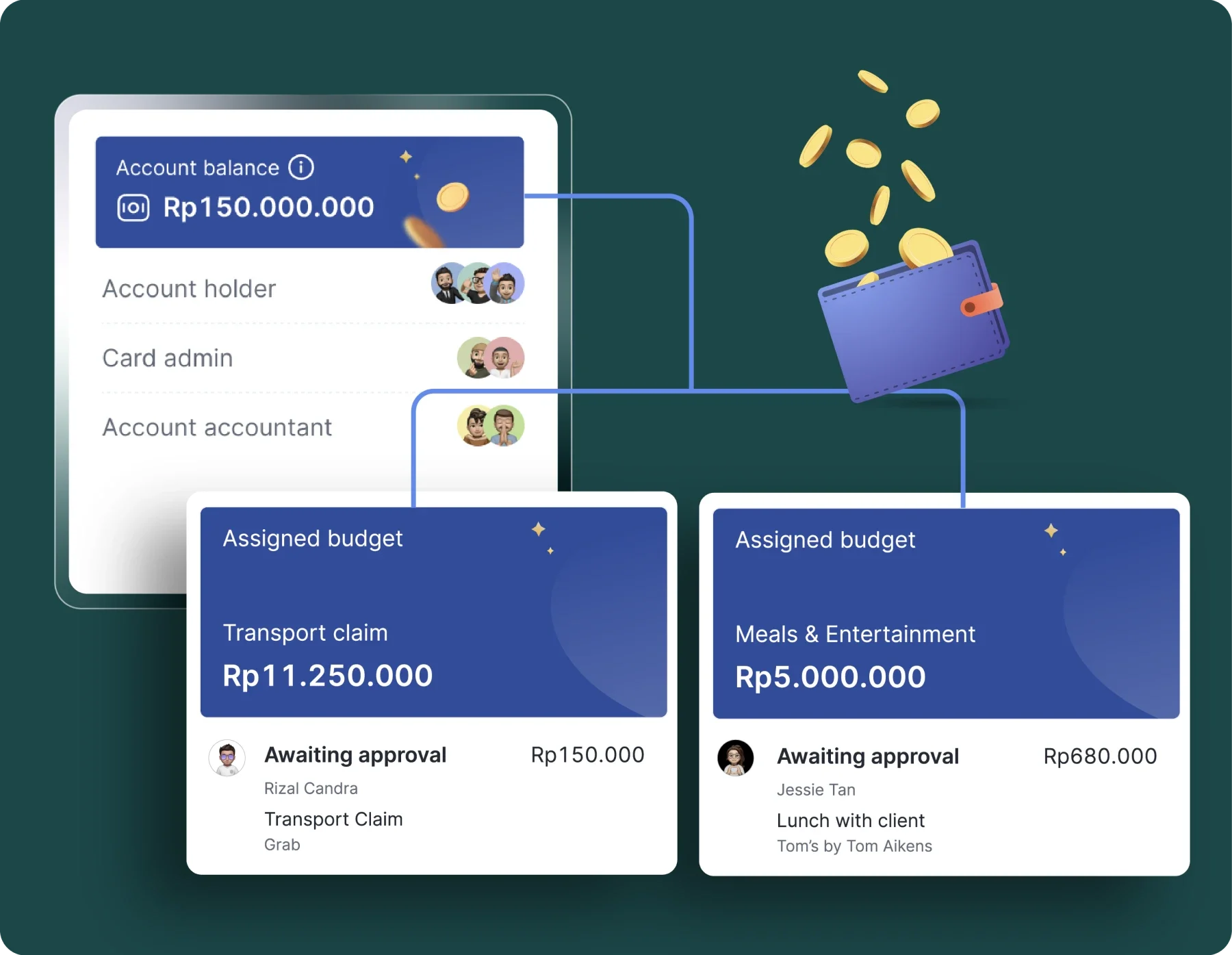
Track budget by account, so spending stays visible without waiting for reports.

Categorize budgets

Set a spending limit and policy for each budget account.

Saldo akun menampilkan Rp150.000.000; diagram menghubungkan ke dompet biru yang mengeluarkan koin; dua kartu anggaran menunjukkan klaim transportasi Rp11.250.000 dan makan Rp5.000.000, menunggu persetujuan.

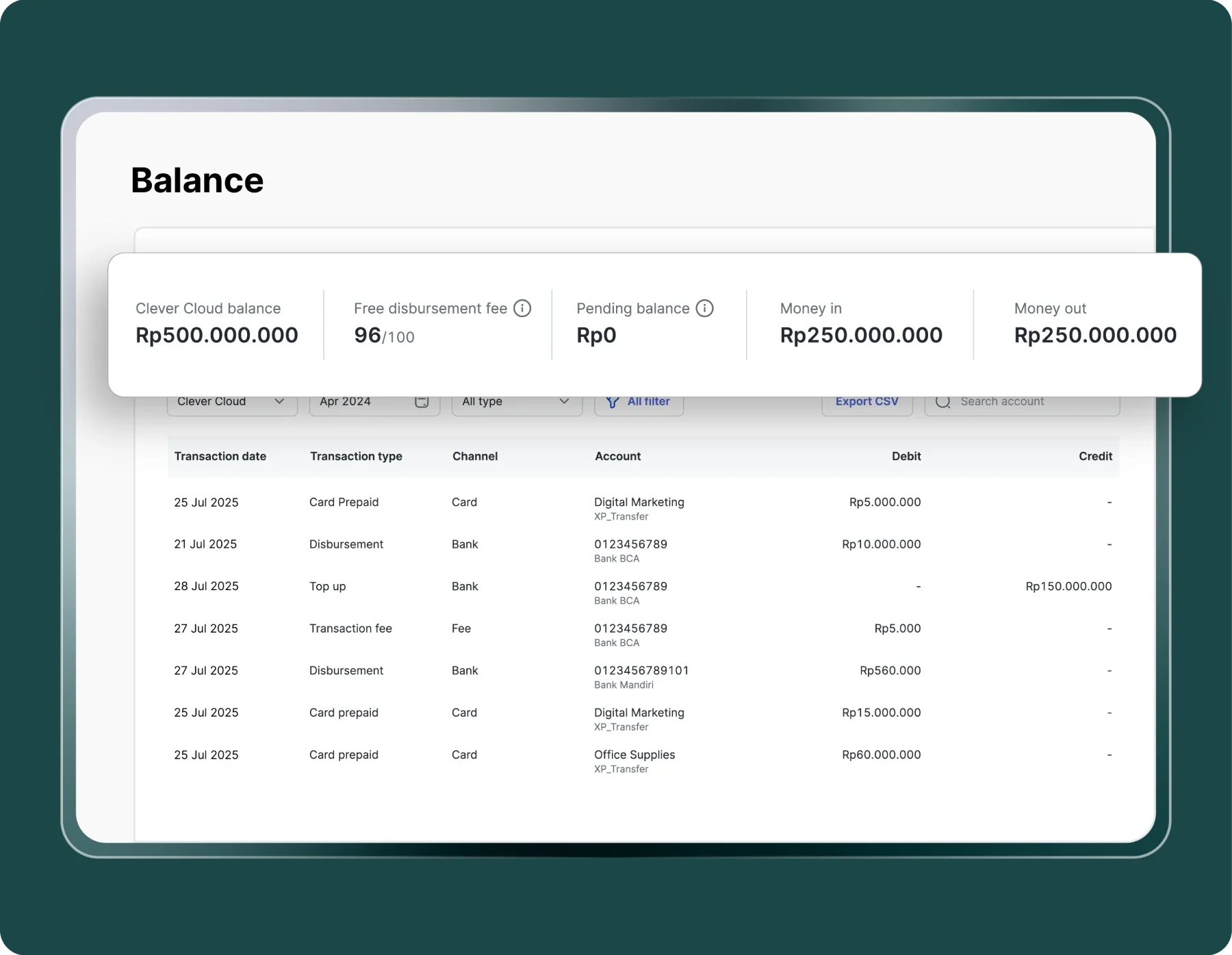
Centralized dashboard

View balances and transactions from each account from a single real-time dashboard.

Ringkasan saldo menampilkan Clever Cloud balance Rp500.000.000, pemasukan Rp250.000.000 dan pengeluaran Rp250.000.000; ditampilkan di atas tabel riwayat transaksi pada antarmuka berwarna hijau.

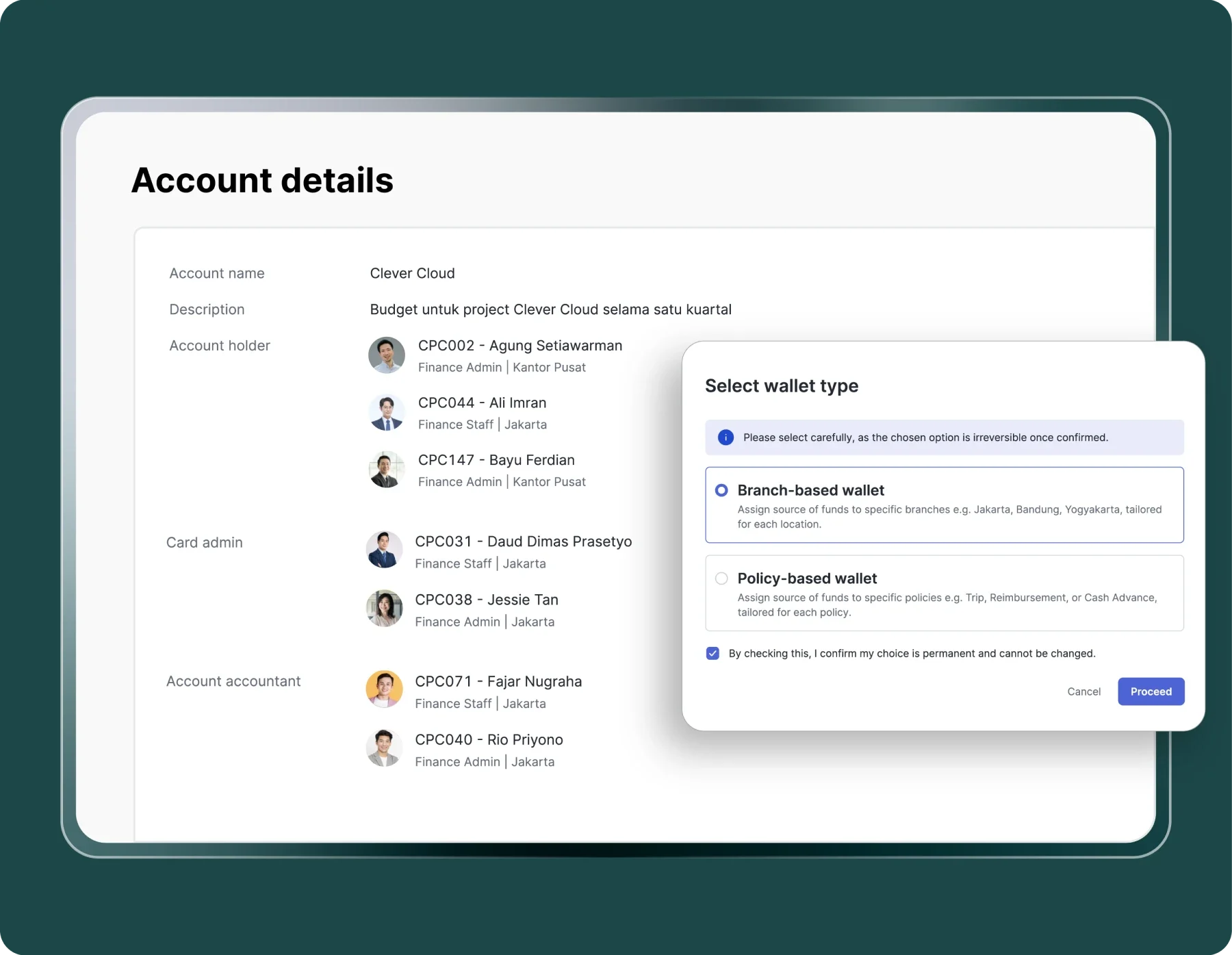
Access control

Decide who can view or spend from each account.

Jendela pemilihan tipe dompet menampilkan opsi "Branch-based wallet" terpilih dengan kotak konfirmasi dicentang; latar belakangnya halaman "Account details" berisi daftar pemegang akun, peran, dan foto kecil.

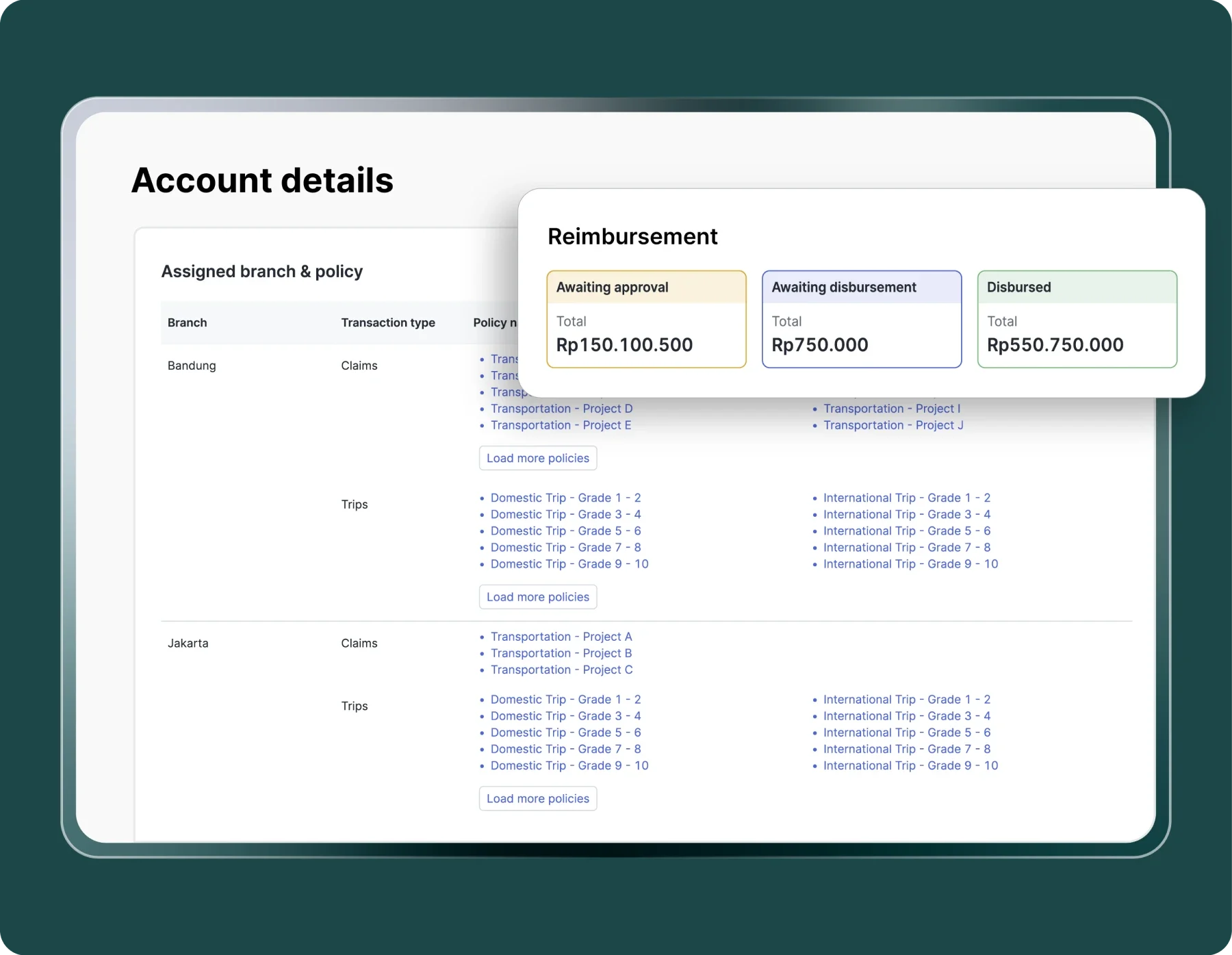
Automated payments

Pay recurring and categorized bills automatically from the right account.

Panel ringkasan reimbursemen menampilkan tiga status (Awaiting approval Rp150.100.500; Awaiting disbursement Rp750.000; Disbursed Rp550.750.000) di atas halaman "Account details" dengan daftar cabang dan kebijakan.

Real-time tracking that keeps every budget on target

Track spending as it happens, maintain compliance, and catch budget overruns before they escalate.

Real-time visibility

Monitor account balances and spending activities the moment a transaction happens.
Real-time visibility

Accurate fund distribution

Track exactly how much each branch or team has spent against its allocated budget.
Accurate fund distribution

Seamless operations

Each branch or team can independently manage and control its own budget.
Seamless operations

Maintained control

Get alerted the instant spending approaches a budget threshold
Maintained control

Process efficiency

Spending data updates automatically and are integrated within one system.
Process efficiency

Full integration

Budget tracking data connects directly with spend management and accounting software to ensure expense processes run efficiently.
Full integration

Set up budget tracking in three simple steps

Distribute budgets across branches or teams without losing central control.

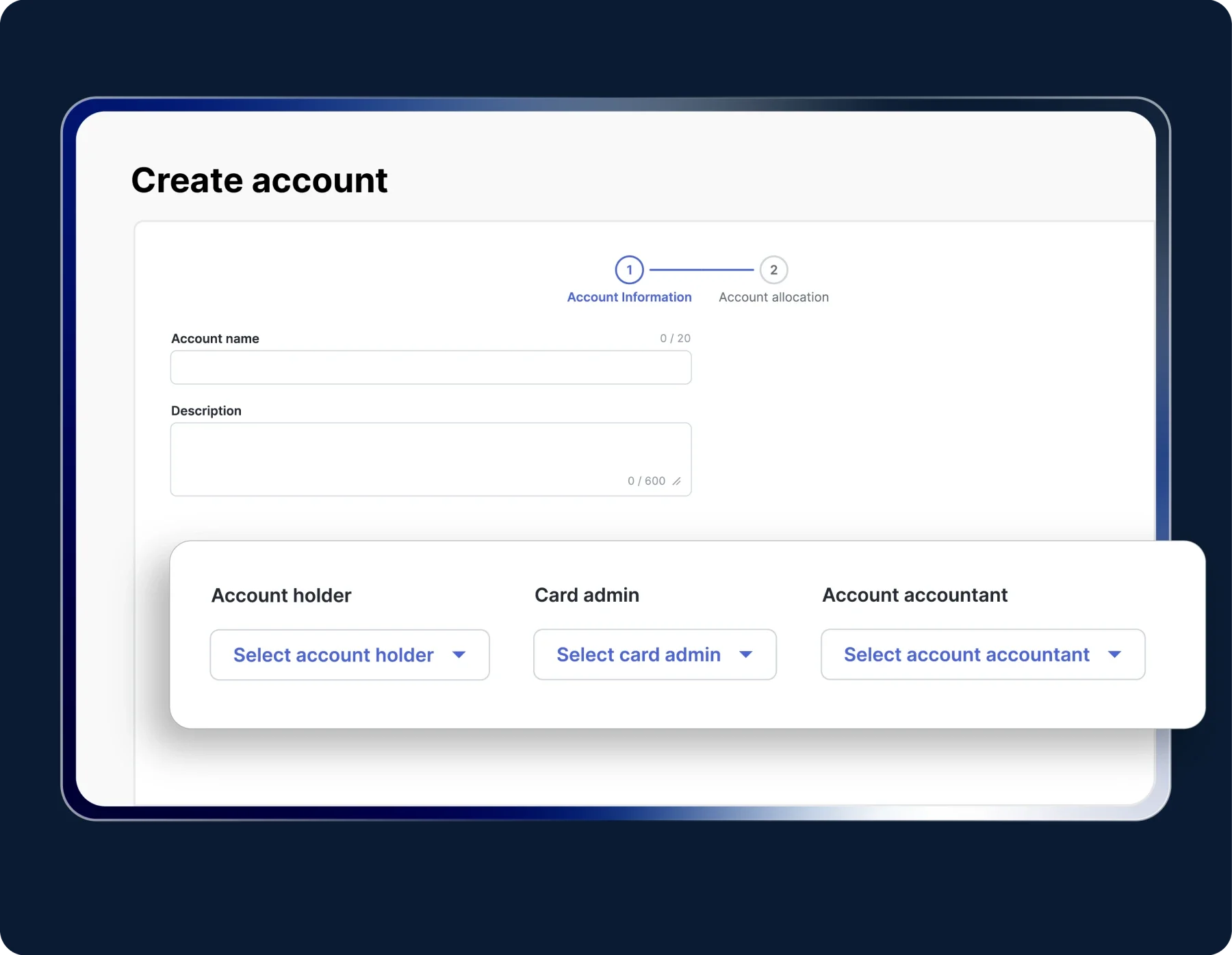
Form pembuatan akun menampilkan bidang nama dan deskripsi serta indikator langkah; panel bawah menonjolkan tiga dropdown untuk memilih account holder, card admin, dan account accountant, latar belakang biru gelap.

Create budget accounts

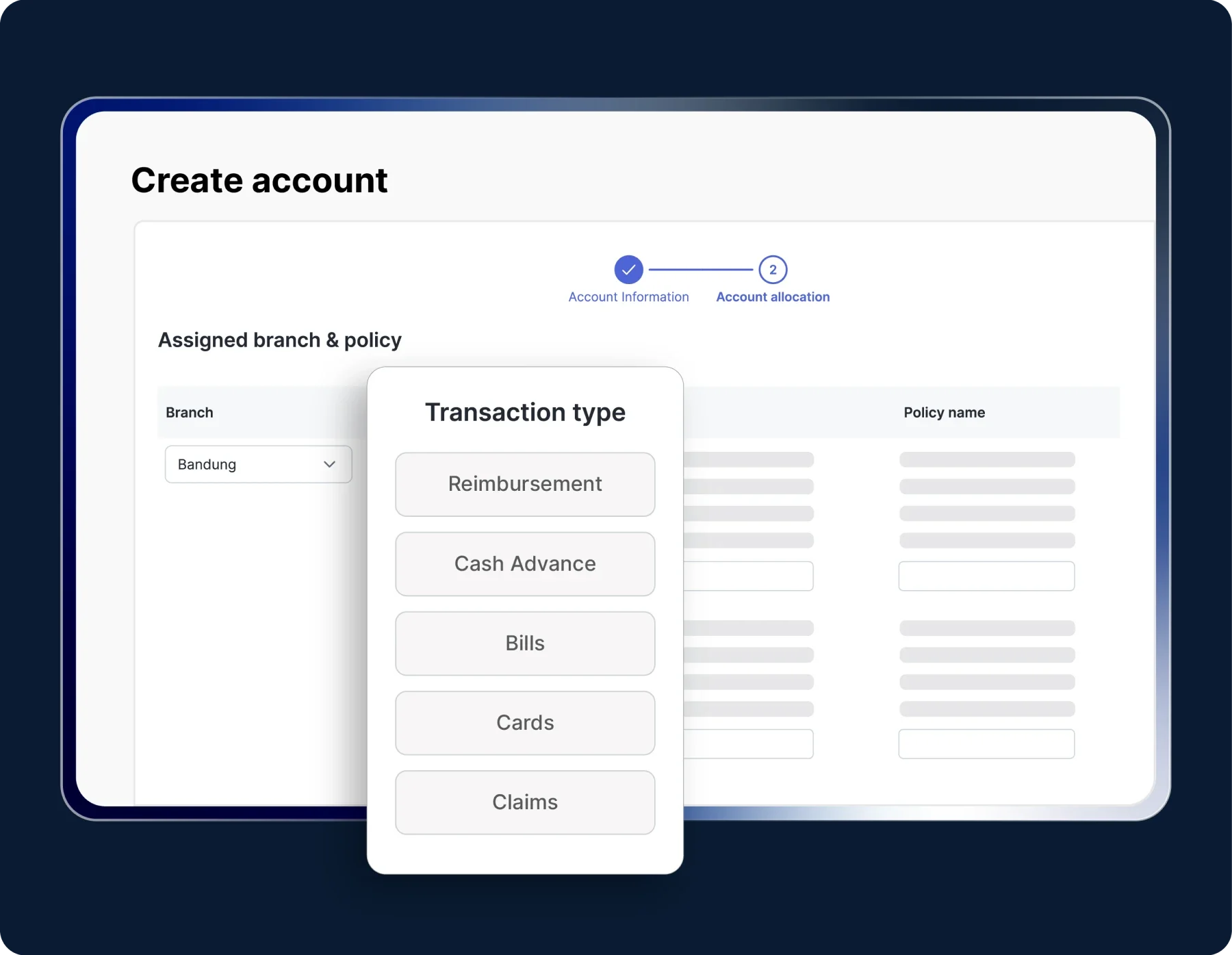
Fill in the budget account details such as name, description, and account owner. Specify the card admin, company branch, and policy to be used for Claims, Trips, or Cash Advance transactions.

Jendela "Transaction type" menampilkan opsi Reimbursement, Cash Advance, Bills, Cards, Claims; muncul di halaman pendaftaran akun dengan dropdown cabang "Bandung" dan formulir kebijakan.

Use accounts for transactions

Select the relevant account each time you create a transaction, such as reimbursement or cash advance.

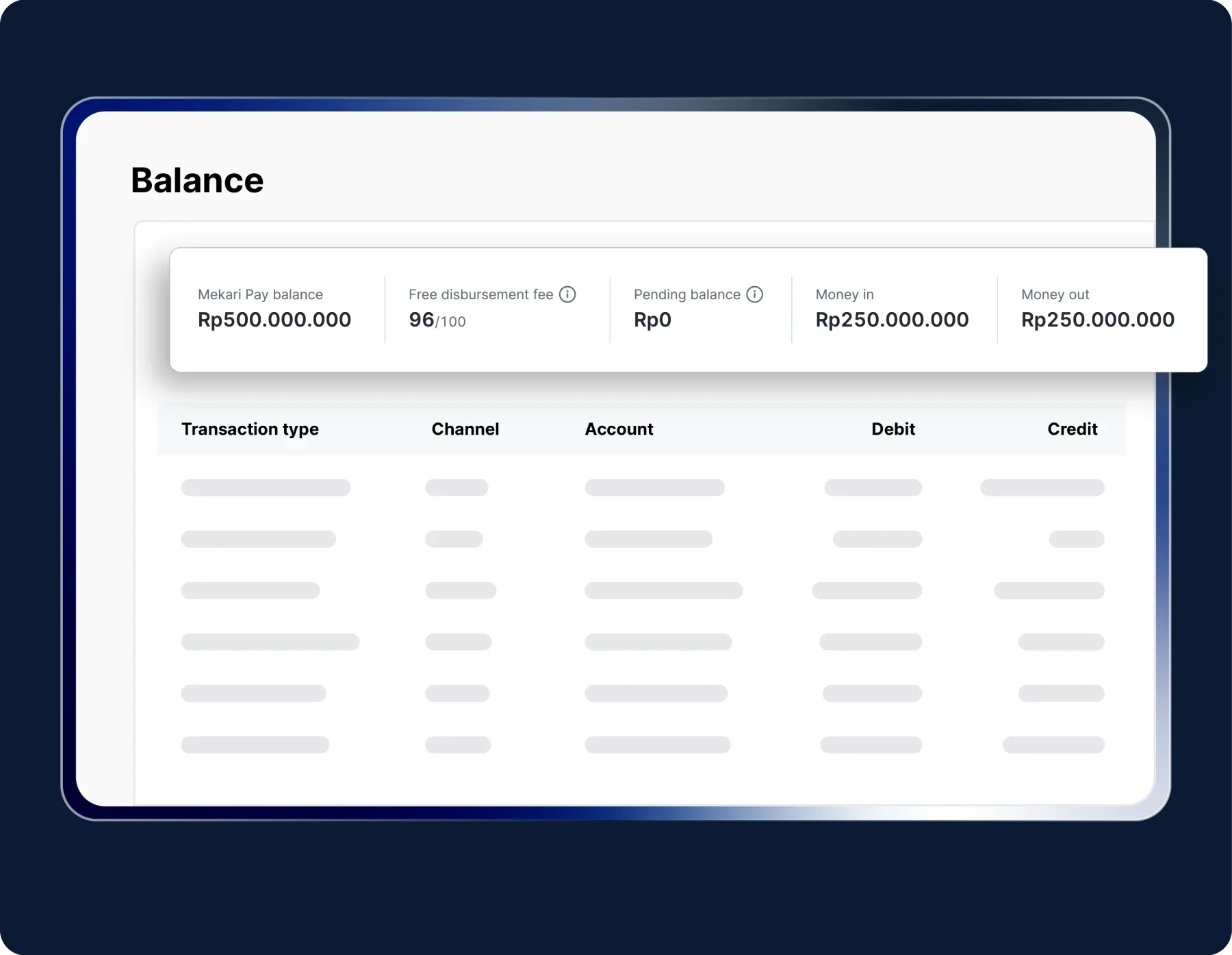
Ringkasan saldo menampilkan kartu angka: Mekari Pay Rp500.000.000, pending Rp0, uang masuk Rp250.000.000, uang keluar Rp250.000.000; tabel transaksi samar di antarmuka web berlatarkan gelap.

Monitor and manage accounts

View balances and account activity through the Balance Ledger, enable or disable accounts anytime from the dashboard.

Try the Mekari Expense Budget Tracking Software

Work more efficiently with an integrated system

More organized expenses, more controlled claims

Hear from Mekari Expense users

"With Mekari Expense, the fulfillment of our business trip transactions and reimbursements is greatly helped. The status of every submission is truly monitored, the reference is clear, and there is an edit history."

Azalea Primanda People & Culture Services Manager, PT Bobobox Mitra Indonesia

"Sekarang proses pengajuan biaya jadi lebih cepat, bahkan bisa malam jam 10 tanpa harus nunggu besok. Paperless juga, jadi semua langsung terekam dan mengurangi kesalahan Kami dapat waktu lebih karena urusan operasional makin rapi. Waktu ini yang kami pakai untuk strategi dan pengembangan bisnis"

Busman E. W. Founder & CEO, Sentral Komputer

"Mekari Expense menyederhanakan pencatatan pengeluaran, memusatkan data untuk pelaporan, dan meningkatkan transparansi. Persetujuan via ponsel praktis, antarmuka web ramah pengguna, sehingga efisiensi operasional dan kepuasan karyawan meningkat."

Juliana Ho Direktur, PT. Eureka Sukses Abadi

I have a question...

What is budget tracking software?

Business budget tracking software is a digital system that monitors how a company’s budget is being spent in real time, across branches, departments, or specific categories, so finance teams see exactly where money goes as it happens rather than reconstructing it from month-end reports.

Instead of managing each account through separate spreadsheets, corporate budget tracker consolidates every balance and transaction into one dashboard.

Mekari Expense provides a business budget tracking software that lets companies create separate budget accounts by branch, project, or department, with real-time visibility and automatic sync to accounting.

Why do businesses need budget tracking software?

Without a centralized tracker, budget spending runs into four recurring problems:

  • Overspending goes unnoticed: Budgets tracked manually only reveal overruns after the fact, when spending has already happened.
  • No visibility across branches: Headquarters can’t tell which branch or team is closest to its limit without asking each one individually.
  • Reconciliation takes too long: Matching spreadsheet records against actual transactions eats up time every month-end.
  • Approvals slow things down: Without automated thresholds, every expense needs manual sign-off, even ones clearly within budget.
  • How does budget tracking software work day to day for businesses?

    The process runs through three connected steps:

    • Account setup: Finance creates a budget account for each branch, department, or project, with its own policy and spending limit.
    • Transaction tracking: Every transaction, whether a reimbursement, cash advance, or bill payment, is linked to its relevant account and tracked automatically.
    • Real-time monitoring: Balances and activity update live on the dashboard, so overspending is visible before it becomes a problem, not after.

    What features should business budget tracking software have?

    At minimum, five capabilities matter most when choosing a business budget tracking software:

    • Multiple budget accounts: The ability to split tracking by branch, team, or project into separate accounts.
    • Real-time dashboard: Live balances and spending activity, not static monthly snapshots.
    • Spending alerts: Automatic notifications when an account approaches its limit.
    • Role-based access: Control over who can view or spend from which account.
    • Accounting integration: Automatic sync so tracked spending flows directly into financial reporting.

    Mekari Expense provides all five within its Budget Allocation feature, connected to Mekari Jurnal for accounting.

    What is the difference between a budget tracker and manual budget tracking in spreadsheets?

    Unlike spreadsheets, which only reflect what’s been manually entered, Mekari Expense’s budget tracker records balances, transactions, and limits directly as they happen and syncs with Mekari Jurnal automatically. There’s no lag between a transaction occurring and it showing up in the numbers, and no risk of a formula error or an unsaved file losing the data.

    How can I monitor balances and spending across accounts?

    Every account’s activity, incoming and outgoing transactions, pending balances, is visible from a real-time dashboard called the Balance Ledger. There’s no need to wait for a report to be generated; the numbers reflect what’s happened as it happens.

    What are the benefits of budget tracking for companies with multiple branches?

    Each branch or project can track its own spending independently without headquarters losing oversight. Every branch has its own account and limit, while the finance team retains full visibility across all of them from a single dashboard, making it possible to compare spending patterns between branches without asking each one for a separate report.

    See exactly where your budget goes, in real time

    Monitor budget allocation and realization in real time with Mekari Expense.

    WhatsApp Icon WhatsApp sales